Table of Contents
- At a Glance: Six Tools, Six Different Jobs
- Runway Gen-4.5: Built for Editors, Not Just Generators
- Kling AI 3.0: Where Motion and Action Belong
- Synthesia: The Default Choice for Training and Internal Video
- HeyGen: Avatar Video Plus Translation, in One Workflow
- Pika 2.5: Effects-First Social Video
- PixVerse 5.5: Speed Over Polish
- Picking the Right One
- Final Thought
Picking the wrong AI video tool in 2026 costs more than money. It costs credits on retries, time on workflows that hit walls, and finished clips that miss the brief because the model was never built for the job.
This breakdown covers six platforms that ship real, paid work: Runway Gen-4.5, Kling AI 3.0, Synthesia, HeyGen, Pika 2.5, and PixVerse 5.5. Each is scored on what it actually does well, where it falls apart, and which production briefs it earns. All pricing was verified from official sources in May 2026.
At a Glance: Six Tools, Six Different Jobs
Before the individual breakdowns, the table below sketches the lay of the land. Cinematic generators, avatar platforms, and social-first specialists solve fundamentally different problems, even though the marketing pages make them look interchangeable.
| Tool | Category | Best For | Entry Price | Max Output |
|---|---|---|---|---|
| Runway Gen-4.5 | Cinematic + Editor | Aleph editor, Motion Brush, Gen-4.5/Veo/Kling in one dashboard | $12/mo annual | 4K upscale, 10s clips |
| Kling AI 3.0 | Cinematic | 6-shot continuity for dance and sports at 4K 60fps | $6.99/mo | 4K 60fps, multi-shot |
| Synthesia | Avatar | 240+ avatars across 140+ languages, PowerPoint-to-video | $22/mo annual | Unlimited mins on top tier |
| HeyGen | Avatar | 40+ language re-lip-sync, Avatar IV from 2-min footage | $24/mo annual | 4K on Business+ |
| Pika 2.5 | Social-first | Pikaffects (melt/explode/inflate), PikaSwaps object replacement | $8/mo annual | 1080p, 10s clips |
| PixVerse 5.5 | Social-first | 120 credits per 5s 1080p clip, 8 concurrent jobs at top tier | $8/mo annual | 1080p, 5-8s clips |
All prices reflect official pricing pages as of May 2026.
Runway Gen-4.5: Built for Editors, Not Just Generators
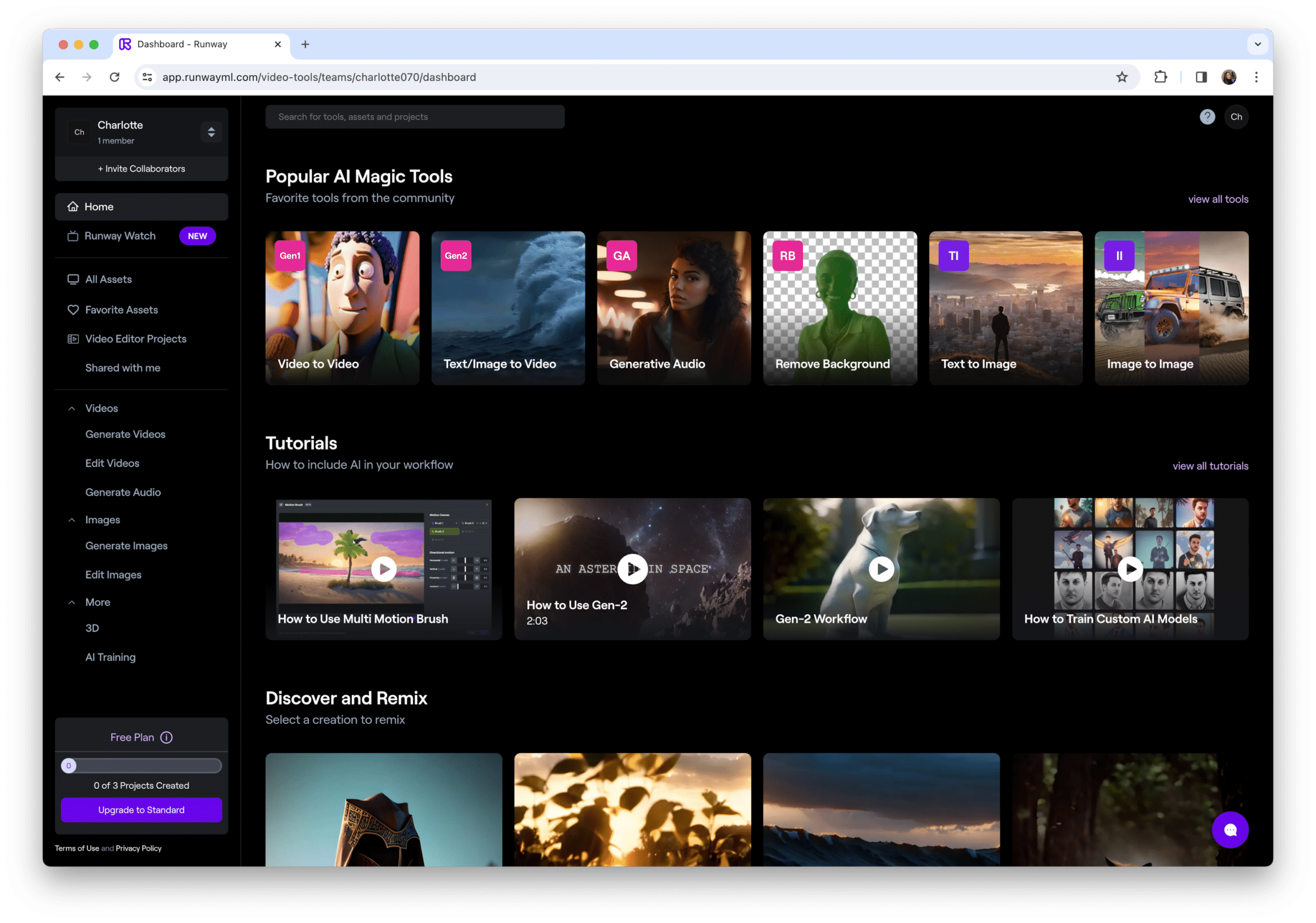
| Use it for: cinematic ad work that needs Motion Brush, character consistency, and a real editor around the model · Skip it for: workflows that depend on API access on Pro (it moved to Enterprise-only in January 2026) |
Runway’s 2026 pitch is the editor wrapped around the model. Motion Brush, Director Mode, Aleph, and Act-Two give creative control no purely generative platform matches. The platform is also now a multi-model marketplace, with paid subscribers gaining access to Gen-4.5, Veo 3.1, and Kling 3.0 Pro through a single dashboard.
Plan Breakdown (Annual Billing)
| Plan | Cost | Credits | Resolution | Notable inclusions |
|---|---|---|---|---|
| Free | $0 | 125 one-time | 720p, watermarked | Gen-4 Turbo image-to-video only, no Gen-4.5 access |
| Standard | $12/mo | 625/mo | 1080p, watermark removed | Full Gen-4.5 + Veo 3.1 + Kling 3.0 Pro in one dashboard |
| Pro | $28/mo | 2,250/mo | 4K upscale | ~37% cheaper per credit ($0.012) versus Standard ($0.019) |
| Unlimited | $95/mo | Unlimited Explore Mode | 4K, priority queue | Explore Mode runs unlimited at slow queue; premium models still credit-billed |
| Enterprise | From $800/mo | Custom volume | 4K, API access | API restricted to this tier since January 2026, 5-seat minimum |
Sources: Runway official pricing page (verified April 2026), ProPicked, Somake AI.
Real cost per finished clip: Standard at $12 lands around $2 to $3 per finished 10-second 1080p clip after retries. Unlimited at $95 turns into the better deal for anyone producing more than 30 clips a month, since Explore Mode removes credit anxiety entirely.
Pros and Cons as Editorial Conclusions
| Strength | Limitation |
|---|---|
| Motion Brush isolates pixels in source footage for selective animation; Kling, Pika, and PixVerse ship no equivalent | Standard’s 625 credits cover only 4-6 Gen-4.5 10s 1080p clips before $10 per 1,000 credits overage hits |
| Single $12 Standard plan unlocks Gen-4.5, Veo 3.1, and Kling 3.0 Pro inside one dashboard | 4K upscale costs 25-40 credits per second versus 10-15 at 1080p, tripling per-clip cost |
| Aleph editor animates static photos; Act-Two preserves character identity across cuts in one session | API access moved to Enterprise tier (from $800/mo, 5-seat minimum) in January 2026 |
★★★★½ 4.5/5 Best fit: cinematic ad work, character-driven content, teams that need creative control more than raw model power.
Kling AI 3.0: Where Motion and Action Belong

| Use it for: action sequences, dance, sports footage, and multi-shot narrative work on a tight budget · Skip it for: mission-critical timelines where support response time matters, or workflows that cannot tolerate failed-credit charges |
Kling’s reputation hinges on motion. Dance, sports footage, fight choreography, and complex physical action come out with a fluidity Western alternatives still struggle to match. Version 3.0 (early 2026) introduced the Omni One architecture, multi-shot storytelling up to six connected shots, and 4K 60fps output on higher tiers. The free tier offers 66 daily credits, useful for evaluating prompt quality but capped at 5-second 720p watermarked output with no commercial rights.
Plan Comparison
| Tier | Monthly cost | Annual cost | Monthly credits | Commercial use |
|---|---|---|---|---|
| Free | $0 | n/a | 66/day, expires daily | No |
| Standard | $6.99 | ~$4.60/mo | 660 | Yes, watermark removed at this tier |
| Pro | $25.99 | ~$17.20/mo | 3,000 | Yes, ~4.5x Standard credits, priority queue |
| Premier | $64.99 | ~$43/mo | 8,000 | Yes, ~12x Standard credits, full feature access |
| Ultra | $127.99 to $180 | ~$85+/mo | 16,000+ | Yes, ~24x Standard credits + Kling 3.0 priority |
Sources: kling.ai/app/membership (verified May 2026), VO3 AI plan analysis.
Real cost per finished clip: Standard at $6.99 produces roughly 8 Kling 3.0 Professional clips at $0.87 apiece, making it the cheapest premium-tier entry on the market. Native audio mode bumps that closer to $2 per clip, and failed generations still bill full credits.
Honest Strengths and Documented Pain Points
| Strength | Limitation |
|---|---|
| Independent 2026 benchmarks rank Kling 3.0 first for dance, sports, and combat sequences against Runway and Pika | Trustpilot average of 1.5 to 1.6 stars across 90+ verified reviews, mainly citing failed-credit charges |
| Omni One architecture chains up to 6 connected shots from a single prompt at 4K 60fps | Failed generations bill the full credit charge (documented ~$10 per misfire) with no refund policy |
| Standard at $6.99/mo ($4.60 annual) covers 660 credits = ~9 Kling 3.0 Pro 10s clips with watermark removed | Subscription credits reset at billing date; only separately purchased top-up packs hold for 2 years |
★★★★☆ 4/5 Best fit: action sequences, sports and dance content, multi-shot narrative work, budget-conscious teams needing premium output.
Synthesia: The Default Choice for Training and Internal Video

| Use it for: corporate training, onboarding, sales enablement, multilingual internal video at scale · Skip it for: cinematic scenes, dynamic B-roll, or any project that needs more than a talking-head presenter |
Cinematic models generate scenes. Synthesia generates a presenter delivering a script. The use case is fundamentally different: corporate training, onboarding, internal communications, sales enablement, any context where a talking head does the actual work. The 2026 platform ships 240+ AI avatars, supports 140+ languages, and integrates Veo 3.1 and Sora 2 in its AI Playground for cutaway scenes. Custom avatars built from 15-minute scripted recordings unlock at the Creator tier.
Plan Structure
| Plan | Monthly (annual) | Monthly billing | Video minutes | Avatar library |
|---|---|---|---|---|
| Free | $0 | $0 | 10 mins/mo, watermarked | 9 avatars |
| Starter | $22/mo | $29/mo | 10 mins/mo | 125+ avatars, 3 personal |
| Creator | $67/mo (or $53) | $89/mo | 30 mins/mo | 180+ avatars, 5 personal, API |
| Enterprise | Custom | Custom | Unlimited | 240+ avatars, unlimited personal |
Sources: Synthesia official pricing (verified Q1 2026), Arcade, Tekpon, FluxNote.
Real cost per finished clip: Starter on annual billing works out to roughly $2.20 per finished minute. Creator lands at $2.23 per minute annually or $2.97 monthly. Studio Avatars (premium custom recording) carry an additional ~$1,000 per year; SCORM export and 1-click translation stay locked to Enterprise.
Editorial Read
| Strength | Limitation |
|---|---|
| 240+ AI avatars covering 140+ languages, the largest library among avatar platforms in 2026 | Studio Avatars (premium custom recording) carry a $1,000 per year fee on top of subscription |
| AI Playground integrates Veo 3.1 and Sora 2 inside the editor for cutaway B-roll scenes | Starter’s 10 monthly minutes = roughly 2-3 standard 4-minute training clips before forced upgrade |
| PowerPoint-to-video conversion preserves slide designs and turns speaker notes into voiceover scripts | SCORM export, 1-click translation, and SSO locked behind Enterprise tier (custom pricing only) |
★★★★½ 4.5/5 Best fit: corporate training, multilingual product education, onboarding videos, internal communications at scale.
HeyGen: Avatar Video Plus Translation, in One Workflow
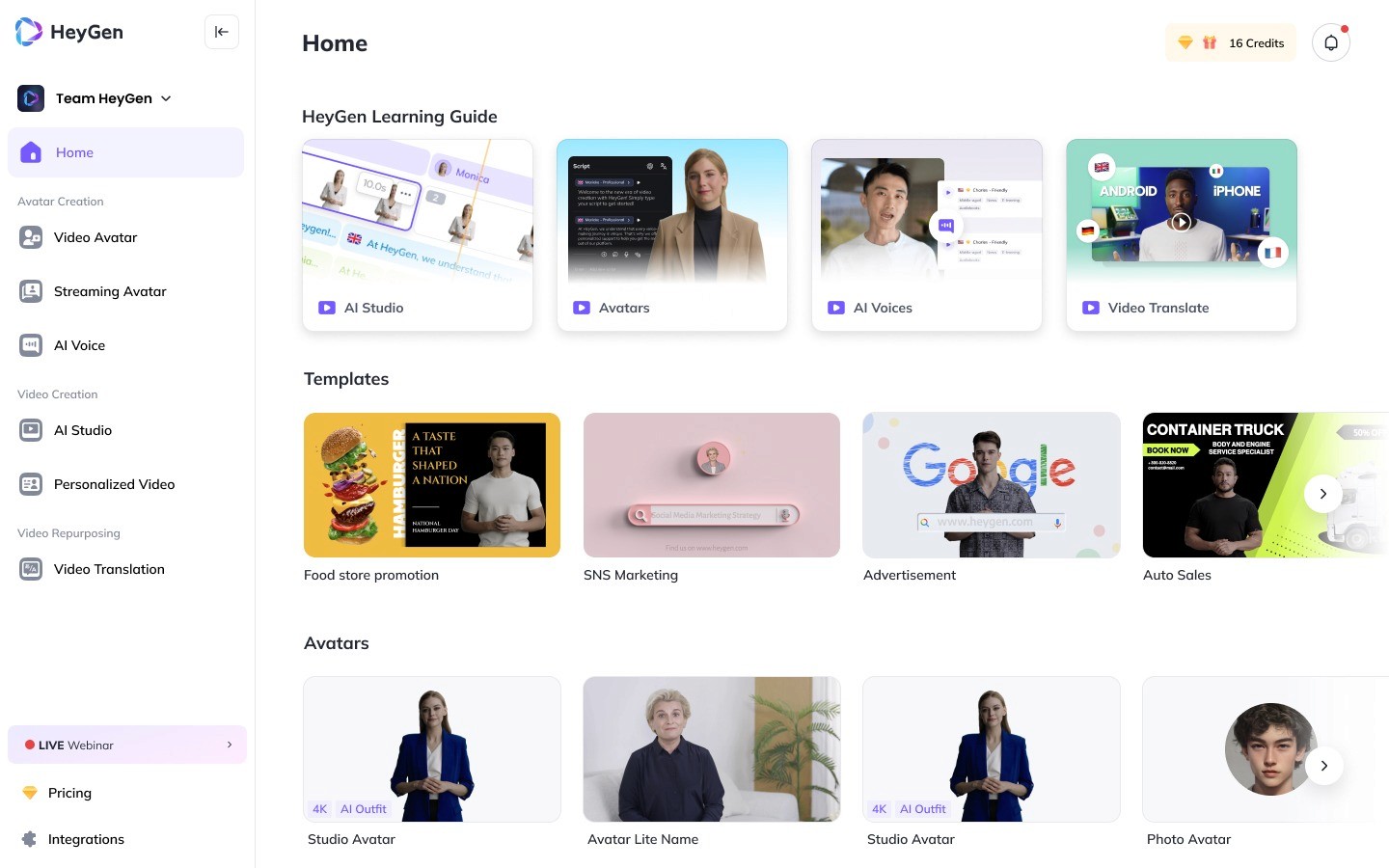
| Use it for: multilingual marketing rollouts, voice-cloned founder content, localized product videos, sales outreach · Skip it for: high-volume Avatar IV output on a Creator-tier budget; the credit cap turns punishing fast |
HeyGen competes with Synthesia in the avatar space and wins on two specific axes: voice cloning quality and automatic translation that re-lip-syncs an existing video into 40+ languages. The 2026 platform runs on Avatar IV and the emerging Avatar V models, with a credit system that determines output volume rather than minute caps.
Subscription Tiers (Web)
| Plan | Cost | Monthly credits | Resolution | Key feature unlock |
|---|---|---|---|---|
| Free | $0 | 1 credit (~1 min) | 720p, watermarked | 175+ languages but watermark stays fixed on every clip |
| Creator | $24/mo (annual) | 200 premium credits | 1080p, no watermark | Voice cloning + Instant Avatar (Digital Twin from 2-min footage) |
| Pro | $99/mo | Higher credit pool | 1080p, advanced tools | Power-user individual tier between Creator and Business |
| Business | $149/mo + $20/seat | Team credit pool | 4K, team workspace | 2-seat minimum, SSO, custom avatars, 4K rendering |
| Enterprise | Custom | Negotiated | 4K, all features | API access, security controls, dedicated account manager |
Sources: HeyGen pricing page (verified Q1 2026), PhotonPay analysis, Arcade benchmarks.
Real cost per finished clip: Creator annual at $24 covers roughly 10 minutes of Avatar IV per month, landing at $2.40 per finished minute. Avatar IV via API at scale runs closer to $4 per minute at 1080p, which adds up fast in volume work. February 2026 API migration ended the legacy free tier.
Strengths and Trade-offs
| Strength | Limitation |
|---|---|
| Translation re-lip-syncs Avatar III and IV videos into 40+ languages while preserving the avatar’s face and gestures | Creator’s 200 monthly credits = 10 minutes of Avatar IV vs Synthesia Creator’s 30 unrestricted minutes at the same tier |
| Avatar IV (Digital Twin) generates a photo-realistic likeness from a 2-minute footage upload at Creator ($24/mo annual) | February 2026 API migration ended legacy Pro and Scale plan rates; no free API tier exists now |
| Voice cloning included in Creator at $24/mo annual versus Synthesia voice cloning gated to Studio Avatars at $1,000/year | Avatar IV via API at 1080p costs ~$4 per minute; a 100-minute monthly pipeline runs ~$400 in API spend alone |
★★★★☆ 4/5 Best fit: multilingual marketing, localized product videos, voice-cloned founder content, sales outreach personalization.
Two More for the Shortlist: Social-First Picks
The four tools above cover cinematic generation and avatar work, the two heaviest production categories. Two more deserve a place on the shortlist for anyone working in short-form social content, where speed and creative effects matter more than 1080p hero polish.
Pika 2.5: Effects-First Social Video

| Use it for: short-form social with Pikaffects, lip sync, scene swaps, fast creative iteration · Skip it for: cinematic ad work, narrative coherence across longer clips, photoreal output |
Pika carved its niche around effects nobody else does well. Pikaffects (melt, explode, inflate), Pikascenes, Pikadditions, and Pikaswaps give creators tools that go beyond raw generation into post-production-style manipulation. The platform now runs on the Pika 2.5 model, with synchronized audio and physics-aware interactions added in 2025.
| Plan | Cost (annual) | Monthly credits | Output | Notable |
|---|---|---|---|---|
| Basic | $0 | 80/mo | 480p, watermarked | All Pikaffects unlocked, but no commercial use |
| Standard | $8/mo | 700 | 1080p, no watermark | Full Pika 2.5 + commercial use rights; 80 credits per 10s 1080p clip |
| Pro | $28/mo | 2,300 | 1080p, faster queue | ~3.3x Standard credits, priority queue position |
| Fancy | $76/mo | 6,000 | 1080p, priority queue | ~8.6x Standard credits, fastest available queue speed |
Sources: pika.art (verified April 2026), ToolJunction, ImagineArt analysis.
Real cost per finished clip: A 10-second 1080p clip consumes ~80 credits, so Standard at $8 covers roughly 8 such clips per month at $1.00 per finished clip. Pikaffects and PikaScenes carry the same credit weight.
Where Pika earns the slot: speed of iteration, creative effects that no other platform replicates, and the most generous free tier among premium social tools. Where it falls short: photorealism trails Runway visibly, character consistency across cuts remains weak, and credit burn at 1080p is unforgiving for anyone running more than a handful of generations per session.
★★★★☆ 4/5 Best fit: TikTok, Instagram Reels, YouTube Shorts, creators who want creative effects more than realism.
PixVerse 5.5: Speed Over Polish
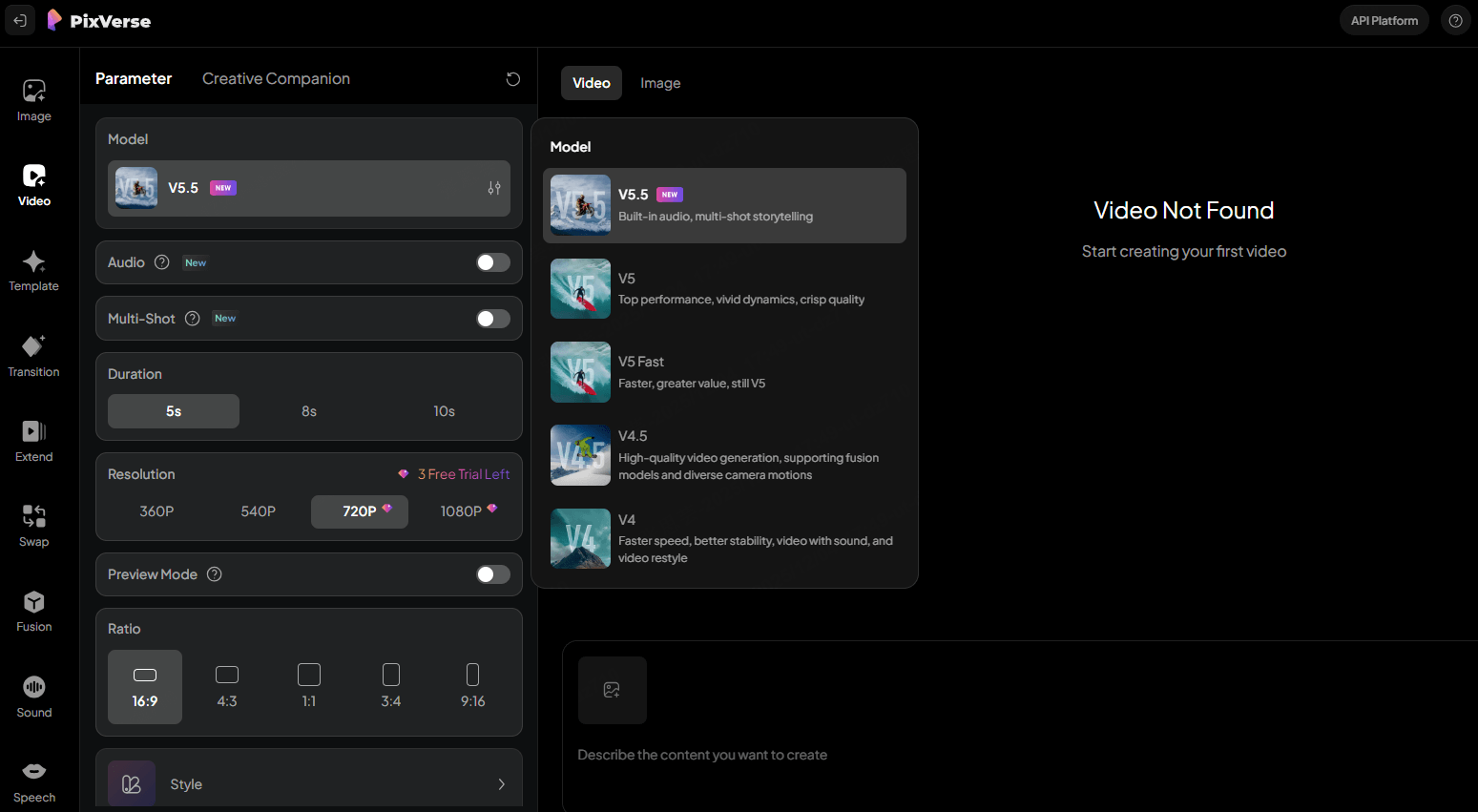
| Use it for: fast 5-to-8-second social clips, image-to-video at scale, high-volume ad iteration · Skip it for: long-form content, photoreal cinematic work, or anything needing stable character continuity |
PixVerse focuses on speed. The platform generates 5-second clips in under 60 seconds and offers concurrent generation lanes that scale with plan tier. The latest 5.5 model improved character-driven generation and added built-in lip sync. In the competitive landscape, it is less prestigious than Runway for cinematic work, but considerably cheaper to iterate with for high-volume social content.
| Plan | Cost | Monthly credits | Resolution | Concurrent jobs |
|---|---|---|---|---|
| Basic | $0 | 90 + 60 daily | 540p, watermarked | 1 |
| Standard | $8/mo annual | 1,200 | 720p | 3 |
| Pro | $24/mo annual | 6,000 | 1080p | 5 |
| Premium | $60/mo | 15,000 | 1080p, priority | 8 |
| Ultra / Enterprise | $100 to $199/mo | Custom | 1080p, API access | 10+ |
Sources: pixverse.ai (verified April 2026), Tekpon, ToolJunction.
Real cost per finished clip: A 5-second 1080p clip on PixVerse 5.5 consumes 120 credits, so Standard at $8 covers ~10 clips per month at roughly $0.80 per finished clip. Cheapest per-clip rate among premium social-tier tools.
Where PixVerse earns the slot: cost-per-clip is among the lowest on the market, concurrent generation accelerates testing, and credit-per-clip math is more transparent than Pika or Kling. Where it stumbles: clips capped at 5 to 8 seconds limit long-form use, prompt sensitivity drives retry rates higher than expected, and customer support response times have been widely flagged in user reviews.
★★★½☆ 3.5/5 Best fit: high-volume social testing, marketers iterating on ad creative, short-form pipelines that prioritize cost over fidelity.
Picking the Right One
Six tools, six different jobs. The table below maps common production briefs to the model that fits them based on the strengths examined across this breakdown.
| Production brief | First-choice tool | Second-choice tool | Reasoning |
|---|---|---|---|
| Cinematic ad with character continuity | Runway Gen-4.5 | Kling 3.0 | Motion Brush + Act-Two handle character ID across cuts in one session |
| Sports, dance, action sequence | Kling 3.0 | Runway Gen-4.5 | Kling 3.0 ranks first in 2026 benchmarks for dance and sports realism |
| Multi-shot story up to six connected shots | Kling 3.0 | Runway Gen-4.5 | Omni One architecture chains 6 shots from a single prompt at 4K 60fps |
| Social-first short-form with effects | Pika 2.5 | PixVerse 5.5 | Pikaffects (melt, explode, inflate) ship on Pika alone in 2026 |
| High-volume ad creative testing | PixVerse 5.5 | Pika 2.5 | PixVerse: $0.80 per 5s 1080p clip plus 3 to 10 concurrent jobs by tier |
| Corporate training, onboarding | Synthesia | HeyGen | 240+ avatars across 140+ languages and PowerPoint-to-video pipeline |
| Multilingual marketing rollout | HeyGen | Synthesia | Re-lip-syncs source video into 40+ languages preserving avatar appearance |
| Voice-cloned founder content | HeyGen | Synthesia (Studio) | Voice cloning at Creator $24/mo vs Synthesia Studio Avatars at $1,000/year |
| Budget under $10/mo, premium output | Kling 3.0 Standard | Pika 2.5 Standard | Kling $6.99 (660 credits) + Pika $8 (700 credits) both unlock commercial use |
What a Finished Clip Actually Costs
Subscription pages list monthly fees, not cost per finished asset. The table below estimates the latter, accounting for typical retry rates and the resolution most teams ship at.
| Tool and tier | Realistic monthly output | Cost per finished clip | Best fit for this math |
|---|---|---|---|
| Runway Gen-4.5 (Standard, $12) | ~4-6 clips at 10s 1080p | ~$2 to $3 per clip | Solo creators iterating on 4-6 finished spots/mo |
| Runway Gen-4.5 (Unlimited, $95) | Effectively unlimited (Explore) | <$1.50 per clip at scale | Ad agencies shipping 30+ finished clips/mo |
| Kling 3.0 (Standard, $6.99) | ~8 Pro-mode 10s clips | ~$0.87 per clip | 8-9 motion-heavy clips/mo at the cheapest premium rate |
| Pika 2.5 (Standard, $8) | ~8 clips at 10s 1080p | ~$1.00 per clip | 8 clips/mo with Pikaffects unlocked for commercial use |
| PixVerse 5.5 (Standard, $8) | ~10 clips at 5s 1080p | ~$0.80 per clip | 10 social clips/mo at the lowest per-clip rate covered |
| Synthesia (Starter annual, $22) | 10 minutes of avatar video | ~$2.20 per finished minute | 2-3 standard 4-minute training clips per month |
| HeyGen (Creator annual, $24) | ~10 minutes of Avatar IV | ~$2.40 per finished minute | 1-2 multilingual rollouts of a 5-minute source video |
Estimates assume realistic retry rates and 1080p target resolution. Cost climbs at 4K or with native audio modes.
A few patterns worth naming directly Cost-of-output math matters more than headline pricing. A $25 plan that produces 4 usable videos per month is more expensive per finished asset than a $95 plan generating 80 usable videos. Most teams pick the wrong plan because they read the subscription line and ignore the credit math underneath. The smarter move is to estimate monthly video volume, multiply by realistic retry rates (most workflows hit usable output on the second or third generation, not the first), and pick the tier that absorbs that volume without spilling into overage rates. |
Final Thought
The honest answer to which AI video tool is best remains: best for what. Runway wins the editor. Kling wins motion at the lowest price. Synthesia owns training. HeyGen owns multilingual avatar work. Pika owns creative effects. PixVerse owns cheap iteration.
The smarter play in 2026 is not loyalty to one tool. It is knowing the brief, picking the model that fits it, and watching the credit math closely enough to stop a $20 subscription from becoming a $200 surprise.
Comments