Table of Contents
Instagram was built to keep you inside Instagram. There is no native "save this to my phone" button on a standard feed post or on a friend's Reel, and the one download feature the app does offer comes with a string attached. In late 2023 the platform finally let users worldwide download public Reels, but every file ships with an Instagram watermark stamped with the creator's handle, and any Reel that uses licensed audio arrives completely silent. That single design choice, more than the demand for piracy or anything sinister, explains why an entire economy of third-party downloaders exists. indown.io is one of the better-known names in that crowd.
This is a hands-on look rather than a brochure. The goal here is to answer four practical questions: what indown.io genuinely is, what it does well and where it stumbles, what real users and security scanners actually say about it, and whether it earns a place in your toolkit. No hype, no padding.
indown.io at a glance
SPEC SHEET
| TYPE | Browser-based Instagram downloader, plus a companion iOS app called "InDown" |
| COST | Free on the web; the iOS app is free with in-app purchases |
| ACCOUNT OR LOGIN | Not required for public content |
| SOFTWARE INSTALL | None needed for the website |
| CONTENT SUPPORTED | Reels, feed videos, photos, carousels, Stories, Highlights, profile pictures, audio, IGTV |
| MAX QUALITY CLAIMED | Up to 1080p, 4K, and 8K where the source allows it |
| WATERMARK | Removed, so files carry no indown.io branding |
| PLATFORMS | Any modern browser on Android, iOS, Windows, and macOS |
| DOWNLOAD LIMITS | None advertised; the site promotes unlimited, around-the-clock use |
| INFRASTRUCTURE | Served through Cloudflare; domain registered around 2022 via GoDaddy under private registration |
| INSTAGRAM AFFILIATION | None whatsoever |
What indown.io actually is, and what it is not
Strip away the marketing language and indown.io is a collection of single-purpose web pages, each tuned to one kind of Instagram content. There is a page for Reels, one for feed videos, one for photos, one for Stories and Highlights, one for profile pictures, one for audio, and even a separate page that promises to handle private downloads. You do not install anything, you do not create an account, and for public content you never hand over a password. The workflow is the same on every page: copy a link inside Instagram, paste it into a box, and let the site fetch the file.
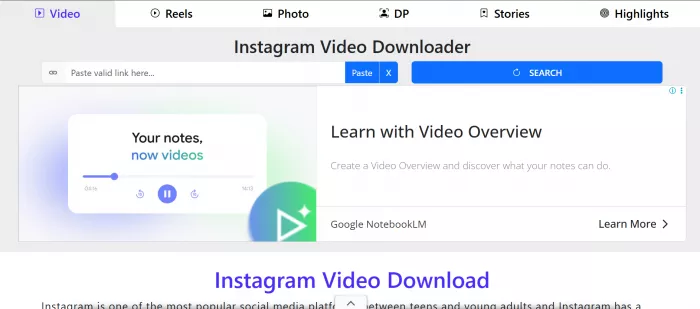
That simplicity is the entire pitch. The site leans on it hard, and for casual use it is a fair claim. There is no desktop client to maintain, no browser extension asking for sweeping permissions, and no sign-up funnel between you and the file you want. The companion iOS app extends the same idea to a native interface for iPhone users who would rather tap an app icon than open a browser tab.
It is worth being just as clear about what indown.io is not. It is not an official Instagram product, and it has no relationship with Meta. It is not a key that unlocks private accounts you do not already follow, because no browser tool can quietly defeat Instagram's privacy model. And it is not a serious bulk-archiving solution. There is no queue, no folder structure, and no batch mode, so anyone trying to back up hundreds of posts will find the one-link-at-a-time rhythm tiring fast. The operator runs the service anonymously behind a privacy registration, which is normal for this category of site but worth knowing before you decide how much to trust it.
How I downloaded a video, step by step
The fastest way to judge a tool like this is to actually run a file through it, so here is the exact path I followed to pull a single public Instagram video onto my device, start to finish.
1. Find the video on Instagram and open it. I opened the post inside the Instagram app so the video was playing on screen. This works equally well in a desktop browser if you open the post in its own tab.
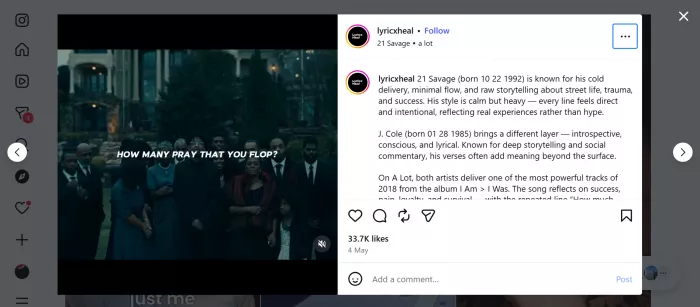
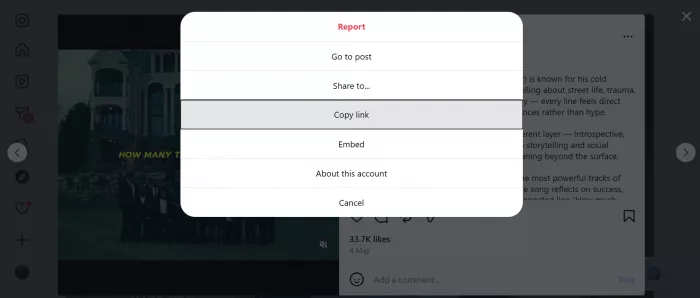
2. Copy the link. On mobile I tapped the paper-plane share icon, then chose "Copy link," which silently copies the post URL to the clipboard. On a computer the shortcut is even faster: click the three-dot menu on the post and select "Copy link," or simply copy the address straight from the browser bar.
3. Open indown.io in any browser. No app to launch, no login screen, no email gate. The homepage loads with a single empty input box front and center.
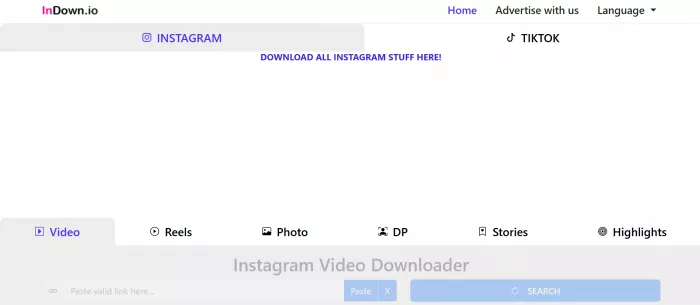
4. Paste the link into the box. I long-pressed the field and tapped paste. The link dropped in cleanly.
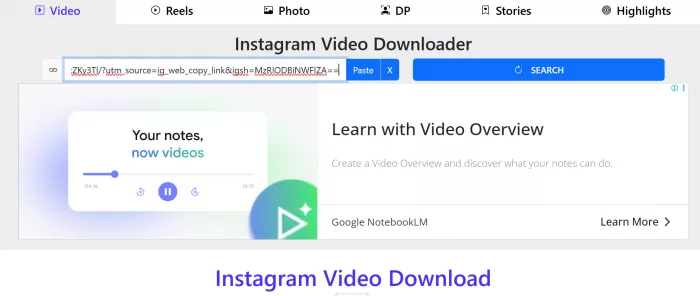
5. Press the download button. The site began syncing immediately. Within a few seconds it had reached out, read the post, and prepared the file. This is the step most likely to hiccup if Instagram has recently changed its format, but on a standard public video it resolved without complaint.
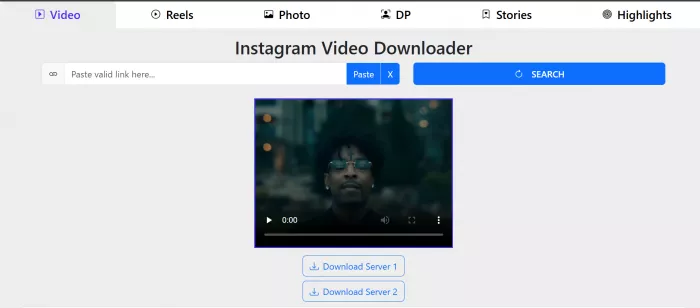
6. Pick the file from the preview. A thumbnail of the video appeared with a clearly labeled Download button beneath it. I tapped it.
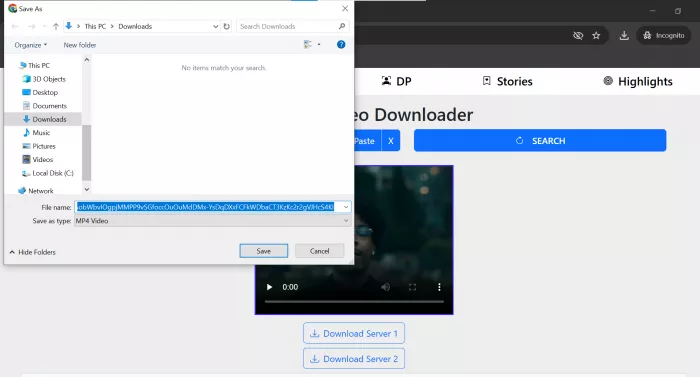
7. Let it save. On mobile the MP4 landed in my gallery and downloads folder; on desktop it dropped into the default Downloads directory. There was no watermark on the saved file and the resolution matched the original upload.
8. Confirm it plays. A quick playback check confirmed the audio and video were intact and that the quality had not been quietly downgraded.
Total time: under a minute. The only manual part was copying the link inside Instagram.
What holds up, and what does not
indown.io advertises near-total coverage of Instagram content, but in practice the experience is uneven. Rather than repeat the feature list, here is the honest split from hands-on testing.
THE HONEST SPLIT
| WHAT HOLDS UP | WHAT FALLS SHORT |
|---|---|
| The profile-picture page is the most dependable, returning a larger, higher-resolution display photo | The Reels page sometimes serves the account's profile image instead of the actual clip |
| Files arrive at the original upload quality, 720p, 1080p or higher, with no re-compression | Reliability is uneven across pages, so not every content type works as smoothly as the next |
| Watermark removal is real, with no indown.io branding and no Instagram handle stamp | There is no bulk or batch mode, so saving many posts stays slow and manual |
| Clean output suits personal collections and reference footage | A fetch can fail for a while after Instagram changes its format |
When a download does land, the quality is genuinely good, because indown.io passes the file through untouched instead of transcoding it. The catch is consistency, and it varies by content type, as the per-type breakdown below shows.
FORMAT SUPPORT, FROM TESTING
| CONTENT TYPE | SUPPORTED | REAL-WORLD NOTES |
|---|---|---|
| Profile picture | Yes | The most consistent feature in testing; returns a higher-resolution version |
| Feed video | Yes | Generally reliable; output quality matches the original upload |
| Reels | By design | Occasionally returned the profile image instead of the clip during testing |
| Photos & carousels | Yes | Saves at original resolution; multi-image posts are handled |
| Stories | Yes | Works on public accounts |
| Highlights | Yes | Public accounts only |
| Audio | Yes | Handy for extracting a track from a post |
| Private content | No | Cannot bypass Instagram's privacy on accounts you do not follow |
Speed, interface, and the phone experience
Where indown.io quietly earns goodwill is on a phone. A surprising number of browser-based downloaders fall apart on mobile, with cramped buttons, layouts that overflow the screen, and tap targets that fight you. indown.io is noticeably better optimized for smartphone browsing. Pages load quickly, the input box and download button stay reachable with one thumb, and the two-step flow does not demand any pinching or scrolling gymnastics. Given that most Instagram browsing happens on a phone in the first place, that mobile polish is more than a nicety.
The interface philosophy is minimalism by necessity. There is essentially one job on each page, and the page reflects that. The flip side, common to almost every free tool in this space, is advertising. The service is free to you because it monetizes through ads, and you should expect some on the way to your file. Reviewers who praise the experience tend to note that the ad load is tolerable rather than aggressive, but it is there, and it is the price of a tool that never asks you to pay or register.
Reliability is the honest weak point, and it is not unique to indown.io. Browser downloaders depend on quietly reading Instagram's public pages, and every time Instagram adjusts its internal format, tools across the entire category can break for a stretch until they patch. So an occasional failed fetch is normal, not a sign that the site is broken or unsafe. The practical takeaway is to treat any single failure as a "try again later" rather than a verdict.
What users and scanners actually say
This is the part where most articles invent five-star testimonials from people who do not exist. The truth is more useful: indown.io sits between a consumer app and professional software, so its feedback is scattered, and each source is worth a very different amount.
WHERE THE FEEDBACK LIVES, AND HOW MUCH IT COUNTS
| SOURCE | SCORE | WEIGHT | WHAT YOU ARE ACTUALLY LOOKING AT |
|---|---|---|---|
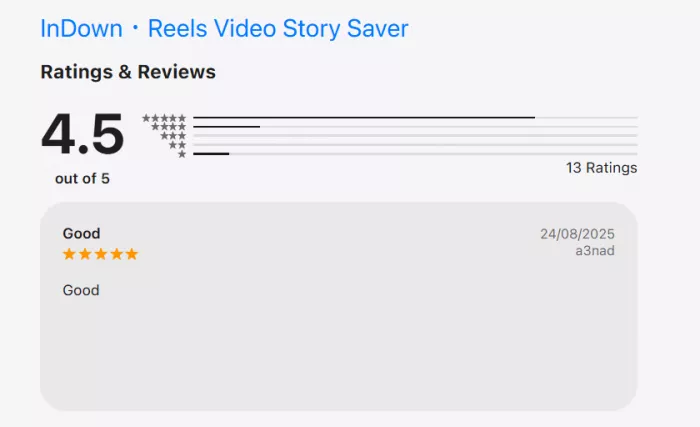
| Apple App Store | 4.5 / 5 ~180 ratings | High | The strongest genuine pool of sentiment for this brand; routine update notes point to quiet but active maintenance |
| Security scanners | Mostly safe | Solid | One scan rates the domain 99 / 100 with a clean, multi-year record; a single skeptic flags it, largely on category bias |
| Trustpilot | No rating | None | The profile exists but holds zero reviews, so any "Trustpilot score" quoted elsewhere is citing nothing |
| G2 | Not listed | None | A directory for comparing paid business software; a free, no-login consumer tool simply has no place here |
| Capterra | Not listed | None | The same story as G2, since the procurement-software category does not fit a utility like this |
| Sitejabber | 4.0 / 5 2 reviews | Thin | Too small a sample to mean much, and one of the two entries reads like self-promotion |
| Anecdotal | Mixed | No dedicated threads; casual users value the convenience, while a command-line minority on tools like Instaloader skips it |
STRAIGHT TALK
If a competing article shows you glowing G2 and Capterra quotes for indown.io, that content is fabricated. Knowing why is part of being an informed reader.
Read together, the trustworthy signals all point one way. The App Store crowd is satisfied, the security scanners are calm, and the blank spaces on G2, Capterra, and Trustpilot reflect category rather than danger. The honest verdict is legitimate but use sensibly, with one caveat: there is less verifiable feedback here than a polished marketing page might suggest.
Is it safe, and is it legal?
Safety and legality are two separate questions, and lumping them together is how people get into trouble. On the safety side, indown.io's biggest structural advantage is that it does not ask for your Instagram login for standard public downloads. Credential theft is the single most damaging risk with shady downloaders, and a tool that never requests a password sidesteps it by design. It also runs entirely in the browser, so there is no installer that could smuggle something onto your machine. Independent scans backing up a clean record reinforce that picture.
None of that makes it risk-free, and a few sensible precautions matter:
• Only download content from public accounts, and avoid the "private downloader" page, which sits in murkier territory both technically and ethically.
• Never enter your Instagram username or password into this or any similar third-party site, even if a page tempts you to.
• Keep an ad blocker or a reputable browser's protections on, since the site is monetized through ads and the occasional intrusive one is the main nuisance.
• Treat a failed download as a temporary glitch, not an invitation to install some "helper" tool that a pop-up might offer instead.
Legality is the part most people gloss over. Downloading a public video for your own private, offline viewing generally sits in a tolerant gray zone in many places. Re-uploading someone else's content, monetizing it, or passing it off as your own is a different matter entirely, because the creator still holds the copyright to what they made. indown.io's own pages acknowledge this, noting that the rights to any downloaded material belong to the original creators. The honest rule of thumb is simple: save freely for yourself, but get permission before you republish anyone else's work.
How indown.io compares
indown.io is not the only path from an Instagram link to a file on your device, and the right choice depends entirely on what you are trying to do. The table below frames it against the most common alternatives, including Instagram's own built-in option.
THE ALTERNATIVES
| TOOL | TYPE | COST | WATERMARK | BEST FOR |
|---|---|---|---|---|
| indown.io | Website + iOS app | Free | None | Quick, no-login grabs of public content, especially profile pictures and feed videos |
| Instagram (native) | Built-in feature | Free | Yes | Saving public Reels without leaving the app, if the stamp does not bother you |
| Instaloader | Command-line tool | Free | None | Power users in a terminal who want bulk downloads and automation |
| SaveFrom.net | Site + extension | Free | None | People downloading from many platforms, not Instagram alone |
| 4K Video Downloader | Desktop app | Freemium | None | High-volume batch downloading from a computer |
The pattern that emerges is straightforward. Instagram's native download is the most trustworthy source but the least useful output, because the watermark and stripped audio defeat the purpose for most people who reach for a downloader in the first place. Command-line tools win on power and lose on accessibility. Multi-platform sites win on breadth. indown.io's lane is narrow but real: it is a fast, friendly, mobile-ready way to grab a clean copy of public Instagram content without paying, registering, or installing anything.
The Verdict
Who it is for
indown.io is a competent, genuinely free, no-login Instagram downloader that does its core jobs well, runs smoothly on a phone, and produces clean, watermark-free files at original quality when a download succeeds. Its weaknesses are equally real and worth respecting: the Reels page is inconsistent, there is no bulk capability, ads come with the territory, and occasional failures after Instagram updates are simply part of the deal. The review picture is reassuring where it counts, anchored by a strong 4.6 App Store rating and broadly positive security scans, even if the absence of G2, Capterra, and Trustpilot data means there is less verifiable feedback than a polished marketing page might imply.
Reach for indown.io when:
• You want a clean, watermark-free copy of a public Instagram video, photo, or profile picture in under a minute.
• You are on a phone and do not want to install yet another app or hand over a login.
• Your needs are occasional and personal rather than industrial.
Look elsewhere when you need to archive content in bulk, automate downloads, or pull from private accounts, since those jobs call for a command-line tool or a dedicated desktop application instead. Used for what it is good at, and with the basic precautions above, indown.io is a reasonable tool to keep bookmarked. Just remember that the file you save still belongs to the person who made it.
Roman Mathews
1 month agoI used Indown.io once in a genuine panic situation to save a Story that was about to expire. A friend had posted something time-sensitive that I needed to reference later, and I remembered with minutes to spare. The tool worked, the Story downloaded at original quality, and I had my reference saved before deletion. This is a narrow use case, but it is one where Instagram offers no native alternative. Stories expire, screenshots notify the poster, and the official app provides no save mechanism. Indown.io fills this specific gap even if I use it infrequently.
Login To Reply ↪