Table of Contents
- The Best Budget AI Writers at a Glance
- What “Budget” Really Means
- 1. Rytr: Best for High-Volume Everyday Writing
- 2. QuillBot: Best for Rewriting and Polishing
- 3. Wordtune: Best for Sentence-Level Editing
- 4. Jenni AI: Best for Research Writing
- 5. Sudowrite: Best for Fiction Writers
- 6. HyperWrite: Best for Research-Aware General Writing
- What Cheap AI Writers Cut First
- The Hidden Cost of a $10 Tool
- Which One Should You Choose?
- Verdict: The Best Budget AI Writing Tool in 2026
Cheap AI writing software is easy to find. Cheap software that remains useful after the novelty wears off is harder. The real difference is rarely whether a $10 tool can generate text. Most can. The question is what has been removed to keep the price low: research, unlimited usage, model choice, long-form control, brand management, collaboration, or something else.
For this list, “budget” means a writing-focused tool with a genuinely usable individual plan around $20 per month or less, particularly with annual billing. The six picks below are not interchangeable. Each saves money in a different way, which means each asks you to accept a different compromise.
The Best Budget AI Writers at a Glance
| Tool | Budget plan | Best for | What keeps it affordable | Rating |
| Rytr | $7.50/month annually | High-volume everyday copy | Narrower research and language capabilities | 8.4/10 |
| QuillBot | $8.33/month annually | Rewriting and polishing | Stronger at transforming text than owning the whole writing process | 8.7/10 |
| Wordtune | $9.99/month annually for Unlimited | Sentence-level editing | Focuses heavily on revision rather than complex long-form generation | 8.2/10 |
| Jenni AI | $12/month on its current Plus plan | Research and academic writing | Usage limits remain below the Pro tier | 8.8/10 |
| Sudowrite | $10/month annually | Fiction and creative writing | AI usage is controlled through credits | 8.7/10 |
| HyperWrite | $16/month annually | Research-aware general writing | Premium caps AI messages rather than making everything unlimited | 8.5/10 |
*Note : Prices are in USD and were checked against public pricing information available in September 2026. Promotions, taxes, billing cycles, and regional pricing can change the amount actually charged.
The prices alone do not identify the best value. A $7.50 subscription can be expensive if you still need two other products to research and edit the result. A $16 tool can be cheaper in practice if it replaces several stages of the workflow.
What “Budget” Really Means
There is a reason this list does not simply rank products from cheapest to most expensive. AI writing subscriptions now bundle very different things under the same label. One service may essentially be a rewriting assistant, while another includes research, citations, document uploads, custom writing personas, browser extensions, plagiarism checking, and full drafting tools. Comparing their sticker prices without looking at what they replace is misleading.
A useful budget tool should therefore pass three tests:
● Its affordable tier has to be usable for real work. A low headline price means little if the plan provides so few generations that regular users immediately need to upgrade.
● Its limitations should be predictable. Credit systems, daily caps, language restrictions, and document limits are easier to budget around when they are clearly defined.
● The missing features should be features you can actually live without. Paying $10 instead of $20 is not a saving if the cheaper product lacks the one capability your workflow depends on.
With that in mind, here are the six tools that make the strongest case.
1. Rytr: Best for High-Volume Everyday Writing
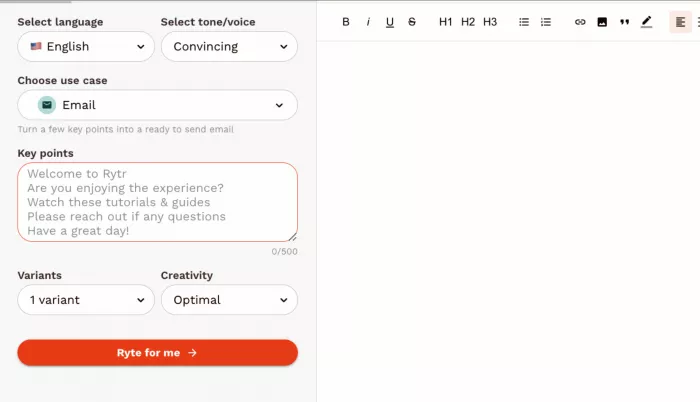
Rytr makes the most sense when writing is repetitive rather than research-intensive. Emails, product descriptions, social posts, calls to action, short sections, metadata, and quick variations are where its economics work particularly well.
Its advantage is partly what it chooses not to become. Rytr does not surround basic writing with an expensive research environment or sprawling content-marketing platform. If those additional systems would sit unused, paying less for a focused generator can be the smarter purchase.
| At a glance | Rytr |
| Price | Free; Unlimited $7.50/month annually |
| Best for | Freelancers, marketers, short copy and frequent generation |
| Free plan | 10,000 characters per month |
| Notable features | 40+ use cases, 20+ tones, Chrome extension, personalized tone, plagiarism checks |
| Paid usage | Unlimited generation on the Unlimited tier |
| Rating | 8.4/10 |
| Main catch | Cheaper tier has limited language and brand-voice flexibility |
Rytr's current Unlimited plan includes unlimited copy generation, one personalized tone and 50 plagiarism checks per month. Its higher Premium plan adds broader language support and more tone matching, showing fairly clearly where the lower price is being subsidized by tighter customization.
Where It Earns Its Price
Rytr is particularly economical for users whose costs increase with volume. Someone producing dozens of small pieces each week benefits more from inexpensive unlimited generation than from a sophisticated research system used twice a month.
The difference becomes even clearer on Rytr vs Copy.ai when we compare on price and actual writing workload, since the two now serve very different kinds of users despite once competing as inexpensive AI writers.
There is also less software overhead. Instead of learning a complicated content suite, you can move quickly between common copywriting tasks and continue working through the browser extension.
What You Give Up to Save
The trade-off is depth. Rytr can generate plenty of copy, but the inexpensive plan is less attractive for multilingual work, complex brand systems, source-heavy articles, or documents where research quality matters as much as the prose.
This is a useful distinction because Rytr is not necessarily “worse” than a more expensive platform. It is simply optimized around a cheaper part of the writing process.
Bottom Line
Rytr is one of the best values for writers who need quantity, speed, and uncomplicated copy generation. The savings become less convincing once research, multilingual output, or sophisticated brand control becomes central to the job.
2. QuillBot: Best for Rewriting and Polishing
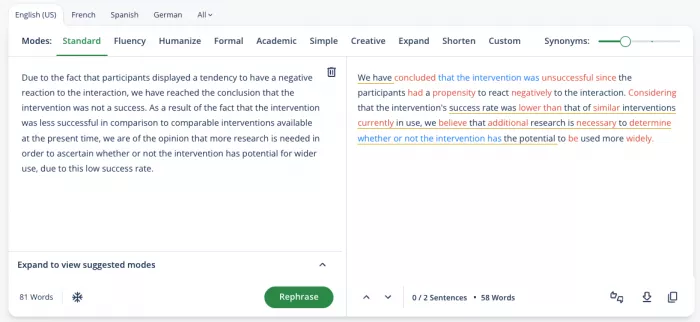
QuillBot occupies a different position. It is less interesting as a machine that produces entire articles from nothing and more useful as a toolbox for improving material that already exists.
That distinction matters for budget-conscious writers. If you already research, outline, and draft effectively, you may not need an expensive AI platform to take over those stages. A cheaper service that improves clarity, restructures awkward passages, summarizes source material, and catches problems can deliver more practical value.
| At a glance | QuillBot |
| Price | Free; Premium $8.33/month annually, $19.95 monthly |
| Best for | Rewriting, editing, summarizing and refining drafts |
| Free plan | 125-word paraphrasing limit with two paraphrasing modes |
| Notable features | Paraphraser, grammar tools, summarizer, translator, humanizer, plagiarism checker, AI Detector and AI Chat |
| Premium extras | Nine paraphrasing modes, advanced suggestions and 25,000 plagiarism-check words/month |
| Rating | 8.7/10 |
| Main catch | Better at transforming writing than managing an entire long-form content workflow |
QuillBot Premium is listed at $8.33 per month when billed annually, or $19.95 on a monthly subscription. Premium removes the basic paraphrasing restriction, expands rewriting modes and includes considerably broader access across QuillBot's editing tools.
Where It Earns Its Price
QuillBot's strongest value comes from replacing several small utilities rather than one expensive AI writer. Rewriting, grammar correction, summarization, translation, plagiarism checking and AI detection can otherwise become separate tabs or subscriptions.
For students, editors, bloggers, and professionals who already have a draft, that breadth is often more useful than another blank-page generator.
What You Give Up to Save
QuillBot does not naturally replace a research-driven writing environment or a sophisticated content-production system. You can generate and work with AI inside the product, but its strongest identity remains revision.
That makes it less compelling for someone expecting a tool to research a topic, organize a complicated brief, maintain extensive brand context, and produce a polished long-form article as one connected process.
Bottom Line
QuillBot offers some of the best budget value when your first draft already exists. Buy it for transformation and refinement rather than expecting it to become an entire editorial department.
3. Wordtune: Best for Sentence-Level Editing
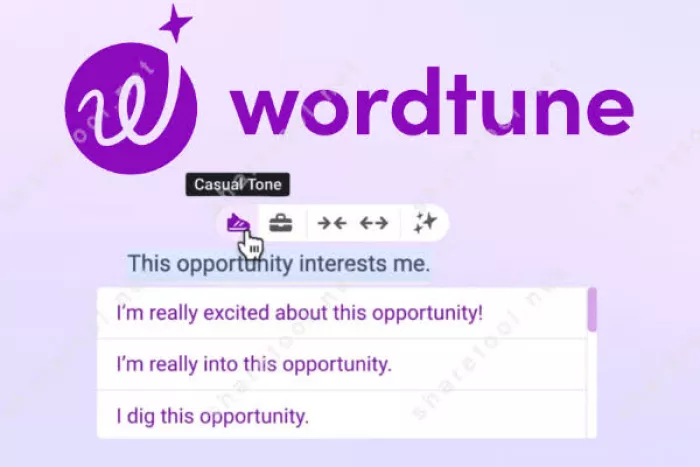
Wordtune is a good example of why feature count is a poor way to judge value. It does fewer things than many large AI writing platforms, but the things it concentrates on happen frequently: rewriting sentences, adjusting phrasing, improving clarity, and making existing language read more naturally.
For people who spend more time editing than generating, that narrower approach can be financially sensible.
| At a glance | Wordtune |
| Price | Free; Advanced $6.99/month annually; Unlimited $9.99/month annually |
| Best for | Editing, rewriting and improving everyday English |
| Free plan | 10 rewrites/AI suggestions per day and 3 monthly summaries |
| Notable features | Rewrites, AI suggestions, summaries, grammar, vocabulary and fluency improvements |
| Best-value tier | Unlimited for frequent writers |
| Rating | 8.2/10 |
| Main catch | Less suitable for research-heavy or highly structured content generation |
The Advanced tier increases rewriting access but still imposes daily and monthly limits. Unlimited removes those restrictions across rewriting, AI suggestions and summaries, which is why the $9.99 annual-billing tier is the more meaningful comparison for regular writers.
Where It Earns Its Price
Wordtune earns its subscription when the difficult part of the job happens after the first draft. Client emails, reports, web copy, support messages, and rough AI-generated text often need better wording more than they need another complete regeneration.
Its workflow also encourages selective editing. Instead of continually asking an AI to rewrite an entire document, a writer can concentrate on the sentence or passage that actually needs work.
What You Give Up to Save
You sacrifice breadth. Wordtune is not the obvious choice for managing citations, interrogating large source libraries, building novels, or running an end-to-end content operation.
That narrowness is precisely why the price can remain low. Buyers are paying for an editing layer rather than a large production environment.
Bottom Line
Wordtune makes the most sense for people who already know what they want to say but want help saying it better. If blank-page generation is your main problem, there are stronger choices here.
4. Jenni AI: Best for Research Writing

Jenni AI changes the value calculation because it combines writing assistance with source handling. For a student, researcher, or writer working from papers and PDFs, inexpensive text generation alone is not necessarily useful. The time-consuming part is often moving between sources, citations, notes, and the document being written.
Jenni tries to keep more of that process in one place, which makes its $12 tier easier to justify for research-heavy users than for someone creating ad copy.
| At a glance | Jenni AI |
| Price | Free; Plus currently listed at $12/month; Pro $29/month |
| Best for | Academic, research-led and citation-heavy writing |
| Free plan | 10 daily autocompletes, limited AI edits/chat and 10 PDF uploads |
| Notable features | AI autocomplete, AI editing, chat, PDF library, citation tools, document export |
| Plus limits | 5,000 autocompletes, 500 AI edits, 500 chats and 10 reviews per month |
| Rating | 8.8/10 |
| Main catch | Heavy users still encounter limits below the Pro tier |
Jenni's current pricing page lists Plus at $12 per month and Pro at $29. Plus includes unlimited PDF uploads but retains numerical allowances for autocomplete, edits, chat and document reviews. Its library also supports citation-oriented workflows and source exports.
Where It Earns Its Price
The strongest argument for Jenni is consolidation. A researcher may otherwise need one tool for drafting, another for chatting with PDFs, and additional software for managing references.
Jenni is therefore a good example of why a slightly higher budget price can beat a cheaper generator. Saving several dollars on generation provides little benefit if you spend the difference on another research subscription.
What You Give Up to Save
Plus is generous but not fully unlimited. Writers doing intensive AI-assisted editing or constantly interrogating large research collections may eventually encounter the monthly allowances and look toward Pro.
It is also specialized. A social media manager or ecommerce copywriter would be paying for academic and source-management capabilities that provide little benefit to their daily workload.
Bottom Line
Jenni AI is arguably the strongest value on this list for research-led writers. Its advantage is not that it generates the cheapest words, but that it can reduce the amount of software surrounding those words.
5. Sudowrite: Best for Fiction Writers
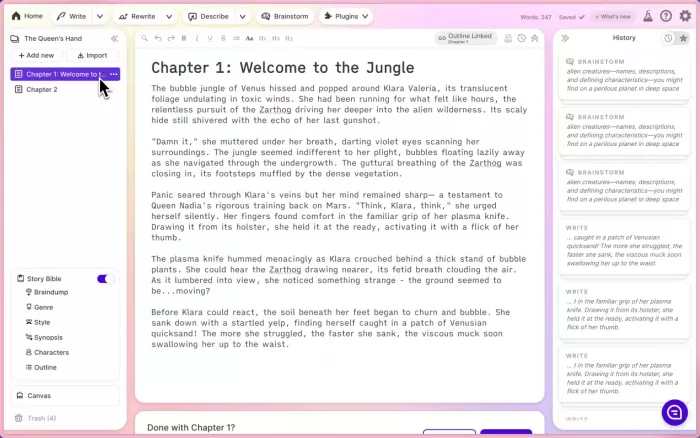
Sudowrite should not be judged like Rytr or QuillBot because it is solving a different writing problem. Fiction requires continuity, scenes, character development, description, story planning, and revision tools that general business-writing assistants often treat as ordinary text generation.
Its $10 annual-billing Hobby & Student plan is inexpensive for a specialized creative-writing environment, but the important pricing detail is that Sudowrite uses credits.
| At a glance | Sudowrite |
| Price | Hobby & Student $10/month annually or $19 monthly |
| Best for | Fiction, novels, screenplays and story development |
| Entry allowance | 225,000 credits per month |
| Notable features | Brainstorm, Write, Expand, Describe, story planning and feedback tools |
| Feature access | Core features are available across plans; tiers mainly change credit allowance |
| Rating | 8.7/10 |
| Main catch | Credit consumption varies depending on the model and task |
Sudowrite's documentation lists Hobby & Student at $10 monthly with annual billing, Professional at $22, and Max at $44. Credits do not translate directly into a fixed number of generated words because usage changes according to the model, input, output, and complexity of the operation.
Where It Earns Its Price
Sudowrite offers better value when a writer would otherwise force a general chatbot into a fiction workflow. Maintaining story context, expanding scenes, generating alternatives, and working through creative blocks are more specialized problems than producing another blog introduction.
Importantly, the entry plan does not appear cheap simply because the interesting writing features are locked behind a more expensive tier. The major distinction between plans is how much AI usage you receive.
What You Give Up to Save
The credit system makes the monthly cost less predictable for heavy users. A feature that reads substantial context and generates large amounts of prose can consume far more credits than a lightweight writing action. Unused credits on the Hobby and Professional plans also expire at the monthly refresh, while rollover is reserved for Max.
There is another obvious trade-off: Sudowrite is specialized enough that marketers, business writers, and SEO teams would be paying for the wrong kind of intelligence.
Bottom Line
Sudowrite is excellent budget software if the thing you are writing is a story. For fiction writers, specialization is its advantage; for almost everyone else, it becomes an unnecessary expense.
6. HyperWrite: Best for Research-Aware General Writing
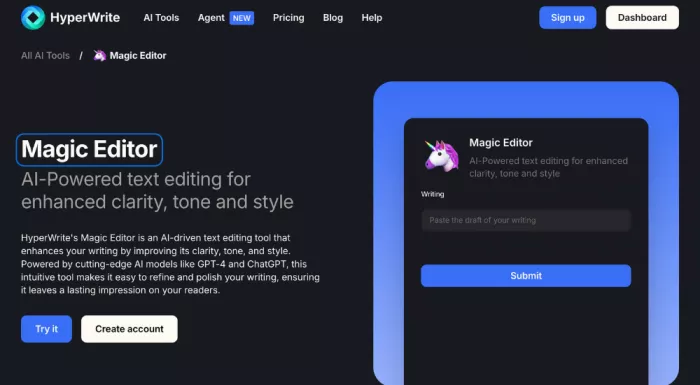
HyperWrite sits toward the upper edge of this budget list, but its pricing becomes more interesting once research enters the equation. Premium combines general writing assistance with real-time information, citations, custom personas, a browser extension, and TypeAhead suggestions.
It is therefore better viewed as a bridge between inexpensive generators and the much larger AI writing platforms that bundle research and workflow capabilities at substantially higher prices.
| At a glance | HyperWrite |
| Price | Premium $16/month annually or $19.99 monthly |
| Best for | General writing that also requires current information and citations |
| Free plan | Available with limited monthly credits on basic AI |
| Notable features | 250 AI messages, real-time information, citations, three custom personas, TypeAheads and writing tools |
| Higher tier | Ultra provides unlimited AI messages and 10 personas |
| Rating | 8.5/10 |
| Main catch | Premium limits AI messages to 250 per month |
HyperWrite currently lists Premium at $19.99 month-to-month or $16 per month when billed annually. The plan includes 250 AI messages, citations with real-time information, three custom personas and unlimited TypeAheads. Ultra increases the annual-billing price to $29 per month and removes the AI-message cap.
Where It Earns Its Price
HyperWrite earns the extra few dollars by handling situations where plain generation is not enough. Research-aware answers and citations can reduce the amount of jumping between a search tool and a writing assistant, while personas provide more control over recurring writing styles.
Its extension and TypeAhead system also make it useful outside a dedicated editor, which matters for people who write across email, documents, web apps, and other interfaces throughout the day.
What You Give Up to Save
The 250-message allowance is the important compromise. It may be generous for moderate usage, but users who treat AI as a constant conversational collaborator can consume messages much faster than someone using it for occasional drafting.
The next step up is also significant. Moving to Ultra changes HyperWrite from a $16 budget subscription into a $29 service, putting it in direct competition with more expensive AI platforms.
Bottom Line
HyperWrite is the strongest choice here for general writers who want research and citations without immediately moving into premium-platform pricing. It is less attractive for extremely heavy AI users because its budget tier achieves the lower price partly through message limits.
What Cheap AI Writers Cut First
Looking across these six tools reveals something more useful than a simple ranking. Budget AI software tends to reduce costs in one of four ways.
| Cost-saving strategy | Example | What the user feels |
| Narrow the workflow | Rytr | Plenty of generation, less research and workflow depth |
| Specialize heavily | Wordtune, Sudowrite | Strong performance in one writing stage, weaker versatility elsewhere |
| Meter AI usage | Jenni AI, HyperWrite | Better capabilities, but heavier users eventually meet limits |
| Focus on transformation | QuillBot | Excellent editing value without becoming a full content-production system |
This is why “unlimited AI” should not automatically win a budget comparison. Unlimited generation is valuable only if generation is the expensive part of your workflow.
A researcher may get more value from 500 source-aware interactions than unlimited generic copy. A novelist may prefer a credit-based system designed around story context. An editor may barely need generation at all. The cheapest subscription therefore depends on which stage of writing costs you the most time.
The Hidden Cost of a $10 Tool
There is another number missing from most AI writing comparisons: editing time. Imagine Tool A costs $10 per month and Tool B costs $18. Tool A consistently leaves you with awkward transitions, unsupported claims, and generic phrasing that requires another 20 minutes of editing per article. If you produce 20 articles a month, the cheaper subscription has created more than six hours of additional work.
For a professional writer, that time can easily be worth more than the $8 saved on software. Output quality matters for the same reason: AI writing tools that produce more natural-sounding drafts can justify a slightly higher cost when they consistently reduce the amount of rewriting left for the human editor.
A better way to think about price is: Real writing cost = subscription + editing time + additional tools + unused features
That final category matters too. Buying a $50 AI suite because it contains fifty features is poor value if your workflow regularly uses four of them. Budget buying is therefore less about finding the lowest number on a pricing page and more about avoiding both missing essentials and unused extras.
Which One Should You Choose?
A few simple workflow questions narrow the list quickly:
● Choose Rytr if you produce a large amount of straightforward copy and want predictable, inexpensive generation without paying for a broader marketing platform.
● Choose QuillBot if most of your work begins with an existing draft and your biggest needs are rewriting, summarizing, polishing, and checking text.
● Choose Wordtune if sentence quality is the real bottleneck and you want a focused editing assistant rather than another large AI workspace.
● Choose Jenni AI if your writing begins with papers, PDFs, citations, and research rather than marketing briefs or social content.
● Choose Sudowrite if you write fiction and want software built around scenes, stories, and creative development rather than generic business copy.
● Choose HyperWrite if you need a more general writing assistant but still want current research, citations, and writing support across the browser.
There is no reason to pay for the broadest product if your workflow is narrow. Equally, buying the cheapest option and then assembling three additional subscriptions around it defeats the purpose of choosing a budget tool.
Verdict: The Best Budget AI Writing Tool in 2026
For pure price-to-output value, Rytr remains difficult to beat. Its $7.50 annual-billing Unlimited tier makes sense for people producing a steady stream of relatively straightforward copy.
QuillBot is the better value for editing, because its inexpensive Premium plan covers substantially more than paraphrasing. Wordtune is even more focused and works well for writers whose main problem is improving language rather than generating it.
For more specialized work, the ranking changes. Jenni AI is the strongest budget choice for research-heavy writing, while Sudowrite is the obvious specialist for fiction. **HyperWrite costs more than the other budget picks, but its research, citations, personas, and browser-based assistance make the higher price easier to defend for general professional writing.
The broader lesson is that inexpensive AI writing tools are rarely simply weaker versions of expensive ones. They are usually smaller bets on what part of writing matters most. Rytr bets that you need more output. QuillBot and Wordtune bet that you need better editing. Jenni bets that research is the bottleneck. Sudowrite bets that creative context matters. HyperWrite asks you to pay a little more for research-aware versatility. The best budget option is therefore not the tool that sacrifices the least. It is the one that sacrifices something you were never going to use anyway.
Comments