Udio and Suno are the two names that matter in AI music. Both turn a text prompt or a lyric sheet into a finished song, vocals, instruments, mixing, the lot and both have been trading blows since 2023. For most of that time the comparison came down to one simple question: which sounds better? In 2026 that question has quietly stopped being the important one. Both sound good. What now separates them is less about the waveform and more about what you’re allowed to do with the track once it exists.
This is a full side-by-side: how each one sounds, how much control it hands you, what it costs, and the part that has reshaped the entire decision whether you can actually keep and release what you make. I’ve spent time in both, so where it helps I’ll say which way I’d lean, but the aim is to lay the two out fairly and let you match them to your own work.
BOTTOM LINE UP FRONT For most people in 2026, Suno is the stronger pick: the most natural vocals, the widest genre range, and crucially you can download, own, and release what you make from $10 a month. Udio arguably has the finer audio and the cleaner licensing after settling with the major labels, but that settlement switched off downloads, so for now you can’t actually export a Udio track. Need finished, releasable music today? Suno. Want the best sound and can wait for Udio’s licensed relaunch? Watch that space. |
AT A GLANCE
| Suno | Udio | |
| Sound & vocals | Most natural vocals, widest genres | 48kHz fidelity, more emotional character |
| Song structure | Full verse–chorus songs from lyrics | Manual section arranging (Sessions) |
| Editing & control | Studio, stems, remix, voice cloning | Section-level inpainting, reference audio |
| Pricing | Free · Pro $10 · Premier $30 | Free · Standard ~$10 · Pro $30 |
| Export / download | Yes, on paid plans | Disabled (walled garden) |
| Commercial / licensing | Rights from $10; Sony case open | Cleanest licenses; can’t export |
| Best for | Releasing finished songs | On-platform sound & instrumentals |
Meet the contenders
Suno
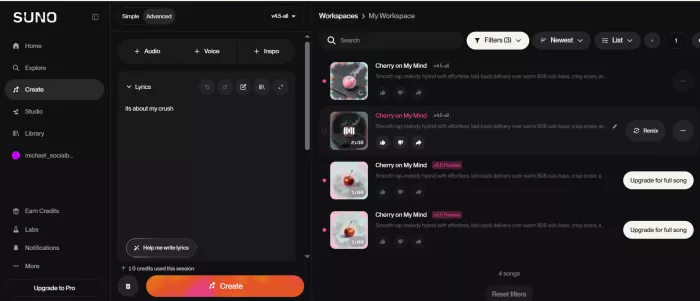
Suno is the bigger of the two by almost every measure: a couple of million paid subscribers, a multi-billion-dollar valuation off its late-2025 funding round, and the kind of momentum that lets it ship quickly. Its v5 model is the main reason most people rate it the best all-round generator right now: clean mixes, natural vocals, and dependable results whether you ask for pop, country, hip-hop, or metal.
What really sets it apart is the ecosystem built around the model. Suno Studio is an AI-native workspace that lets you separate stems and keep editing; the newer versions add voice cloning; and one-click extras like music-video generation round it out. On the legal side, Suno settled with Warner Music but remains in active litigation with Sony so it’s a company shipping features while one significant court case stays open.
Udio
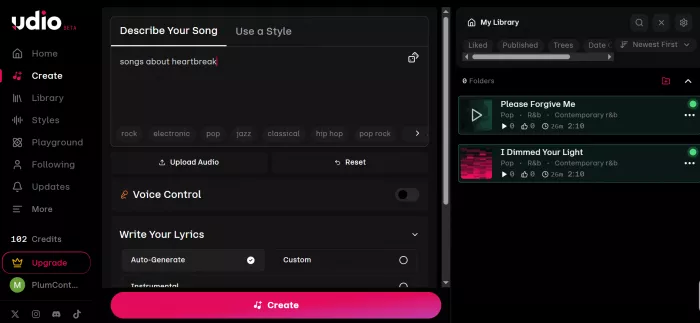
Udio was founded by former Google DeepMind and Spotify researchers, and it made its name on sound. Its vocals carry more emotional weather than anything else in the category: the breath, the vibrato, the small imperfections that make a ballad feel sung rather than generated and it renders at 48kHz, the highest fidelity of the major tools.
It also leans further into control, with section-level inpainting and reference-audio input that make it a favourite among producers who like to sculpt a track. But Udio in 2026 is a platform mid-transition. After settling with Universal Music Group in October 2025 then Warner, Merlin, and Kobalt it disabled all downloads and began rebuilding as a licensed “walled garden,” where you create and stream inside the app rather than exporting anything out of it.
The full comparison, feature by feature
Before the section-by-section breakdown, here is the whole thing on one page. The row that matters most in 2026 Download / export is the one highlighted.
| Feature | Suno | Udio |
| Latest model | v5 / v5.5 | v1.5 (licensed relaunch pending) |
| Audio resolution | 44.1kHz (CD quality) | 48kHz (highest of the majors) |
| Vocal character | Most natural, consistent | More emotional and expressive |
| Genre range | Very wide, reliable across styles | Strong on electronic, hip-hop, ambient |
| Song structure | Auto verse–chorus–bridge from full lyrics | Manual arranging via Sessions timeline |
| Section editing | Remix, Extend, Studio | Inpainting (regenerate a section), reference audio |
| Stem export | Yes (Premier / Studio) | Disabled |
| Voice cloning | Yes (newer versions) | Not a headline feature |
| Music video | SunoMV, one-click | None native |
| Free tier | Daily credits, watermarked, non-commercial | Daily credits, non-commercial |
| Entry paid tier | $10/mo (Pro) | ~$10/mo (Standard) |
| Top solo tier | $30/mo (Premier) | $30/mo (Pro) |
| Commercial rights | From $10 (Pro) | On paid tiers but see export |
| Download / export | Yes, on paid plans | Disabled (walled garden) |
| Licensing status | Settled Warner; Sony case ongoing | Settled UMG, Warner, Merlin, Kobalt |
| Best for | Finished, releasable songs | On-platform fidelity & instrumentals |
Sound quality & vocals
Both are excellent here, which is exactly why sound quality alone shouldn’t decide it but the two have distinct characters worth knowing.
Suno makes the most consistently natural vocals I’ve heard from any AI tool. Male or female, singer-songwriter or full pop-rock, it lands believable phrasing and vibrato without much prompt-wrangling, and it covers an unusually wide genre range reliably you can pull decent country, jazz, metal, or R&B out of it without becoming a prompt engineer first. The trade-off is that its polish can tip into feeling a little clean or predictable; it rarely surprises you, for better and worse. It outputs at 44.1kHz, standard CD quality, which is plenty for streaming and social.
Udio trades a little of that consistency for more feeling. Its vocals carry more breath and human imperfection, and on ballads and lyric-led material that emotional weather is the difference between a track that impresses you and one that actually moves you. On instrumentals it tends to produce more character and surprise, electronic, hip-hop, and ambient often arrive with textures Suno wouldn’t reach for and at 48kHz it gives you the highest fidelity of the major tools, which matters if you’re carrying the file into a mix rather than straight to a feed.
WINNER : Suno for vocal consistency; Udio for fidelity and texture, a narrow edge to Suno for most users.
Song structure & length
Sounding good for thirty seconds is easy; building a track that develops like a real song is where AI tools separate.
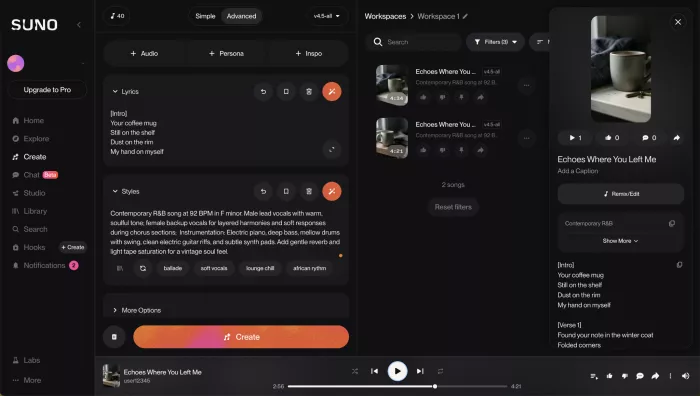
Suno is the stronger songwriter of the two, and it isn’t especially close. Hand it a full lyric sheet and it builds a proper verse–chorus–bridge arrangement around your words, with intros, transitions, and outros that feel intentional rather than tacked on. Its longer generations hold their shape as well, developing an idea across several minutes instead of looping a single hook until the timer runs out which is exactly what you want when you’re chasing a finished song you can release.
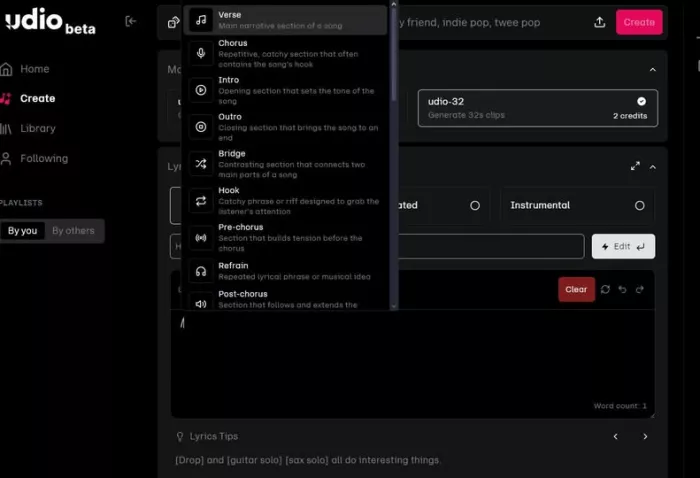
Udio takes a more hands-on route. Rather than handing you a finished arrangement, its Sessions view lets you lay sections out on a timeline and extend, trim, or rearrange them yourself, treating a song as building blocks you assemble. For producers who enjoy arranging, that control is a genuine strength; for anyone who just wants a complete track out of the box, it’s extra friction you’re doing structural work that Suno would largely handle for you.
WINNER : Suno.
Editing & control
Neither tool leaves you entirely at the mercy of the reroll, but they solve the “fix the last ten percent” problem from opposite ends.
Suno’s answer is breadth. Remix and Extend let you rework or lengthen an existing track, voice cloning in the newer versions keeps a consistent singer across songs, and Suno Studio its AI-native workspace lets you separate stems and keep editing in something close to a real production environment. It’s less about surgical precision and more about giving you a full set of rooms to keep working in after that first generation.
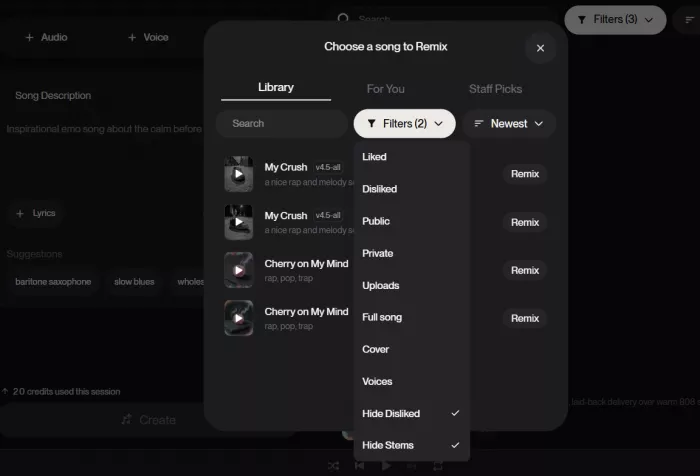
Udio’s answer is precision. Its standout is inpainting: you select a single section of a track and regenerate only that part, leaving everything you liked untouched, which is far closer to editing than the usual gamble of rerolling the whole song. It also takes reference audio well, so you can steer a generation toward a sound you already have in your head. If your idea of control is fixing one bad bar without losing the take, Udio does it better than anything else here.
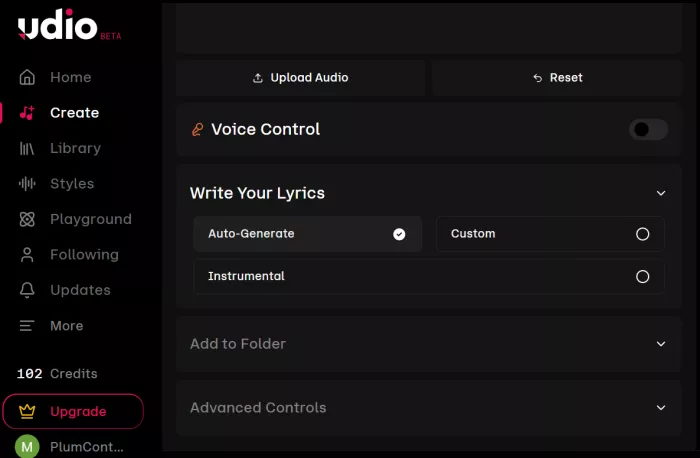
WINNER : Tie surgical fixes go to Udio; a full workroom and stems go to Suno.
Pricing & plans
The headline prices are close; what differs is what each tier lets you actually do with the output.
| Plan | Price | What it unlocks |
| Suno Free | $0 | Limited daily credits, non-commercial, watermarked |
| Suno Pro | $10/mo | No watermark, more credits, commercial rights, downloads |
| Suno Premier | $30/mo | Stem export, Suno Studio, full commercial rights |
| Udio Free | $0 | Daily credits, non-commercial |
| Udio Standard | ~$10/mo | More credits, commercial rights but downloads disabled |
| Udio Pro | $30/mo | Highest credits and concurrency but downloads disabled |
Suno’s free tier gives you a daily allotment of credits enough to test the tool but the results are watermarked and non-commercial. Pro at $10 a month is the plan most people actually want: it strips the watermark, raises your monthly generation limit substantially, and grants commercial rights plus downloads. Premier at $30 adds stem export and Suno Studio on top, which is the tier to reach for if you’re taking tracks into a DAW.
Udio’s tiers are priced similarly as a free non-commercial plan, a Standard tier around $10, and a Pro tier at $30 with the highest credit limits and the most simultaneous generations. After the Universal deal it even sweetened the credits, handing subscribers a one-time bonus and raising monthly limits. The catch overshadows all of it: with downloads disabled, the commercial rights those paid tiers grant are, for now, rights you can’t exercise outside the app.
WINNER : Suno a commercial right you can’t export from is worth less.
Commercial use, ownership & licensing
Suno settled with Warner Music but is still in active litigation with Sony, with a summary-judgment hearing due around the middle of 2026. Its bet has been to keep shipping while the case runs, so as things stand you can download your tracks, own them, and distribute them commercially from the Pro tier upward. The open question is what happens if the Sony case goes badly, the terms could tighten so it’s worth keeping a note on the calendar.
Udio took the opposite path. It settled with Universal, then Warner, Merlin, and Kobalt the cleanest licensing position in the space but as part of that it switched off all downloads (audio, video, and stems) and is rebuilding as a licensed walled garden, with a next-generation platform promised for 2026 and no firm date attached. Its FAQ still says you own your output, but without the ability to export, that ownership is confined to the platform. And on both tools, the fine print puts the responsibility on you to make sure your prompt didn’t ask the model to recreate a real, protected song.
WINNER : Suno on usability; Udio on legal cleanliness and right now usability wins.
Ease of use & workflow
Suno is built around getting a finished song out with as little friction as possible. The flow generate, refine, pull stems, spin up a video is designed for people who want results without learning a system, which makes it the easier tool to hand to a teammate or to start with cold. You spend your time choosing between good options rather than coaxing the tool into producing one.
Udio rewards patience. Its control tools are more powerful, but its credit spend is harder to predict until you’ve lived with it, and the manual arranging that gives you precision also gives you a steeper, less obvious learning curve. It’s the tool for someone who wants to shape a track, not just request one which is a strength or a tax depending on how much time you have.
Whichever you land on, the workflow most working producers converge on is the same: sketch ideas fast, rebuild the best one cleanly, pull stems, and finish the mix in a real DAW. The generator kills the blank page; it doesn’t replace production.
That also explains why these tools work best as part of a wider production stack rather than as the entire studio. A modern AI creator workflow usually combines generation with separate editing, voice, video and finishing tools depending on the final format.
WINNER : Suno for speed and simplicity; Udio for hands-on control.
Strengths and watch-outs
Suno Strengths ● Most natural vocals, widest genre range ● Real song structure from full lyrics ● Downloads, stems, and commercial rights from $10 ● Mature ecosystem: Studio, video, voice cloning Watch-outs ● Sony lawsuit still unresolved ● Outputs can feel a little clean or predictable ● Still carries AI signatures streaming platforms scan for | Udio Strengths ● Highest fidelity at 48kHz ● Most emotional, expressive vocals ● Excellent section-level inpainting and control ● Cleanest licensing after the label settlements Watch-outs ● Downloads and stems disabled you can’t export or release ● Walled-garden future with no firm relaunch date ● Steeper, less predictable workflow and credit spend |
Who should choose which
● Choose Suno if you need finished, releasable music vocal songs for streaming, beds for video, demos you’ll keep, or stems to finish in a DAW. You can download and commercially use what you make from $10 a month, which is the whole point for most creators.
● Choose Udio if fidelity and vocal emotion matter most and you only need the music to live inside the app for now or if you’re happy to wait and see what its licensed 2026 relaunch unlocks. For a producer chasing the best raw sound, it’s still the more exciting tool to play in.
● Choose neither, alone, for a serious release. Use them to sketch, then bring in a real vocalist or producer; fully AI-generated tracks still underperform human ones with listeners, so treat the generator as the demo stage rather than the finish line.
THE VERDICTSuno today, Udio worth watching For most people, in mid-2026, Suno is the better choice, and it isn’t especially close. It sounds excellent, it writes real songs, and it lets you keep and release what you make from $10 a month. The one caveat worth tracking is its unresolved Sony case, which could change its terms if it goes badly. Udio is the better-sounding tool with the cleaner licensing, but its download freeze makes it, for now, a place to make music rather than a tool to release it from. If you value fidelity and emotional vocals and can wait for its licensed platform to land, keep an eye on it just don’t build a release schedule around it yet. The bigger point behind the whole comparison: in 2026, “which is better” is less about how these tools sound and more about whether you can walk away with what you make. Get that straight, and both can do real work for you. |
Comments