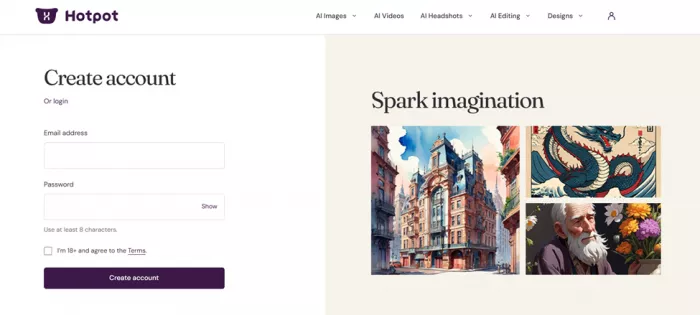
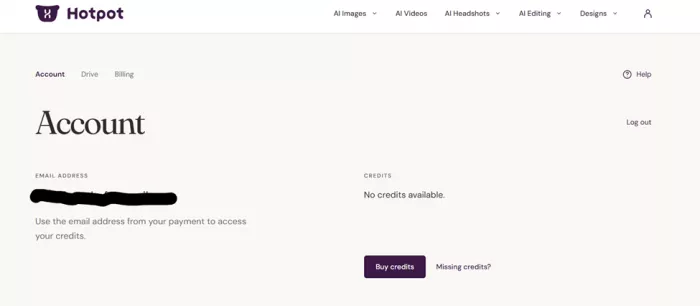
Signing up for Hotpot takes about a minute: an email, a password, a checkbox confirming you are over 18, and the door opens. There is no credit card, no sales call, and no demo wall. Seconds later the screen shows a blank prompt box reading 'Create images. Try free.' When credits run out the account page is blunt about it, flatly stating 'No credits available,' yet the generator still lets a visitor type, choose settings, and hit create without paying a cent.
That blend of free to try and pay only when you need more is the whole personality of this tool, and it is worth understanding before signing up. Hotpot.ai tries to be several things at once: a text to image generator, an AI headshot studio, a photo editor, a short video tool, and a template library for social posts and app graphics. This guide covers what each part actually does, what it costs in 2026, what real users say on review sites, and how it handled a deliberately demanding test prompt.
At a glance
| Best for | Fast, low cost visuals and headshots for creators, marketers, and small teams |
| Core tools | AI Images, AI Videos, AI Headshots, AI Editing, Designs |
| Underlying model | Stable Diffusion variants, tuned with style presets |
| Free tier | Yes, roughly 50 image generations a month, no card needed |
| Entry price | $12 for 1,000 credits one time, or $10 a month |
| Founder | Clarence Hu, a former Google employee |
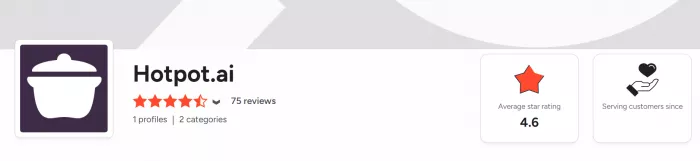
| G2 rating | ★ 4.6 / 5 across 74 reviews |
What Hotpot.ai actually is
Hotpot.ai began as a small set of free image tools and grew into a creative suite with more than 30 utilities under one login. The founder, Clarence Hu, has said the aim is to automate the boring parts of design so people can spend their time on the creative part. In practice that means generating art from a sentence, swapping a photo background, upscaling a blurry picture, or spinning up a batch of professional headshots, all from a browser with nothing to install.
The engine behind the image tools is Stable Diffusion, shaped through different style presets rather than one fixed look. That matters for setting expectations. Hotpot leans toward clean, marketing safe, stock style output rather than the painterly character of Midjourney or the strict prompt obedience of the GPT-Image models inside ChatGPT. One small but friendly detail: minor edits to the same graphic stay free for 30 days, so fixing a typo or nudging a color does not burn fresh credits.
The five toolkits
Everything in Hotpot sorts into five groups. Here is what each one is for.

| Toolkit | What it does |
|---|---|
| AI Images | Describe something and get artwork, illustrations, logos, characters, backgrounds, or stock style photos. A basic generator plus a Power Editor with more controls, and styles from photo real to anime to fantasy. |
| AI Videos | Turns stills and prompts into short clips. A Video button on generated images animates them. Good for quick social motion rather than full productions. |
| AI Headshots | Upload photos and get professional or stylized headshots without a studio, for LinkedIn, team pages, and avatars. Spend $30 or more on any plan and a $20 AI headshot pack is included free. |
| AI Editing | Background remover, object remover, photo upscaler up to roughly 10x, face enhancer, and an old photo restorer and colorizer. The features reviewers praise most. |
| Designs | Drag and drop templates for social posts, marketing images, app store screenshots, and mockups. Many are free or about $1 each. |
How the image generator works
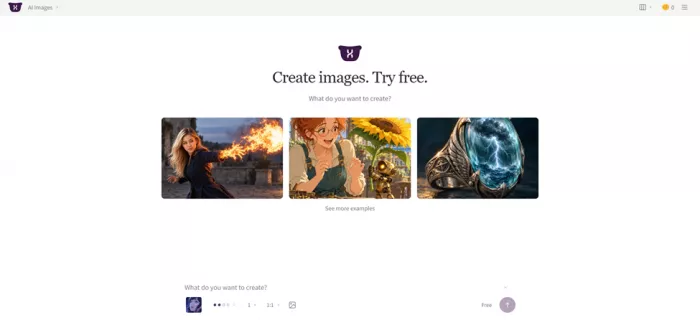
The current image tool feels less like a settings panel and more like a chat. There is a single box asking what you want to create, a strip of example images for inspiration, and a few controls below it: a reference image slot, a quality setting shown as dots, an image count, and an aspect ratio such as 1:1. Clicking any example, like the sunlit A Little More Sunshine piece, reveals its full prompt and a remix button to use it as a starting point. For beginners that is a genuinely good way to learn what detailed prompts look like.
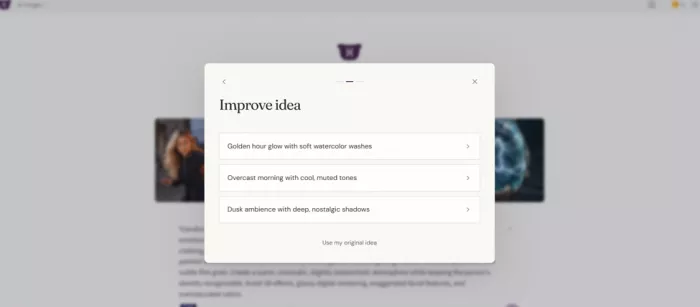
Where it gets opinionated is the two steps after submitting. First a Which style would you like screen offers presets such as Photo General 1, Hotpot Art 11, and Prismatic Fantasy. Then an Improve idea screen suggests rewrites of the prompt, like swapping in a golden hour or dusk mood, with a quiet Use my original idea link for keeping the original. These shortcuts help newcomers, though they also nudge the result, which the test below makes clear.
Pricing and credits
Hotpot does not sell seats or feature tiers. It sells credits, and most actions cost between 1 and 3 credits depending on quality and complexity. Credits can be bought once and kept, subscribed monthly for a discount, or paid yearly for a bigger one. The free tier includes a monthly allowance of image generations for testing before paying.
| Plan type | 1,000 credits | 5,000 credits | Notes |
|---|---|---|---|
| Free | n/a | n/a | About 50 image generations a month, no card |
| Pay once | $12 | $60 | Credits do not expire, no subscription |
| Pay monthly | $10/mo | $50/mo | Roughly 20% off the one time rates |
| Pay yearly | $100/yr | $500/yr | Largest discount, up to about 43% off |
A few things the pricing pages do not shout about. Students, non profits, startups, educators, and influencers can apply for free or discounted credits through the Karma tier. Commercial use and watermark removal require credits. Spending $30 or more includes a $20 AI headshot pack at no charge. And heavy users who generate thousands of images a month will find the per credit math climbs faster than a flat Midjourney or ChatGPT subscription.
The hands-on test
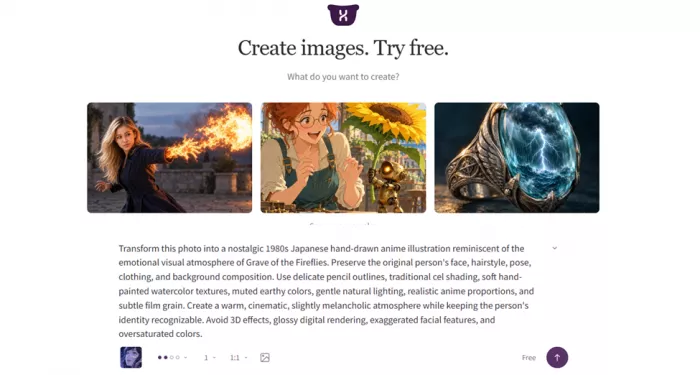
To see how faithfully Hotpot follows a demanding brief, the test ran a deliberately specific prompt: transform a photo into a nostalgic 1980s hand drawn anime style, in the emotional register of Grave of the Fireflies. The instructions were exact: preserve the person's face, hairstyle, pose, clothing, and background; use pencil outlines, cel shading, soft watercolor texture, muted earthy colors, and subtle film grain; avoid 3D, glossy rendering, and oversaturation. In short, keep the real person and restyle everything around them.
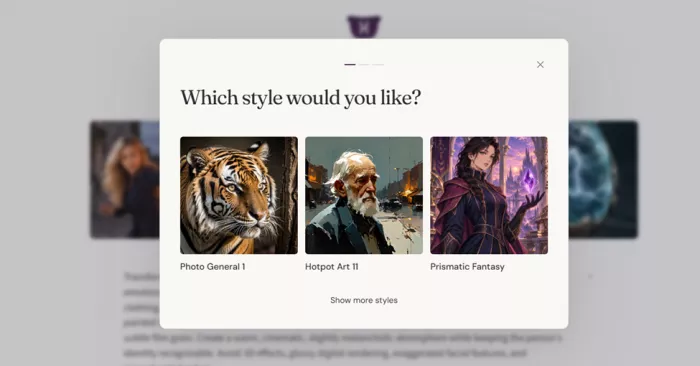
The guided flow was quick and friendly. Choosing Prismatic Fantasy on the style screen and then the Dusk ambience suggestion on the Improve idea screen produced a clean review card with the combined prompt before generating, which is a nice touch. It then returned a single 1:1 image on the free tier without charging a credit.
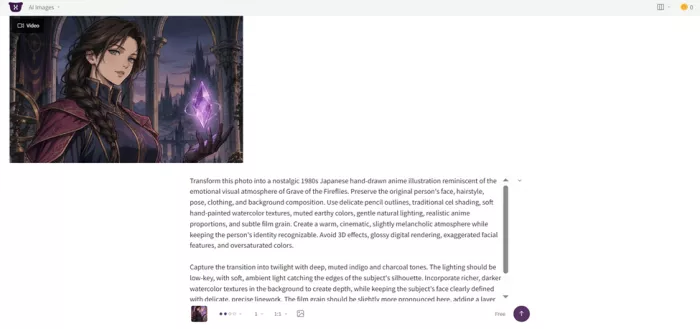
Here is the honest part. The output was a genuinely attractive anime illustration: a woman in purple robes holding a glowing crystal, a moody castle behind her, a Video button ready to animate it. But it was not the photo transformed. It was a brand new fantasy character. The Prismatic Fantasy preset took over so strongly that the instruction to preserve the original face was effectively ignored, and the dusk rewrite pushed the mood away from the grounded, melancholy look described in the prompt.
Tester's tip: the style presets dominate the prompt, so for a faithful photo restyle pick a photo based style, or use the dedicated AI Headshots and AI Editing tools, rather than an art style. The Improve idea step is great for brainstorming but will quietly steer the result, so power users should click Use my original idea more often than not.
Treated as a fast art generator, it delivered a polished image in under a minute. Treated as a precise photo to anime converter, it did its own thing. Both are worth knowing before relying on it for real work.
The good and the frustrating
| What works | What frustrates |
|---|---|
| ✓ Genuinely free to try, with no card needed to generate images | ✗ Style presets can override detailed prompts, which hurts faithful photo edits |
| ✓ One login covers images, video, headshots, editing, and templates | ✗ Output quality is inconsistent and often reads as generic stock art |
| ✓ Editing tools (background and object removal, upscaling, restoration) are the standouts | ✗ Copywriting and some generators feel thin next to specialist tools |
| ✓ Credits can be bought once and never expire | ✗ Credits add up quickly for anyone generating at volume |
| ✓ Beginner friendly guided flow with style and prompt suggestions | ✗ Support can be slow to respond, according to several reviewers |
What users are saying
Scores vary a lot by source, and that gap tells its own story. People who need quick, cheap assets tend to rate Hotpot highly, while reviewers comparing it against best in class specialists score it lower.
| Source | Score | Takeaway |
|---|---|---|
| G2 | ★ 4.6 / 5 (75) | Praised for breadth and clean background removal |
| Creator Economy Tools | ★ 3.7 / 5 | A handy utility drawer, less deep than specialists |
| MobileAppDaily | ★ 2.8 / 5 | Useful, but asks the team for more polish |
| Source | What they said |
|---|---|
| G2, mona m. (sales specialist) | Singled out how cleanly it lifts backgrounds out of photos. |
| G2, Saksham M. (content writer) | Made employee headshots with it to avoid hiring a photographer. |
| G2, marketing user | Uses it regularly and calls the mix of tools and support reliable. |
| G2, common critique | New users find it a little tricky and say it takes some practice. |
| MobileAppDaily, Niels M. | Liked the tool but wanted the team to keep improving it. |
Who it is for, and who it is not
Hotpot fits a specific person well. For a creator, marketer, small business owner, or app developer who needs a steady stream of good enough visuals without opening Photoshop or paying for a subscription they will barely touch, it earns its place. The editing tools alone can replace a handful of single purpose websites, and the pay once credits avoid any lock in.
It fits less well when the work lives or dies on image quality or precise control. For a distinct artistic style, Midjourney is the stronger choice. For prompts followed to the letter, the GPT-Image tools in ChatGPT are stronger. And for copywriting, a dedicated assistant like Claude or ChatGPT will run circles around Hotpot's text features. For many people the smart move is to keep Hotpot as the quick utility drawer and reach for a specialist only when a project demands it.
How it compares
| Tool | Entry price | Best at | Trade-off |
|---|---|---|---|
| Hotpot.ai | Free, then $12 / 1,000 credits | Breadth, editing, cheap assets | Generic output, variable quality |
| Midjourney | About $10 a month | Distinct, artistic images | Less practical, no editing suite |
| ChatGPT (GPT-Image) | $20 a month | Prompt accuracy, chat workflow | Pricier, fewer utility tools |
Final verdict
After a one minute sign-up, a real prompt run, and a read through what other users report, the picture is clear. Hotpot.ai is a breadth tool, not a depth tool, and it is honest about that the moment it is used. The free tier allows generation without paying, the interface walks newcomers through styles and prompt ideas without any manuals, and the editing utilities are legitimately useful. The anime test also exposed the ceiling: pick a strong art style and it hands back its own good looking interpretation rather than a faithful edit, so the best results come from matching the right tool and style to the job.
It is an easy recommendation for anyone who wants a cheap, no commitment way to produce everyday visuals, remove backgrounds, upscale photos, or grab quick headshots, especially when a subscription to a premium generator feels like overkill. It is not the tool for signature artwork, pixel accurate photo edits, or serious copywriting. Kept in its lane, it is one of the better value creative drawers on the web right now, and the pay once credits make it easy to try without regret. The honest advice: start on the free tier, run a few prompts, and an afternoon is enough to know whether it fits.
Comments