Table of Contents
- Quick Comparison:
- 1. Lavender: Best for Sales Emails
- 2. Flowrite: Best for Daily Work Emails
- 3. SmartWriter: Best for Cold Outreach
- 4. Copy ai: Best for Marketing Emails
- 5. Rytr: Best for Quick Drafts
- 6. HyperWrite: Best for Rewriting Emails
- 7. Mailmeteor: Best for Gmail Users
- Which Tool Fits Which User?
- Conclusion
Writing emails can take more time than expected. You may know what you want to say, but choosing the right words, tone, and structure is not always easy. A message that sounds too cold, too long, or unclear can lower your chances of getting a reply.
This is where an AI email writing tool can help. These tools create drafts, improve tone, suggest better wording, and make your messages clearer. Whether you need sales emails, follow-ups, newsletters, client replies, or everyday business messages, the right tool can save time and improve communication.
Below are seven smart AI email writing tools that help different types of users write better emails faster.
Quick Comparison:
| Tool | Best for | Main strength | Starting price* |
| Lavender | Sales teams, SDRs, recruiters, founders | Sales email coaching, scoring, personalization, and reply-focused suggestions | Free plan; paid from $29/month (monthly) or $27/month (annual) |
| Flowrite / MailMaestro | Busy professionals who write many daily emails | Inbox-based email writing, replies, summaries, and draft improvement | Free plan; MailMaestro Professional $15/month (monthly) or $12/month (annual) |
| SmartWriter | Cold outreach and lead generation teams | Personalized cold email lines and outreach at scale | From $59/month (monthly) or $49/month (annual) |
| copy ai | Marketing and campaign emails | Promotional copy, campaign workflows, and email variations | Chat plan from $29/month (monthly) or $24/month (annual) |
| Rytr | Beginners, freelancers, and small teams | Simple email drafting with tone options | Free plan; paid from $7.50/month (annual) |
| HyperWrite | Drafting, rewriting, and improving emails | Flexible writing assistant with rewrite and autocomplete support | Premium from $19.99/month (monthly) or $16/month (annual) |
| Mailmeteor AI Email Writer | Gmail users, small teams, and email senders | Free AI email writing plus mail merge and sending workflows | AI Email Writer is free; Mailmeteor paid plans from $5.99/user/month |
*Pricing checked in 2026 from the official websites. Prices, plan names, limits, discounts, and billing terms may change over time, so readers should confirm the latest details on each tool’s official pricing page before subscribing.
1. Lavender: Best for Sales Emails
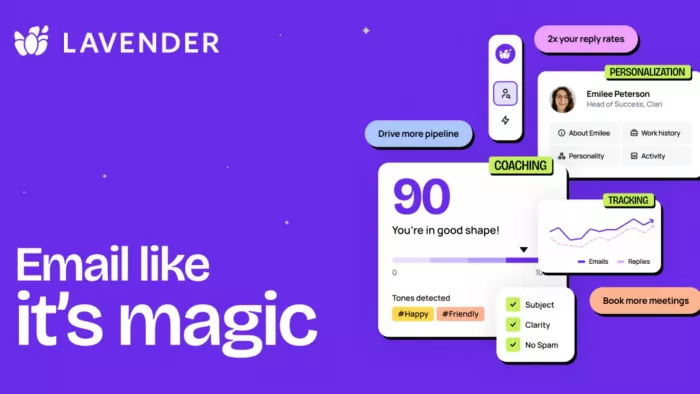
Lavender is built for professionals who want every outreach email to feel clear, relevant, and easy to reply to. Instead of only generating text, it studies your draft and gives practical suggestions to improve tone, structure, personalization, and overall readability. For sales teams, founders, and recruiters, it works like a smart email coach that helps turn average messages into stronger conversations.
Who Should Use Lavender?
Lavender is best for sales teams, SDRs, account executives, startup founders, recruiters, and consultants who rely on email outreach. It is also helpful for people who want feedback on their emails instead of only auto-generated drafts.
Key Features
- Email scoring that helps you understand the strength of your message before sending it: Lavender reviews your draft and gives a score based on factors like clarity, structure, length, and effectiveness.
- Personalization suggestions that make outreach feel less generic: The tool helps you add relevant details so the email feels written for the recipient rather than copied from a template.
- Tone and readability feedback that helps your message sound natural: Lavender can show where your email may sound too formal, too long, or difficult to read.
- Sales-focused recommendations that support reply-driven emails: Its suggestions are designed around outreach performance, making it useful for teams that care about meetings, replies, and pipeline growth.
Pros
- Lavender is excellent for improving sales emails because it gives practical feedback before you send the message.
- It helps users avoid long and boring outreach emails by encouraging shorter, clearer writing.
- The personalization support can make cold emails feel more relevant to each prospect.
- It is useful for teams because it can help create a more consistent email quality across different sales reps.
Limitations
Lavender is mainly focused on sales and outreach emails, so it may not be the best choice for newsletters, customer support replies, or general content writing. Beginners may also need some time to understand how to apply its feedback properly.
Pricing
Lavender offers a free Basic plan at $0/month with limited email analysis and personalization. Its paid Email Coach plans start at $29/month on monthly billing, while annual billing starts at $27/month. The Individual Pro plan is listed at $49/month monthly or $45/month when billed annually. Team pricing starts at $99/seat/month monthly or $89/seat/month when billed annually. Pricing checked in 2026 and may change based on billing cycle, features, and team requirements.
Verdict
Lavender is one of the best choices if your main goal is to write sales emails that get replies. It is not just an email generator; it is more like a coach that helps you improve your message. If your emails need to be short, personalized, and response-focused, Lavender is a strong option.
2. Flowrite: Best for Daily Work Emails
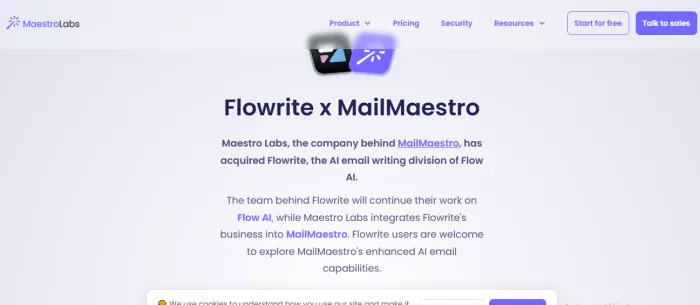
Flowrite is designed for people who handle a steady flow of workplace emails and want to respond faster without losing professionalism. It turns short notes or simple instructions into complete, polished messages. Whether you are confirming a meeting, sending a reminder, or replying to a client, Flowrite helps you write with clarity and confidence.
Who Should Use Flowrite?
Flowrite is suitable for busy professionals, managers, freelancers, customer-facing teams, founders, and anyone who sends many work emails. It is also useful for people who struggle with writing polite replies quickly.
Key Features
- Quick email generation from short instructions: You can write a few words about what you want to say, and Flowrite turns them into a complete email.
- Ready-to-use reply support for routine communication: It can help you respond to messages faster when you already know the answer but need help wording it professionally.
- Tone control for different professional situations: Flowrite can help adjust the style of the email depending on whether the message needs to sound formal, friendly, polite, or direct.
- Helpful structure for common workplace emails: The tool can organize your message with a proper opening, main point, and closing so the email feels complete.
Pros
- Flowrite saves time on everyday emails because it removes the pressure of writing from scratch.
- It is useful for professionals who want clear and polite emails without spending too much effort.
- The tool can make repetitive emails easier, especially for reminders, confirmations, and follow-ups.
- It helps people who understand what they want to say but struggle to express it smoothly.
Limitations
Flowrite may not be the strongest choice for highly personalized sales outreach or advanced marketing copy. Some drafts may still need editing to match your exact voice, especially for sensitive client communication.
Pricing
Flowrite is now part of MailMaestro, according to the official Maestro Labs page. For current pricing, users should look at MailMaestro’s plans. MailMaestro offers a Free plan at $0/seat/month with limited weekly AI email actions. Its Professional plan is listed at $15/month on monthly billing or $12/month when billed annually. A 14-day full-feature free trial is also mentioned on the official pricing page. Pricing checked in 2026 and may change.
Verdict
Flowrite is a practical AI tool for email writing when your main need is daily professional communication. It is best for saving time on routine emails while keeping your message polished and respectful.
3. SmartWriter: Best for Cold Outreach

SmartWriter focuses on one of the hardest parts of cold outreach: making every message feel personal. It helps users create tailored opening lines and outreach emails based on recipient details, reducing the risk of sounding like a generic template. For sales teams, agencies, and recruiters, it is useful when personalization needs to happen at scale.
Who Should Use SmartWriter?
SmartWriter is best for people who send cold emails at scale. It is useful for B2B sales teams, lead generation agencies, growth marketers, recruiters, backlink outreach teams, and startup founders doing prospecting.
Key Features
- Personalized email opening lines based on prospect information: SmartWriter helps create first lines that feel more specific and relevant than generic cold email introductions.
- Cold email generation for outreach campaigns: The tool can help create complete outreach emails designed for sales, networking, or lead generation.
- Support for multi-channel outreach messages: It can also help with messages for platforms like LinkedIn, which is useful when email is part of a wider outreach process.
- Time-saving research support for large prospect lists: SmartWriter reduces the manual work needed to personalize messages for many leads.
Pros
- SmartWriter is strong for cold outreach because it focuses on personalization rather than basic email drafting.
- It saves time for users who need to contact many prospects without making every email sound identical.
- The tool is useful for sales and marketing teams that want better first lines and more relevant messages.
- It can support outreach beyond email, making it helpful for multi-channel prospecting.
Limitations
SmartWriter is not ideal for casual business emails, internal messages, or customer service replies. Its value depends heavily on the quality of the prospect data you provide or connect. Users should still review each email to ensure the personalization feels accurate and natural.
Pricing
SmartWriter offers monthly and yearly pricing. The Basic plan is listed at $59/month on monthly billing or $49/month with yearly billing. The Popular plan is listed at $149/month monthly or $79/month with yearly billing. The Pro plan is listed at $359/month monthly or $129/month with yearly billing. SmartWriter also mentions a 7-day free trial. Pricing checked in 2026 and may change depending on credits, billing cycle, and plan updates.
Verdict
SmartWriter is a strong choice if your main goal is personalized cold outreach. It is not the most general AI tool for email writing, but it is very useful for people who need relevant, prospect-focused messages at scale.
4. Copy ai: Best for Marketing Emails
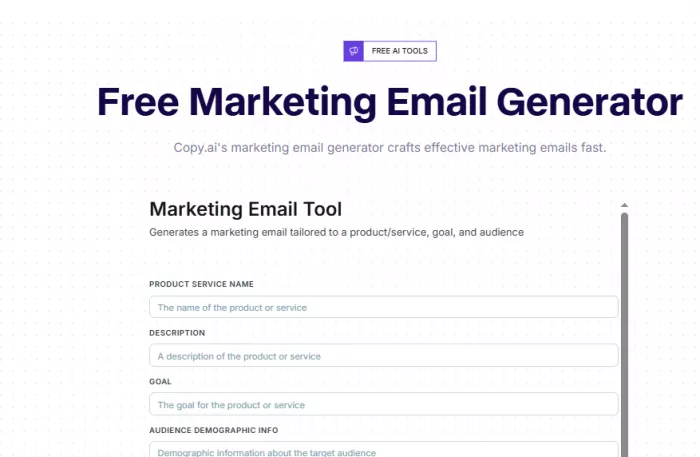
copy ai is a strong option for teams that need email copy with a clear marketing purpose. It helps create promotional emails, newsletters, product updates, and campaign messages that highlight benefits and guide readers toward action. For marketers and business owners, it offers a faster way to test ideas, refine messaging, and build email campaigns.
Who Should Use copy ai?
copy ai is best for marketers, founders, content teams, sales teams, ecommerce brands, agencies, and creators who write promotional or campaign-based emails. It is useful for users who want more than a basic reply generator.
Key Features
- Marketing email generation for campaigns and promotions: copy ai can create emails that highlight benefits, explain offers, and encourage readers to take action.
- Support for subject lines and email variations: The tool can generate multiple options so users can compare different angles before choosing the final copy.
- Useful workflows for sales and marketing teams: copy ai can support repeated campaign tasks, making it helpful for teams that produce email content often.
- Tone and audience-based customization: Users can guide the output based on who the email is for and what kind of message they want to send.
Pros
- copy ai is strong for marketing emails because it helps create persuasive and benefit-focused copy.
- It gives users multiple draft options, which is useful when you need fresh campaign ideas.
- The tool can support different email types, from newsletters to promotional announcements.
- It is helpful for teams that want to speed up content creation across sales and marketing workflows.
Limitations
copy ai may produce copy that needs editing to sound more personal or less promotional. It can be more than what you need for basic workplace emails. Users should also review claims, offers, and product details carefully before sending.
Pricing
copy ai offers a self-serve Chat plan for small teams at $29/month on monthly billing or $24/month when billed annually. Higher-tier annual plans include Growth at $1,000/month, Expansion at $2,000/month, and Scale at $3,000/month. copy ai also offers Enterprise pricing through a custom demo or sales process. Pricing checked in 2026 and may change based on seats, workflow credits, and enterprise needs.
Verdict
copy ai is a good choice for marketers and businesses that need campaign-style email writing. If you want an AI tool for email writing that supports newsletters, promotions, and sales copy, copy ai is worth considering.
5. Rytr: Best for Quick Drafts
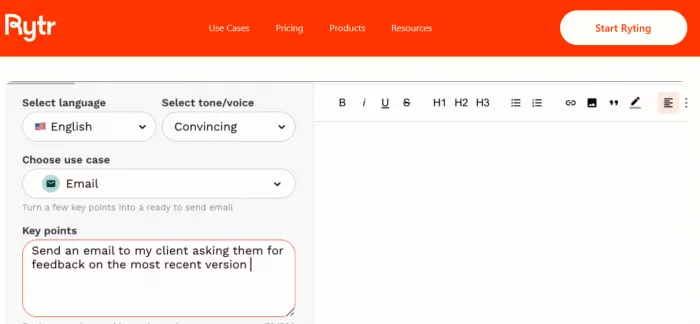
Rytr is a straightforward writing assistant for users who want clean email drafts without a complicated setup. It helps turn a short idea into a professional message and allows users to adjust the tone based on the situation. For freelancers, students, small businesses, and solo professionals, Rytr is useful for everyday email writing.
Who Should Use Rytr?
Rytr is best for beginners, freelancers, small business owners, students, solo professionals, and anyone who wants a simple AI tool for email writing without too many advanced features.
Key Features
- Email writing templates that help users start faster: Rytr provides use cases that guide the writing process, making it easier to create a draft without building the structure yourself.
- Multiple tone options for different email situations: Users can choose tones such as formal, friendly, persuasive, or casual depending on the recipient and purpose.
- Support for different languages and writing styles: Rytr can help users create emails for varied audiences, which is useful for global communication.
- Simple interface for quick content creation: The platform is easy to use, making it suitable for people who want fast results without a steep learning curve.
Pros
- Rytr is easy to use, so beginners can create email drafts without feeling overwhelmed.
- It provides tone options that help users match the email to the situation.
- The tool is useful for quick drafts when you need a starting point immediately.
- It can support different types of short writing beyond emails, which adds extra value.
Limitations
Rytr may not provide the deep personalization that sales outreach tools offer. Some outputs may feel basic if the prompt is too short. It is helpful for drafts, but important emails still need human review and editing.
Pricing
Rytr has a free plan at $0/month. Its paid plans include Unlimited at $7.50/month and Premium at $24.16/month on yearly billing. The official pricing page also notes that yearly billing gives two months free, while monthly billing is available separately. Pricing checked in 2026 and may change depending on billing cycle and plan limits.
Verdict
Rytr is a good choice for users who want a simple and affordable writing assistant for everyday emails. It is not the most advanced tool for sales or marketing campaigns, but it works well for quick, clean email drafts.
6. HyperWrite: Best for Rewriting Emails
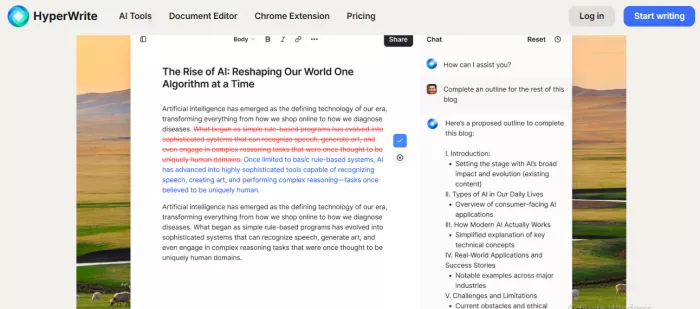
HyperWrite works well for users who want support throughout the writing process, not just a finished draft. It can help start an email, continue an unfinished message, rewrite awkward lines, or make a draft sound more polished. This makes it useful for professionals who write different types of emails and want more control over the final message.
Who Should Use HyperWrite?
HyperWrite is useful for professionals, students, freelancers, content creators, business owners, and anyone who wants help drafting and improving emails. It is suitable for users who need an all-purpose writing assistant rather than a sales-only tool.
Key Features
- Auto-writing support that helps create email drafts from basic ideas: HyperWrite can generate content when you provide a short instruction or topic.
- Rewrite tools that improve unclear or awkward email sentences: Users can paste rough text and ask the tool to make it smoother, clearer, or more professional.
- Autocomplete-style suggestions that help you continue writing faster: HyperWrite can suggest words, sentences, or paragraphs while you write, reducing pauses.
- Multiple writing tools for different communication needs: Beyond email, it can support summaries, explanations, and content improvements, making it useful for broader productivity.
Pros
- HyperWrite is flexible because it can help with drafting, rewriting, and improving emails.
- It is useful for people who want writing support across different professional situations.
- The rewrite features help make rough emails sound clearer and more polished.
- It can support productivity beyond email, which makes it valuable for users with varied writing needs.
Limitations
HyperWrite is not built only for email marketing or sales outreach, so it may lack some specialized features found in niche tools. Users may need to give clear instructions to get the exact tone or structure they want.
Pricing
HyperWrite offers Premium at $19.99/month on monthly billing or $16/month when billed annually. The Ultra plan is listed at $44.99/month monthly or $29/month when billed annually. Premium includes 250 AI messages per month, while Ultra includes unlimited AI messages and additional custom personas. Pricing checked in 2026 and may change.
Verdict
HyperWrite is a strong option for people who want a versatile AI writing partner. It may not be the most specialized AI tool for email writing, but it is useful for drafting, editing, and improving many types of emails.
7. Mailmeteor: Best for Gmail Users
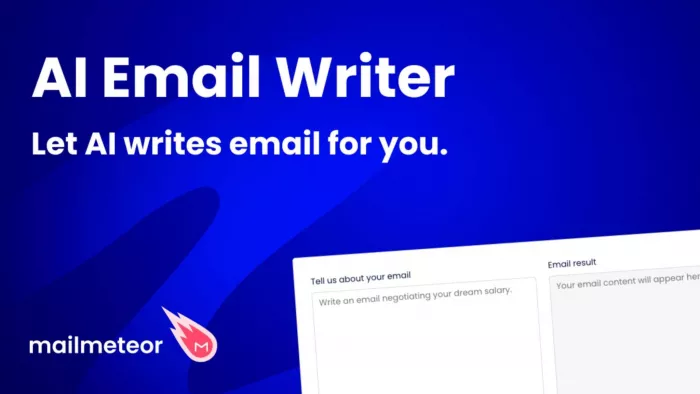
Mailmeteor AI Email Writer is made for users who want to create professional emails quickly and keep their workflow simple. It helps generate clear drafts from basic instructions and works well for outreach, follow-ups, announcements, and everyday communication. For Gmail users and small teams, it also fits naturally into email sending and personalization workflows.
Who Should Use Mailmeteor AI Email Writer?
Mailmeteor AI Email Writer is useful for professionals, small businesses, teachers, recruiters, marketers, sales teams, and anyone who wants to create emails quickly. It is also helpful for users who already use Gmail heavily.
Key Features
- AI email generation based on your context and goal: You can explain what the email should be about, and the tool creates a draft that matches your intent.
- Useful support for cold emails and professional messages: Mailmeteor offers tools that can help create outreach-style emails and business communication.
- Connection with email sending workflows: Its broader platform can help users send personalized emails and manage campaigns more efficiently.
- Simple interface for quick email creation: The tool is easy to use, making it practical for people who do not want a complex writing platform.
Pros
- Mailmeteor AI Email Writer is simple and quick, which makes it useful for everyday email drafting.
- It can support users who need both writing help and email sending productivity.
- The tool is practical for Gmail users who want to create and send personalized messages.
- It is useful for small businesses and professionals who need clean emails without complicated setup.
Limitations
Mailmeteor AI Email Writer may not offer the deep coaching features of Lavender or the advanced campaign copy options of copy ai. For highly strategic sales emails, users may still need extra editing and personalization.
Pricing
Mailmeteor’s AI Email Writer is listed as 100% free, with no sign-up, credit card, or usage quota required for the web tool. For users who need email sending, mail merge, tracking, and inbox productivity features, Mailmeteor’s paid plans start with Starter at $5.99/user/month, followed by Premium at $15.99/user/month and Professional at $35.99/user/month. Mailmeteor also has a free Hobby plan for sending personalized emails. Pricing checked in 2026 and may change depending on currency, billing cycle, limits, and taxes.
Verdict
Mailmeteor AI Email Writer is a practical choice for users who want fast email generation and simple productivity support. It is especially useful if you need to write and send emails efficiently from a Gmail-focused workflow.
Which Tool Fits Which User?
Lavender is best for salespeople who want to improve outreach quality and get more replies. It is a coaching tool, so it works well when email performance matters.
Flowrite is best for professionals who send many routine emails and want faster replies, reminders, and meeting messages.
SmartWriter is best for cold outreach teams that need personalization at scale. It is especially useful for prospecting and lead generation.
copy ai is best for marketers who write newsletters, promotional emails, product announcements, and campaign messages.
Rytr is best for beginners and small teams that want a simple AI tool for email writing without a complex learning curve.
HyperWrite is best for users who want a flexible writing assistant for drafting, rewriting, and improving different types of emails.
Mailmeteor AI Email Writer is best for users who want quick email generation along with practical sending and productivity features.
Conclusion
The best AI tool for email writing depends on what you need most. If your focus is sales outreach, Lavender and SmartWriter are strong choices. If you write marketing emails, newsletters, or product announcements, copy ai is a better fit. For everyday professional replies, Flowrite and Mailmeteor can help you write faster and stay organized. Rytr is a simple option for beginners, while HyperWrite is useful for rewriting, polishing, and improving different types of emails.
AI email tools can save time, improve tone, and make writing less stressful. However, they should not replace your own judgment. Always review important emails before sending to make sure the message is accurate, personal, and suitable for the recipient.
Comments