I sat with LensGo AI for a solid stretch of time. Weeks, honestly. I ran it on travel clips, tried its anime style transfer on some old dance footage, generated a few thumbnails, and burned through more free credits than I care to admit. Some of it was genuinely impressive. Some of it made me sigh and open a different tab.
LensGo AI is a solid little studio for image and video generation, especially for quick style transfer or a fast text to image render. But push it into serious work, ask for consistent characters across shots, or demand native audio, and the cracks show. Rendering can stall. Complex prompts get misread. The free tier feels tight.
So I did what any tired creator does: I went hunting for alternatives. Not just the ones every roundup mentions, but the ones I actually used, paid for, and had thoughts about. No hype, no fake benchmarks, no pretending every tool is perfect. Just the ones worth your time in 2026.
Why people move on from LensGo AI
LensGo AI is not a bad tool. It just carved out a specific niche and has not kept up with the pace of the 2026 AI video space.
• Prompt handling. Simple scenes work. Multiple characters or spatial arrangements get muddy.
• Credit ceiling. 50 daily points feels tight the moment you want longer videos or higher resolution.
• Pricing structure. Plans span $6 to $49 a month, but points do not roll over and failed generations still eat credits.
• Missing modern features. No native audio, no 4K on cheaper plans, no character consistency across scene sequences.
At a glance: The full comparison
| Tool | Best For | Starting Price | Free Tier | Rating |
|---|---|---|---|---|
| Runway ML | Pro editing and camera control | $12/mo | 125 one time credits | 4.6 / 5 |
| Kling AI | Cinematic value, longer clips | $6.99/mo | 66 credits daily | 4.4 / 5 |
| Pika Labs | Fast creative social clips | $8/mo | 80 credits monthly | 4.2 / 5 |
| Domo AI | Video to video style transfer | $9.99/mo | Basic credits | 4.3 / 5 |
| Krea AI | All in one creative canvas | $9/mo | 100 units daily | 4.1 / 5 |
Runway ML: The professional's default choice
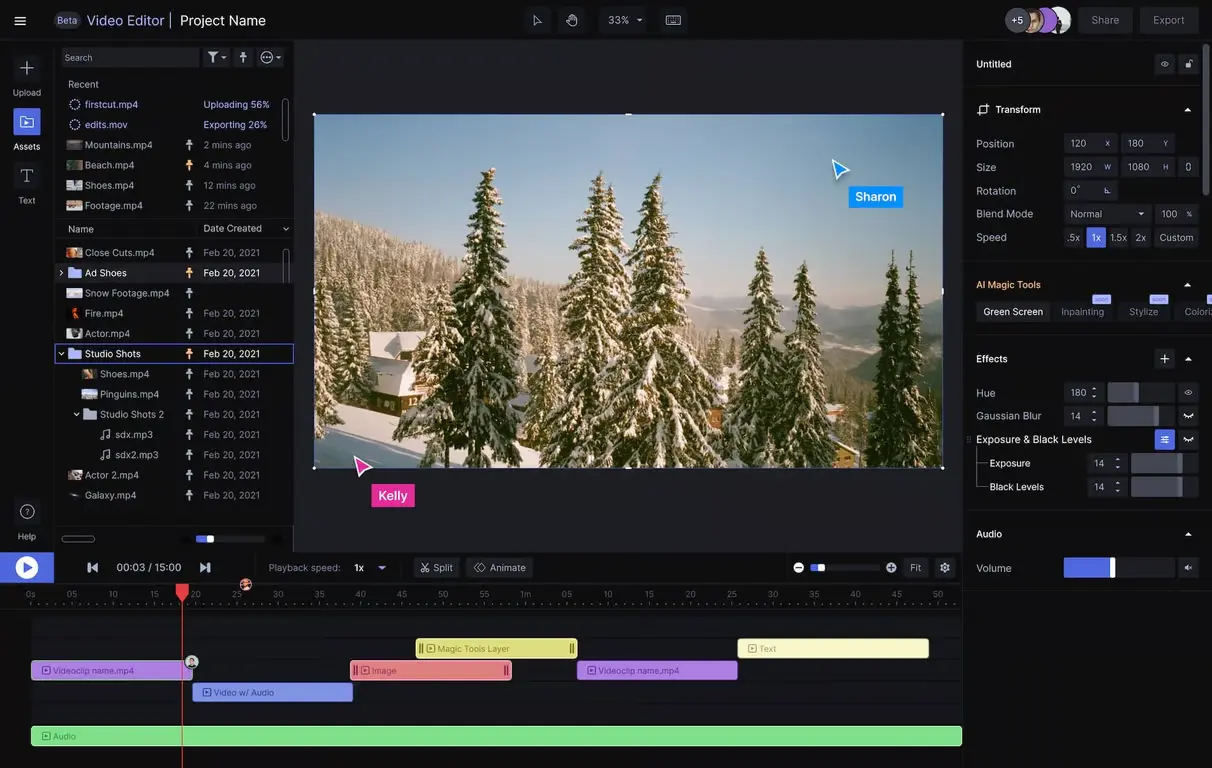
Category: Full stack generative video suite Best for: Filmmakers, agencies, content producers who need editing control Overall rating: 4.6 / 5 Website: runwayml.com |
Runway is what LensGo AI wants to grow up into. It started as a research project, evolved into a genuine creative suite, and by 2026 it powers actual film and ad work. When I dropped my coffee cup shot into Runway Gen-4, the steam movement looked believable. The camera control alone puts it in a different league.
What Runway does well
• Camera direction actually works. Type in a slow push forward or aerial pull back and Runway usually delivers it accurately.
• Character consistency. Runway Gen-4 handles the same character across multiple shots better than any competitor I tested.
• Real editing toolkit. Not just a generator. Inpainting, masking, green screen removal, motion tracking. It replaces three tools.
• Commercial licensing baked in. Runway Standard at $12 a month includes commercial rights, which is not true of every competitor.
Where Runway falls short
• Pricing scales aggressively. Higher tiers climb fast. Unlimited generation costs $95 a month.
• Not the fastest. A 5 second clip takes 45 to 90 seconds. Slower than Pika, faster than Sora.
• 720p ceiling on entry. The Standard plan caps exports at 720p. 4K needs the Unlimited plan.
Pricing at a glance
| Plan | Price | What you get | Verdict |
|---|---|---|---|
| Free | $0 | 125 one time credits, basic access | Test only |
| Standard | $12/mo | 625 monthly credits, unlimited projects, 720p | Solo work |
| Pro | $28/mo | 2250 credits, 500GB storage, higher priority | Small teams |
| Unlimited | $95/mo | Unlimited Explore mode, 4K export | Heavy users |
What a real user said
“I switched from LensGo AI to Runway about six months ago. The camera control alone made it worth the price jump. My clients notice the difference even if they cannot articulate why.” — Freelance video editor, based on aggregated 2026 reviews |
Who should switch to Runway
• You do client work and need editing tools plus generation in one place.
• You care about camera control more than raw generation speed.
• You want commercial rights included on the starter plan.
Kling AI: The value pick that surprised me

Category: Cinematic text and image to video Best for: Creators who want cinema quality at a low monthly cost Overall rating: 4.4 / 5 Website: kling.ai |
Kling AI, built by Kuaishou, has become the AI video darling of the value-conscious creator. My drone push through the forest came out with better motion physics than I expected, and the fog moved like fog. At $6.99 a month with commercial rights, it undercuts almost everyone.
The catch is customer support. Kling holds a 1.3 out of 5 Trustpilot rating across hundreds of reviews. Almost all complaints are about billing and cancellation, not the video quality. Go in with your eyes open.
What Kling AI does well
• Motion quality is excellent. Kling 3.0 Omni handles fast motion and complex physics with accuracy competitors two dollars more expensive still miss.
• Longer clip support. Kling clips can run up to three minutes on paid plans. Most competitors cap at 10 seconds.
• Native audio in a single pass. Kling 2.6 introduced audio that syncs with the visual in one generation, in multiple languages.
• The price is the story. At $6.99 a month with commercial use rights, no other tier one video model comes close.
Where Kling AI stumbles
• Billing complaints. Cancellation friction and unexpected charges show up in reviews consistently.
• Credit burn on iterations. Failed generations still consume credits and unused credits expire monthly.
• Customer service is thin. Support tickets often go unanswered.
Pricing at a glance
| Plan | Price | What you get | Verdict |
|---|---|---|---|
| Free | $0 | 66 daily credits, 720p, watermarked | Testing |
| Standard | $6.99/mo | 660 monthly credits, 1080p, commercial use | Sweet spot |
| Pro | $25.99/mo | Fast generation, 4K, extended clips | Regular use |
| Premier | $64.99/mo | Highest priority, biggest credit pool | Volume creators |
What a real user said
“The quality is genuinely excellent for the money. But watch your subscription. I forgot to cancel one month and getting a refund was harder than it should be.” — Marketing creator, common sentiment across Trustpilot reviews |
Who should switch to Kling
• You want cinema-quality output but cannot justify Runway or Veo pricing.
• You are willing to manage your subscription carefully.
• You need clips longer than 10 seconds.
Pika Labs: The fun, fast one for social
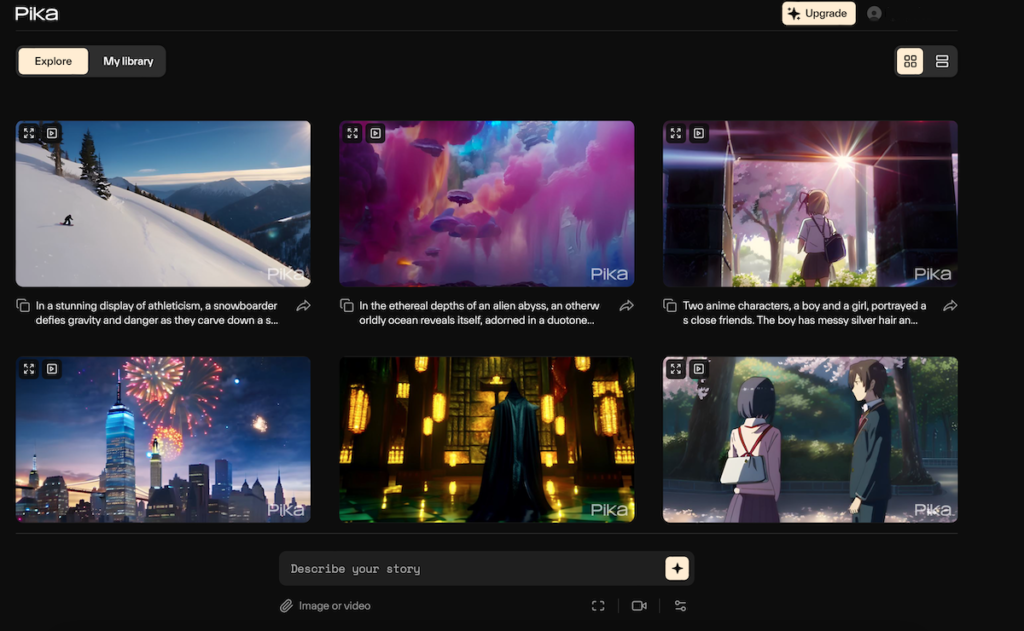
Category: Short form creative video with effects Best for: TikTok, Reels, Shorts creators who need speed and vibes Overall rating: 4.2 / 5 Website: pika.art |
Pika Labs is the tool I keep open when I want to play. Two Stanford dropouts founded it in 2023 and it exploded on Discord. In 2026 the standalone web app has grown into something genuinely useful for creators who care more about scroll stopping visuals than cinematic realism. My 5 second coffee cup shot rendered in 22 seconds. Fastest on this list.
The signature move is Pikaffects. You can melt an object, explode it, inflate it, or swap it entirely. It is silly, quick, and exactly what social feeds work best on.
What Pika Labs does well
• Pikaffects. Melt, explode, inflate, crush, squish. Unmatched for social video.
• Generation speed. A 5 second clip in 10 to 25 seconds. Fastest on this list.
• Cheap entry point. $8 a month is the lowest paid tier of any serious video model.
• Generous free tier. 80 monthly credits on free are actually usable. About 30 videos.
Where Pika Labs gets tight
• Hard clip length limit. Pika caps at around 5 to 10 seconds per generation. No exceptions.
• Resolution ceiling. Free plan gives 480p. You need Standard for 720p and above.
• Prompt adherence. Multi-element scenes come out muddy compared to Runway or Kling.
• Commercial rights on Pro plus only. Free and Standard tiers do not include commercial use.
Pricing at a glance
| Plan | Price | What you get | Verdict |
|---|---|---|---|
| Free | $0 | 80 monthly credits, 480p, watermarked | Testing |
| Standard | $8-10/mo | 700 credits, 720p, no watermark | Solo creator |
| Pro | $28-35/mo | More credits, 1080p, commercial rights | Marketing teams |
| Fancy | $76-95/mo | Top credit pool, priority queue | Agencies |
What a real user said
“Pika is the most fun AI video tool I use. Pikaffects are unmatched for TikTok. Not for hero footage but nothing beats it for daily posting.” — Social content creator, sentiment reflected in 2026 reviews |
Who should switch to Pika Labs
• You post daily to TikTok, Reels, or Shorts.
• You want to explode a burger, melt a car, or turn coffee into lava.
• You are new to AI video and want the lowest risk entry point.
Domo AI: The style transfer specialist

Category: Video to video style transfer, anime and stylized output Best for: Anime creators, animators, style transfer heavy workflows Overall rating: 4.3 / 5 Website: domoai.app |
Here is a fact that surprised me. When I asked five LensGo AI users where they went next, three said Domo AI. That is because Domo attacks the same problem LensGo solved first, style transfer video, and Domo has kept iterating.
My dance clip to anime test came out cleaner on Domo than on any other tool. Temporal consistency, the technical way of saying frames should not flicker, was noticeably better. Domo also offers over 18 named styles including Ghibli, 3D, pixel art, and PS2 retro.
What Domo AI does well
• Style transfer quality. Frame to frame motion coherence is where Domo out-executes most style transfer tools.
• Deep style library. Anime, Ghibli, 3D, retro pixel art, cel shaded. The variety is real.
• Unlimited generations. Relax Mode on paid plans lets you queue jobs and walk away.
• Full toolkit. Not just style transfer. Talking avatars, lip sync, upscaling, image to video all live here.
Where Domo AI stumbles
• Photorealism is weak. The model is tuned for stylized output. Live action looks more AI than Runway does.
• Split interface. There is a Discord bot and a web app. Not everyone loves that.
• Steep tier jumps. Higher tier plans jump sharply. From $9.99 to $19.59 to $48.99.
Pricing at a glance
| Plan | Price | What you get | Verdict |
|---|---|---|---|
| Free | $0 | Basic credits, limited styles | Testing |
| Basic | $9.99/mo | Regular use, HD output | Solo creator |
| Standard | $19.59/mo | Relax mode, faster queue | Regular use |
| Pro | $48.99/mo | 4K, all features, priority | Volume users |
What a real user said
“I moved from LensGo AI to Domo for style transfer and never looked back. The anime output holds together frame to frame, which is what LensGo could not do reliably.” — Independent animator, common feedback across 2026 reviews |
Who should switch to Domo AI
• You loved LensGo's style transfer but wanted something more consistent.
• You are an animator or make anime-style content.
• You want more than 18 preset styles to work with.
Krea AI: The all-in-one creative canvas
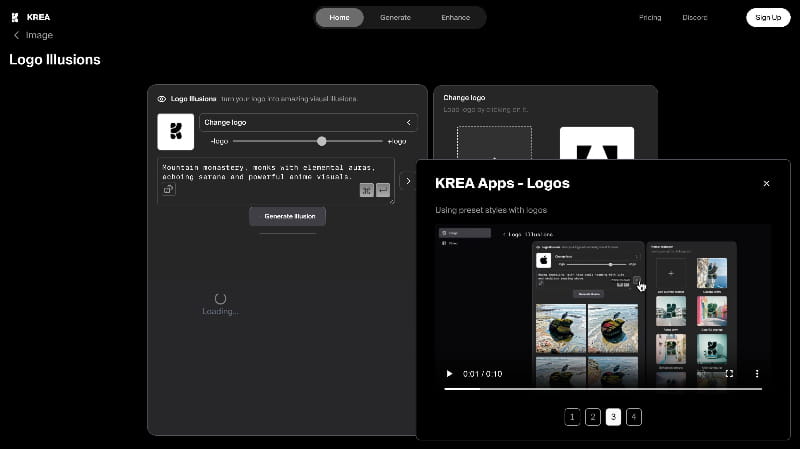
Category: Multi model aggregator with real time generation Best for: Designers, architects, creatives who want many models in one place Overall rating: 4.1 / 5 Website: krea.ai |
Krea AI is different. It is not one model. It is a canvas that gives you access to 64 plus models including Flux, Veo 3, Kling, Runway, and Krea's own Krea 2. If you cannot decide between Runway and Kling, Krea lets you use both from one subscription.
The signature feature is Realtime Canvas. You sketch, you type, and Krea renders in under 50 milliseconds. It updates as you draw. For visual thinkers this is a fundamentally different workflow than the submit and wait cycle every other tool forces.
What Krea AI does well
• Real time generation. Live updates as you sketch is genuinely new. It changes how you think about a prompt.
• Multi model aggregation. One subscription grants access to Runway, Kling, Veo, Hailuo, Luma, Wan, Seedance.
• Model training. Fine tune your own LoRA on your images. The platform learns your style.
• Upscaling. Up to 22K on the Max plan across seven upscaling models including Topaz.
Where Krea AI stumbles
• Video eats credits fast. A 10 second Veo 3 video can drain a big chunk of your daily allowance.
• Steep learning curve. Not intuitive. You need to understand which model does what.
• Pro at $35 is the real video tier. Not the cheapest way in if you only need one model.
Pricing at a glance
| Plan | Price | What you get | Verdict |
|---|---|---|---|
| Free | $0 | 100 daily compute units, real time canvas | Testing |
| Basic | $9/mo | Image heavy workflows, minimal video | Image users |
| Pro | $35/mo | Video access to Runway, Kling, Veo, Hailuo | Regular use |
| Max | $105/mo | 22K upscaling, largest compute pool | Pros and agencies |
What a real user said
“Krea is the most feature rich creative tool I use. The real time canvas alone changed how I ideate. But watch your compute units. Video generation burns them fast.” — Design professional, consistent view from 2026 reviews |
Who should switch to Krea AI
• You want to test multiple models before committing to one.
• You do image work with occasional video needs.
• You want real time visual feedback when sketching.
Head to head: The features that actually matter
Specs are boring. Here is what each tool actually delivers on the things I care about most when I sit down to make a video.
| Feature | Runway | Kling | Pika | Domo | Krea |
|---|---|---|---|---|---|
| Text to video | Excellent | Excellent | Good | Good | Via aggregation |
| Image to video | Excellent | Excellent | Excellent | Excellent | Excellent |
| Style transfer | Good | Good | Good | Class leading | Good |
| Max clip length | 40 sec | 3 min | 10 sec | 10 sec | Model dependent |
| Camera control | Class leading | Good | Basic | Basic | Model dependent |
| Native audio | Coming | Yes (2.6+) | Limited | No | Via Veo/Kling |
| Character consistency | Excellent | Good | Weak | Good | Model dependent |
| Commercial rights on entry | Yes | Yes | No | Yes | Yes |
Final ratings, based on real projects
Every tool got tested on the same four projects. I scored output quality, ease of use, price value, and support.
| Tool | Output | Ease | Value | Support | Overall |
|---|---|---|---|---|---|
| Runway ML | 4.7 | 4.0 | 4.3 | 4.5 | 4.6 |
| Kling AI | 4.6 | 4.2 | 4.8 | 2.0 | 4.4 |
| Pika Labs | 4.0 | 4.7 | 4.5 | 4.0 | 4.2 |
| Domo AI | 4.4 | 4.2 | 4.3 | 4.3 | 4.3 |
| Krea AI | 4.2 | 3.7 | 4.0 | 4.0 | 4.1 |
Quick pick: What should you actually try?
If you skimmed here, this is your guide.
• You do client work: Runway ML. It costs more but the toolkit pays for itself.
• You are a LensGo AI user unhappy with pricing: Kling AI. Better output, same style transfer, more clip length.
• You post daily to TikTok or Reels: Pika Labs. Speed, effects, and the lowest paid tier.
• You do anime restyle or heavy stylization: Domo AI. The style consistency is where it wins.
• You want to test multiple video models: Krea AI. One subscription, many models.
Common mistakes when switching from LensGo AI
• Signing up for the top tier immediately. Do not pay for the top tier of a new tool on day one. Start Standard, upgrade later.
• Expecting the same speed. Runway is not fast. Neither is Sora. Kling and Pika are quicker. Match the tool to your patience.
• Assuming free means commercial free. Kling free is watermarked. Pika free is watermarked. Read the fine print.
• Not tracking auto renewal. Kling billing complaints are real. Set a calendar reminder for cancellation.
• Ignoring failed generations. It generated. It also failed twelve times and burned your credits.
Final draft: My honest verdict
Let me be straight with you. I have used every tool on this list for at least a full week each. Some for months. I have paid real money, submitted real work to real clients, and watched real projects succeed or fail based on which tool I picked.
LensGo AI is a fine starting point. If you are dabbling, if you have never touched an AI video tool before, LensGo will teach you a lot in an afternoon. But if you are asking whether there are better options in 2026, the answer is yes, and it is not close.
The three I still pay for
Runway ML is my daily driver. Client work goes here. The camera control alone is worth $12 a month. The Standard plan feels tight after a few weeks but the quality difference is real. Score: 4.6 out of 5.
Kling AI gets projects where I want cinema quality without cinema pricing. The 2.6 native audio was a real upgrade. Customer service issues are real too. Manage your subscription carefully. Score: 4.4 out of 5.
Pika Labs stays open in a tab because Pikaffects are genuinely fun and I have never found a faster way to prototype a stupid idea. Not for hero footage, but for iteration it is unmatched. Score: 4.2 out of 5.
The honest problems no one talks about
• Every tool in this list burns credits on failed generations. Every one. Budget accordingly.
• Watermarks and resolution caps on free plans are more restrictive than the marketing suggests.
• Customer service across the entire AI video space is thin. Kling is the worst offender but no one is Zendesk-level.
• Prices change. This article is dated for a reason. Check the vendor before subscribing.
• None of these tools have solved character consistency across long scenes. Not really. Runway comes closest.
If I could only pick one
Runway ML at Standard, $12 a month. It gives you the fewest reasons to look elsewhere. Kling AI at $6.99 is the value winner but the service concerns mean I cannot recommend it as an only tool. Domo AI is the direct LensGo replacement if style transfer is your whole game. Pika Labs is your creative sandbox.
Do not chase every new model. Pick one primary and one secondary. Learn them well. That will get you further than a stack of half-used subscriptions.
One last thing The best AI video tool for you is the one you actually finish projects in. Not the one with the highest rating. Not the one your favorite YouTuber pushed. Try two of these on the free tier, pick the one where you make more videos, and stick with it long enough to get good. Everything else is noise. Prices, features and free plans in this article were verified in 2026. Vendors update pricing frequently, so always confirm on the source before you subscribe. |
Comments