Remaker AI sat in my bookmarks bar for most of last year. It is browser based, free to start, and photo swaps download without a watermark, which almost nothing else offers at zero cost. I have pushed hundreds of images through it, from meme edits to rescuing a blinking groomsman in a wedding group shot.
The problems crept in slowly. The 30 signup credits disappear after one real session. Video face swap is presented as free, then asks you to buy credits before it runs. Multi face swaps cost four credits each, and on my test group photo two of five faces came back with mismatched skin tones.
So I spent two weeks being slightly obsessive, running the same test kit through six competitors. I logged watermark policies, export sizes, queue times, and the real cost of each one once the free credits dry up. Here is what held up.
Why people look for a Remaker AI alternative
Remaker is not a bad tool. It is a free tool with sharp edges, and those edges show once you lean on it daily.
• Credits burn fast. A photo swap costs 1 credit, a multi face swap costs 4, and video swaps bill per second of footage.
• The video paywall. Video face swap is promoted as free but only unlocks after you buy a credit pack.
• Quality jumps around. The upscaler is strong; the object replacer and uncrop miss about as often as they hit.
• Free users wait longer. Paid accounts get processed first, so free jobs sit in a slower queue.
• Browser only. No desktop or mobile app, so everything depends on how the site behaves.
Quick comparison
| Tool | Best for | Free plan | Paid from | Free plan catch |
|---|---|---|---|---|
| Akool | Client ready video face swaps | 600 credits (~25 image swaps) | ~$21/mo billed yearly | 720p cap and a watermark |
| Pica AI | Instant photo swaps with zero setup | 4 trial credits, no signup | ~$10/mo | Credits gone in minutes |
| Hotpot AI | Lots of small jobs on a small budget | About 75 images a day | $12 for 1,000 credits | Watermark, personal use only |
| DeepSwap | Budget video face swapping | Limited trial | ~$9.99/mo | Watermarked demo output |
| Fotor | Editing photos after the AI step | Full basic editor | $8.99/mo billed yearly | Ads, AI tools locked |
| Cutout.pro | Background removal and ID photos | 5 credits | $5/mo for 40 credits | Low resolution previews |
Feature comparison: what each tool can do
Face swapping is the headline, but this group splits into dedicated swappers and broader image editors. Here is what each one actually handles, so you know which list a tool belongs on before you sign up.
| Tool | Face swap | Video | Multi-face | Platforms |
|---|---|---|---|---|
| Akool | Yes | Yes | Yes | Browser |
| Pica AI | Yes | Yes | Up to 3 | Browser, mobile apps |
| Hotpot AI | No | No | No | Browser, plus API |
| DeepSwap | Yes | Yes | Up to 6 | Browser |
| Fotor | Yes | Yes | Yes | Browser, desktop, mobile |
| Cutout.pro | No | Yes | No | Browser, mobile, API |
Hotpot and Cutout.pro do not swap faces at all. They earn a place because they cover the rest of Remaker's toolkit, restoration, cutouts, and cheap batch editing, better than the swap specialists do.
The 6 best Remaker AI alternatives, tested
Akool: the one that looks professional
Akool is what I open when the result has to survive scrutiny. My side profile portrait, the one that tripped up almost every other tool here, came back with the jawline blended so cleanly I had to zoom in to find the seam. The video swap even kept the lighting shift as my friend turned toward a window, exactly where cheaper tools fall apart.

This is a full production platform, not a single trick. Face swapping for photos, video, and live camera feeds sits beside AI avatars, video translation, and an image generator. The free tier hands you 600 credits, roughly 25 image swaps or ninety seconds of video, capped at 720p with a watermark.
| Best for | Marketing teams and creators who publish the output |
| Free plan | 600 credits, 720p cap, watermarked exports |
| Paid plans | Pro from about $21 a month billed yearly |
| Platforms | Browser |
| Standout feature | Live face swap during video calls and streams |
What works
• Video swaps hold up in motion. Expressions, lighting, and lip movement carry over instead of a static mask being pasted on.
• Group scenes and big exports. It handles crowded frames and higher resolutions than anything else here.
• Real time mode. The live camera swap works during calls, which still feels slightly unreal.
What holds it back
• The free tier is a demo. Between the watermark and the 720p ceiling, you cannot ship anything from it.
• Unpredictable billing. Credit sliders and per seat charges make the real monthly cost hard to guess.
• Overkill for memes. If you want one funny photo, this is a lot of platform.
Tip: Run your longest video through the short paid trial first. Video burns credits far faster than photos, and that burn rate decides which plan you need.
Pica AI: fastest from zero to finished swap
Pica AI got me from landing page to finished swap in under a minute, and it did not even ask for an account first. Four trial credits sit in the corner of the screen the moment you arrive. Upload a photo, upload a face, press swap, done. It detected all five faces in my group shot on its own and opened a multi face editor without any menu hunting.
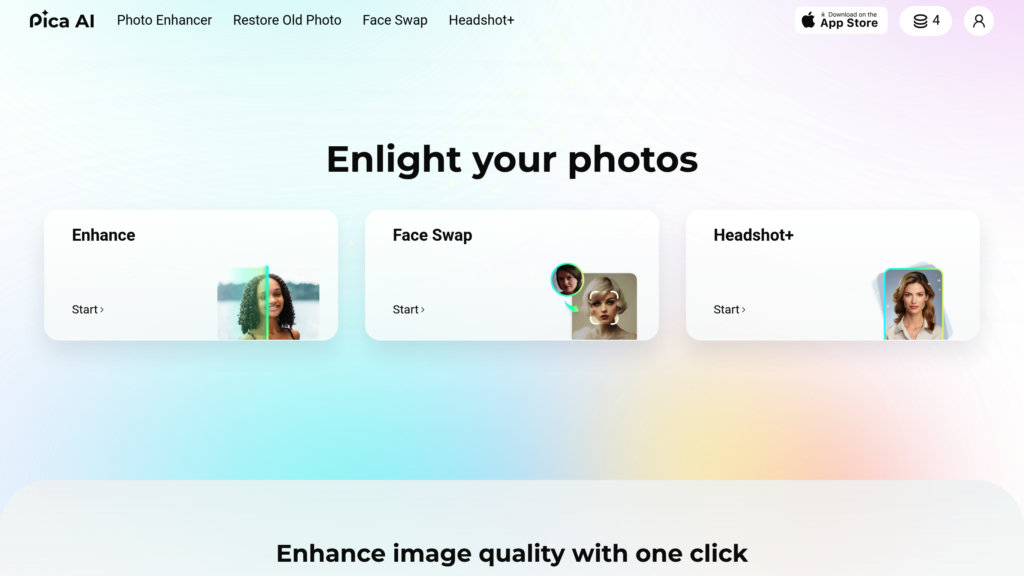
Frontal portraits came out convincing. My side angle test lost sharpness around the ear and hairline, and each swap took 20 to 30 seconds, slow after Akool. The template library is enormous, and a video mode exists when photos stop being enough.
| Best for | One off photo swaps with zero setup |
| Free plan | 4 trial credits before you sign up |
| Paid plans | Subscriptions starting around $10 a month |
| Platforms | Browser and mobile apps |
| Standout feature | Automatic multi face detection, up to 3 faces per image |
What works
• No barrier to entry. The shortest path from arriving to holding a result of any tool I tested.
• Multi face just happens. Upload a group photo and the right editor opens by itself.
• Template depth. Hundreds of ready scenes for memes, portraits, and character swaps.
What holds it back
• Trial evaporates. Four credits disappear in about five minutes of playing around.
• Angles are a weakness. Side profiles and busy backgrounds soften noticeably.
• Pushy upgrade prompts. Once credits run out, the subscription banners get loud.
Tip: Spend the four free credits on your hardest photos, not your easiest. That tells you within minutes whether the paid tier suits your use case.
Hotpot AI: the budget toolkit
Hotpot feels like a garage full of tools rather than a polished studio, and I mean that as a compliment to its prices. Art generation, photo restoration, colorization, background removal, upscaling, headshots, and an object remover all pull from one credit balance, and 1,000 credits cost 12 dollars. Nothing else here comes close on cost per job, and it is the nearest match to Remaker's everything in one place pitch.
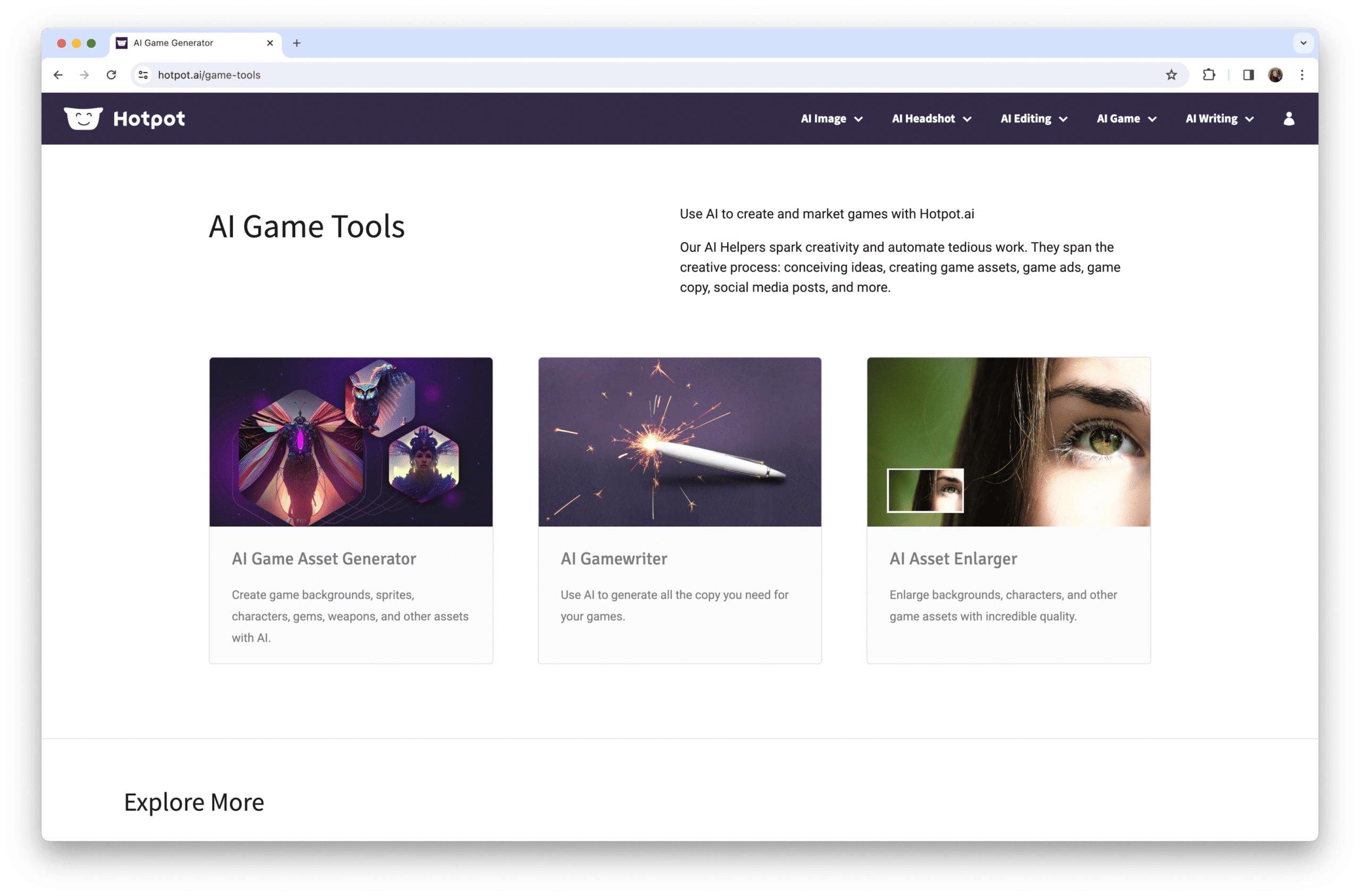
Quality depends on which door you open. The photo restorer rescued a scanned family photo I had written off. The art generator lands maybe three detailed prompts out of four, and text inside generated images still comes out scrambled. Free usage is generous, about 75 images a day, but everything carries a watermark and a personal use license until you buy credits.
| Best for | High volumes of small image jobs on a tight budget |
| Free plan | Around 75 generations a day, watermarked |
| Paid plans | Packs from $12 for 1,000 credits, no subscription |
| Platforms | Browser, plus a REST API |
| Standout feature | Photo restoration that punches well above the price |
What works
• Cheapest usable credits here. Most single jobs cost pennies once you buy a pack.
• Restoration and backgrounds deliver. The two most practical tools are also the most consistent.
• An API at this price. Developers can automate small creative tasks cheaply.
What holds it back
• Free means non commercial. Watermarked outputs with a personal use license surprise a lot of people.
• Uneven quality. Results swing hard from one tool to the next, so expect retries.
• Dated interface. The site works fine but looks like it launched a decade ago.
Tip: Test everything free first, then buy credits only for the two or three tools that earned it. Paying for the whole buffet wastes money.
DeepSwap: best value for video swaps
The 20 second talking head clip that flickered and smeared in Remaker came out of DeepSwap stable, with the swapped face tracking every head turn. It is what I now recommend to friends who want video swaps without an Akool budget. It handles photos and GIFs too, and it can replace up to six faces inside a single video.
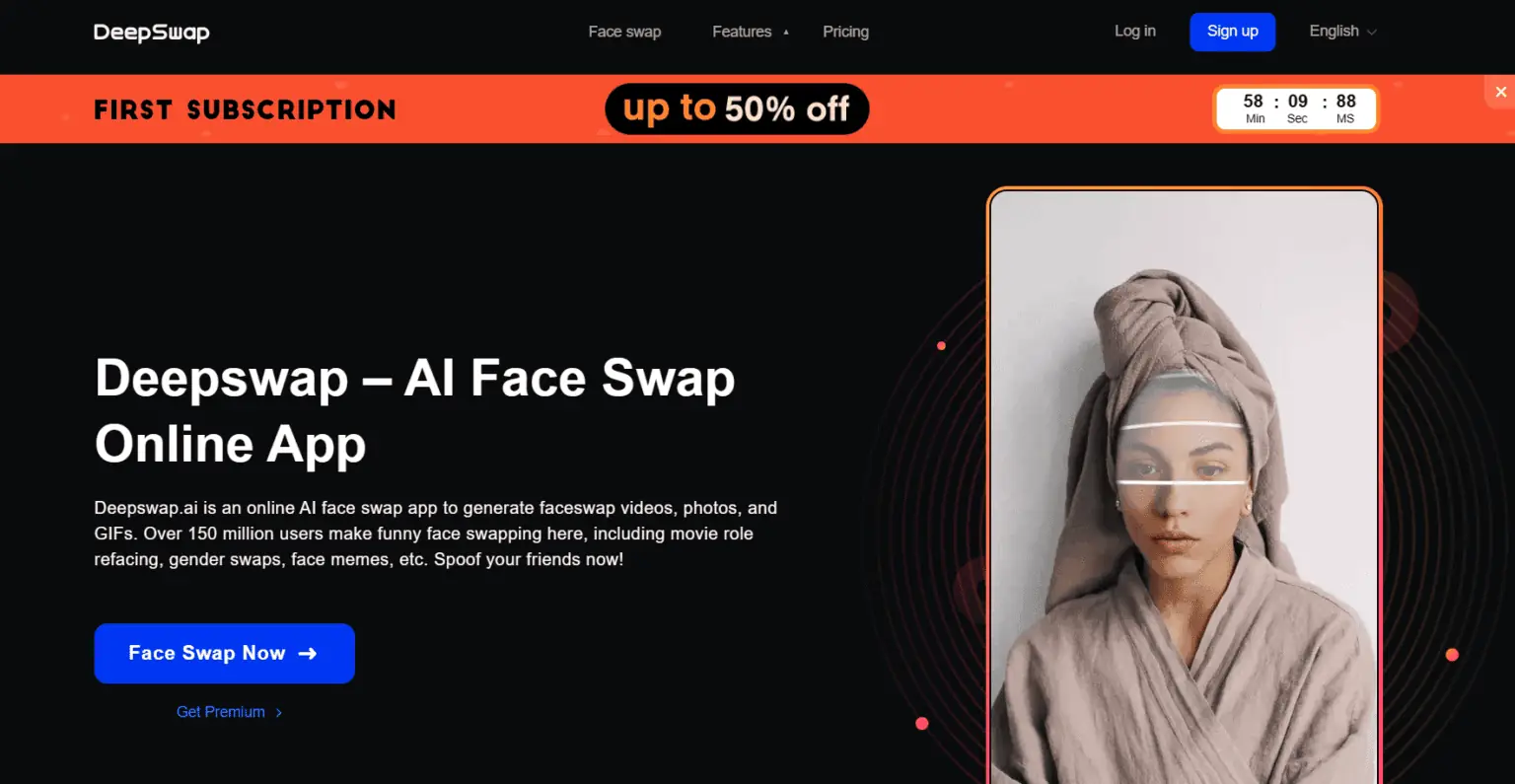
There is a catch: your source footage. Sharp, well lit video shines. A dim, shaky phone clip collapses the illusion in seconds. The free tier is a watermarked demo, so realistically you choose between Standard at about 10 dollars a month and Pro at about 20, cheaper on yearly billing.
| Best for | Video face swaps on a normal person's budget |
| Free plan | A watermarked taste, not a workspace |
| Paid plans | About $9.99 a month for Standard, $19.99 for Pro, cheaper yearly |
| Platforms | Browser |
| Standout feature | Up to 6 faces swapped inside one video |
What works
• Best sub 10 dollar video quality. Motion tracking keeps the face locked through head turns and gestures.
• Multi face video. Swapping several people in one clip opens up properly funny edits.
• GIF support. A quiet meme machine for group chats.
What holds it back
• Footage dependent. Low light or motion blur in the source wrecks the result.
• Credits shrink fast. Longer clips can eat a whole month's allowance in one job.
• Refund friction. User reviews describe forms and patience when asking for money back.
Tip: Pick source clips with even lighting and minimal motion blur. Ten minutes choosing better footage beats any setting inside the tool.
Fotor: the swap plus a real editor
Every other tool here hands you a finished file and shows you the door. Fotor lets you stay and keep working. After a swap or a generation you can color correct, retouch, crop per platform, drop the image into a template, and batch the edit across a folder. That workflow earns it a slot even though its raw AI output is not the strongest here.

The free tier is a real editor with ads and most AI features locked. Pro runs 8.99 dollars a month billed yearly or 12.99 monthly, and Pro Plus at 19.99 adds commercial stock assets and larger batches. The recurring complaint, which matches my experience, is the credit system: a bad generation costs the same as a good one.
| Best for | People who keep editing after the AI does its part |
| Free plan | Basic editor with ads, AI features mostly locked |
| Paid plans | Pro $8.99 a month billed yearly ($12.99 monthly), Pro Plus $19.99 |
| Platforms | Browser, desktop, and mobile apps |
| Standout feature | Batch editing across hundreds of photos at once |
What works
• Editor wrapped around the AI. Enhance, retouch, resize, and template work all happen in one tab.
• One tap enhance earns its name. Flat phone photos come back visibly better without fiddling.
• Batch power. Product sellers and real estate shooters save hours.
What holds it back
• Confusing credit rules. How and when credits get spent trips up almost every new user.
• Failed results still bill. A generation you throw away costs the same as a keeper.
• Middling raw generation. Dedicated art tools produce sharper images from the same prompt.
Tip: If your routine is generate, edit, then export in three sizes, Fotor replaces two or three subscriptions. If you only need the swap itself, skip it.
Cutout.pro: cutouts, ID photos, and restorations
Cutout.pro does not try to be everything. It removes backgrounds from images and video, restores and colorizes old photos, and builds compliant passport photos in a browser, and it does those jobs quickly. My clean background product shot came back ready to publish. My portrait with flyaway hair needed a second attempt, and the fine strands still looked clipped.
Pricing starts friendlier than anywhere else here. Five free credits to test, subscriptions from 5 dollars a month for 40 credits, and pay as you go packs from 2.99. There is an API plus a Shopify integration for store owners. One honest caution: security researchers reported a data incident involving Cutout.pro user records in early 2024, so keep sensitive personal photos away from it.
| Best for | Product cutouts, ID photos, and old photo restoration |
| Free plan | 5 credits, with low resolution previews |
| Paid plans | From $5 a month for 40 credits, pay as you go from $2.99 |
| Platforms | Browser, mobile apps, and an API |
| Standout feature | Video background removal with no green screen |
What works
• Video background removal. Stripping a backdrop from footage at this price is nearly unique.
• Passport photo maker. Sizing, background color, and country rules are handled automatically.
• Lowest entry price here. Five dollars a month covers a casual month of cutouts.
What holds it back
• Edge cases show. Fine hair, fur, and glass still trip up the masking.
• Pay as you go stings. Small packs cost several times the subscription rate per credit.
• The 2024 security report. Worth weighing before uploading personal or client photos.
Tip: Spend the five free credits on your worst images, the ones with stray hair or transparency. If those pass, everything easier will too.
Pricing compared side by side
The paywall is where these tools separate. Prices were checked on vendor sites in July 2026 and change often, so read them as a snapshot rather than a promise.
| Tool | Free tier | Cheapest paid | Higher tier | Billing |
|---|---|---|---|---|
| Akool | 600 credits | ~$21/mo | Team and seat plans | Monthly or yearly |
| Pica AI | 4 trial credits | ~$10/mo | Higher credit tiers | Subscription |
| Hotpot AI | ~75 images/day | $12 for 1,000 credits | Larger credit packs | Pay per credit |
| DeepSwap | Watermarked demo | ~$9.99/mo | ~$19.99/mo Pro | Monthly, cheaper yearly |
| Fotor | Editor with ads | $8.99/mo yearly | $19.99 Pro Plus | Monthly or yearly |
| Cutout.pro | 5 credits | $5/mo for 40 credits | Pay as you go from $2.99 | Sub or pay as you go |
Free plan limits at a glance
None of these lets you publish for free the way Remaker's watermark free photo swaps do. Here is exactly what each free tier hands you before the credits or the patience run out.
| Tool | Free allowance | Output limit | Free license |
|---|---|---|---|
| Akool | 600 credits (~25 swaps) | 720p, watermarked | Personal |
| Pica AI | 4 credits, no signup | Watermarked | Personal |
| Hotpot AI | ~75 images a day | Watermarked | Personal use only |
| DeepSwap | Demo render only | Watermarked preview | Not for publishing |
| Fotor | Basic editor with ads | Most AI tools locked | Personal |
| Cutout.pro | 5 credits | Low resolution preview | Personal |
Review table: how the six compare
Scores come from two weeks of testing plus verified user reviews, on a 1 to 5 scale. Overall leans toward output quality and value.
| Tool | Output quality | Ease of use | Free plan | Value | Overall |
|---|---|---|---|---|---|
| Akool | 4.6 | 4.2 | 3.5 | 3.8 | 4.4 |
| DeepSwap | 4.4 | 4.5 | 2.8 | 4.2 | 4.3 |
| Fotor | 4.0 | 4.4 | 3.6 | 4.3 | 4.1 |
| Pica AI | 4.0 | 4.8 | 3.0 | 3.7 | 4.0 |
| Hotpot AI | 3.6 | 4.0 | 4.2 | 4.6 | 4.0 |
| Cutout.pro | 3.9 | 4.3 | 3.4 | 4.0 | 3.9 |
Overall ranking
The same 1 to 5 scores as above, ordered by how the tools stack up overall. Where two tie, they share a place.
| Rank | Tool | Overall | The bottom line |
|---|---|---|---|
| 1 | Akool | 4.4 | Top quality for photos and video you plan to publish |
| 2 | DeepSwap | 4.3 | Best value for stable, motion tracked video swaps |
| 3 | Fotor | 4.1 | Best when you keep editing and resizing after the swap |
| 4 | Pica AI | 4.0 | Fastest route from arriving to a finished swap |
| 4 | Hotpot AI | 4.0 | Cheapest option for high volumes of small image jobs |
| 6 | Cutout.pro | 3.9 | Best for cutouts, ID photos, and photo restoration |
Best tool for each use case
The same picks broken down by the job you are actually doing, with a backup option and the reason each one wins.
| Use case | Best pick | Runner-up | Why it wins |
|---|---|---|---|
| Client or brand video | Akool | DeepSwap | Cleanest motion and lighting, highest resolution here |
| Video swaps on a budget | DeepSwap | Akool | Stable multi face video near $10 a month |
| A quick one off photo swap | Pica AI | Fotor | Finished swap in under a minute, no signup |
| High volume image jobs | Hotpot AI | Cutout.pro | Lowest cost per job once you buy a credit pack |
| Editing after the swap | Fotor | Akool | Full editor, batch tools, and per platform export |
| Cutouts and ID photos | Cutout.pro | Hotpot AI | Background removal and passport photos in a browser |
| Live swap on a call | Akool | None | The only tool here with real time face swapping |
| Restoring old photos | Hotpot AI | Cutout.pro | Strong restoration at the lowest price |
Final verdict
After two weeks of running the same faces through seven platforms, my bookmarks bar looks different. DeepSwap took Remaker's place for video, because ten dollars a month for stable, motion tracked swaps beats feeding credits into a per second meter. Akool is where I go when the output represents someone's brand, and the quality gap shows the moment a face turns sideways. Hotpot quietly became my junk drawer for restorations and cheap generations, since 12 dollars per thousand credits barely registers.
Remaker AI itself is still fine, and I have not deleted my account. Free, watermark free photo swaps remain a good deal for casual use, and the upscaler holds its own. But I have not bought a credit pack since this test ended, which probably says more than any score above. Pick the tool that matches the one job you do most weeks, treat its free tier as an audition, and let your worst photos make the final call.
Comments