Table of Contents
- Dzine Alternatives at a Glance
- How the Tools Were Compared
- 1. Leonardo AI: Best Overall Alternative
- 2. Krea: Best for Real-Time Creation
- 3. Recraft: Best for Designers
- 4. Ideogram: Best for Typography
- 5. Midjourney: Best for Visual Style
- 6. Adobe Firefly: Best for Adobe Workflows
- 7. Freepik AI Suite: Best for Content Production
- Creative Capabilities Compared
- Dzine Still Has an Edge
- Picking the Right Alternative
Dzine AI has grown into much more than an AI image generator. It combines image creation, editing, character tools, upscaling, video generation and access to several popular AI models in one workspace. That range is useful, but it also means creators with more specific needs may get better results from a platform built around their particular workflow.
The best Dzine alternative therefore depends on what you actually create. Leonardo AI offers the closest all-around replacement, Krea is stronger for interactive experimentation, Recraft is built around design work, while Ideogram remains particularly useful when typography matters. Here are seven alternatives worth considering in 2026.
Dzine Alternatives at a Glance
| Best alternative | Main priority | Why it stands out |
| Leonardo AI | Broad creative workflow | Strong balance of image generation, customization, editing and video |
| Krea | Real-time creation | Fast visual iteration with image, video, 3D and enhancement tools |
| Recraft | Graphic and vector design | Purpose-built controls for vectors, mockups, palettes and brand assets |
| Ideogram | Text inside images | Particularly strong typography, posters and graphic compositions |
| Midjourney | High-end visual style | Distinctive aesthetic output and mature creative controls |
| Adobe Firefly | Adobe workflows | Direct connection to Photoshop, Express and Adobe's wider ecosystem |
| Freepik AI Suite | High-volume content production | Combines AI models, editing, stock assets, video and design resources |
How the Tools Were Compared
Dzine AI already has strong image generation features. A useful Dzine alternative needs to do more than produce attractive images. The seven platforms were compared around the parts of the creative process that matter after the first prompt.
Generation quality looks at prompt interpretation, visual consistency and the range of output a tool can produce. Creative control covers editing, references, styles, model training and other ways to influence the result. Workflow depth considers whether a platform can take an idea further through video, enhancement, design or bulk production.
Pricing also matters because these platforms measure usage differently. Leonardo uses tokens, Krea uses compute units, Recraft and Ideogram use credits, Midjourney measures much of its allowance through GPU time, and other platforms have their own systems. Comparing the headline subscription price alone can therefore be misleading.
The ratings below are editorial scores based on overall capability, usability, pricing and how effectively each product can replace a particular part of Dzine.
1. Leonardo AI: Best Overall Alternative
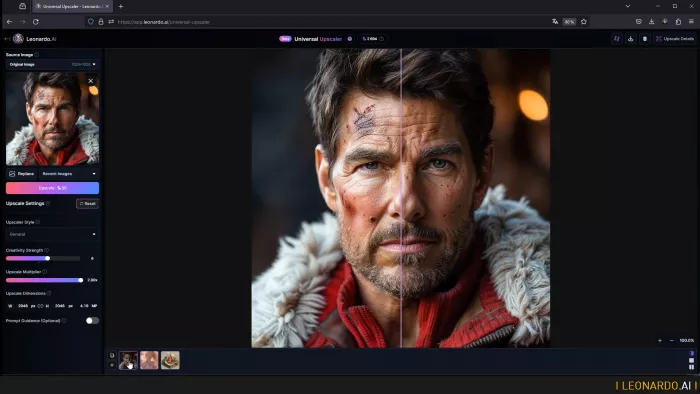
Leonardo AI is the closest option for someone who likes Dzine's broad creative approach but wants deeper control over generation. It combines image and video creation with Realtime Canvas, reference guidance, presets, Elements, personal model training and several first-party and third-party models.
Where Leonardo Stands Out
● Personal AI model training can help maintain a specific subject, visual identity or creative direction across repeated generations instead of rebuilding the look through prompts each time.
● Realtime Canvas and Realtime Generation provide a more interactive route to developing concepts than relying only on a conventional prompt box.
● Image and video tools share the same platform, making Leonardo practical for creators whose campaigns require both still visuals and motion assets.
● Token rollover on paid plans gives less frequent users some flexibility instead of forcing every unused monthly token to disappear immediately.
Advantages and Limitations
| Advantages | Limitations |
| Wide range of generation and editing controls | Interface has more controls to learn than simpler generators |
| Personal model training on paid plans | Third-party models still consume tokens under relaxed generation |
| Useful combination of image and video creation | Heavy video use can consume allowances quickly |
| Generous higher tiers for frequent creators | Best production features require higher plans |
Leonardo AI Pricing
| Plan | Monthly price | Main allowance |
| Free | $0 | 150 fast tokens per day |
| Essential | $12 | 8,500 fast tokens per month |
| Premium | $30 | 25,000 fast tokens plus relaxed image generation on selected models |
| Ultimate | $60 | 60,000 fast tokens plus relaxed image and video generation on selected models |
Premium includes a token-bank capacity of 75,000, while Ultimate raises it to 180,000 and supports up to 50 personal AI model trainings per month.
Best for: Creators who want a broad AI production environment with substantial customization.
Rating: 4.7/5
Choose Leonardo over Dzine if: Model customization, reference control and repeatable image workflows matter more than simply having the largest collection of models in one interface.
People who like Leonardo AI often compare it with Midjourney, as both tools offer similar features. Before choosing one, you can check a Midjourney vs. Leonardo AI comparison to find the right tool for your work requirements.
2. Krea: Best for Real-Time Creation
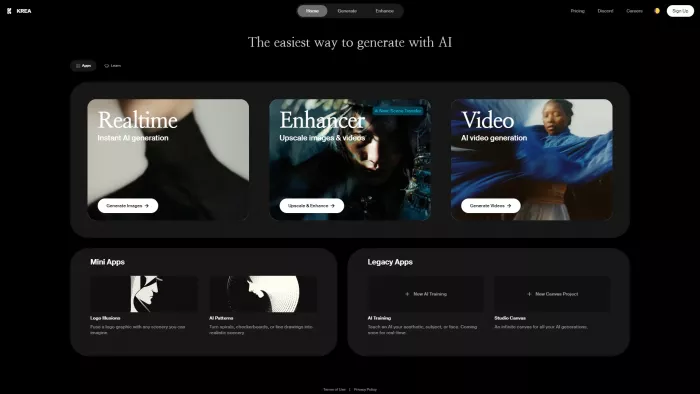
Krea approaches AI creation differently. Instead of treating generation as a sequence of prompt, wait and regenerate, much of the experience is built around fast experimentation. Its real-time models make it particularly useful for creators who prefer shaping an idea visually while they work.
The platform has also expanded far beyond real-time images. Krea now covers image generation, video, 3D, lip sync, enhancement and LoRA fine-tuning. Pro users gain Nodes, Apps and an AI-powered Nodes Agent for building more structured workflows.
Where Krea Stands Out
● Real-time generation makes rapid art direction easier because visual changes can appear while an idea is being developed.
● Krea 2, the company's proprietary image model, focuses on aesthetic variety, style control and expressive visual direction.
● Image enhancement reaches up to 22K on Basic and higher plans, which can be useful for artwork, advertising assets and large displays.
● Pro-level workflow automation adds Nodes and Apps for users who want to turn repeated creative processes into reusable systems.
Advantages and Limitations
| Advantages | Limitations |
| Excellent for rapid visual experimentation | Video generation can consume compute units quickly |
| Broad image, video, 3D and enhancement toolkit | Full video-model access begins with Pro |
| Simple interface despite wide functionality | Some models have different usage costs |
| LoRA fine-tuning included on paid plans | Heavy users may need additional compute |
Krea Pricing
| Plan | Monthly price | Main allowance |
| Free | $0 | 100 compute units per day |
| Basic | $9 | 5,000 compute units per month |
| Pro | $35 | 20,000 compute units per month |
| Max | $105 | 60,000 compute units per month |
Basic adds commercial use, full image, 3D and lip-sync access and selected video models. Pro opens all video models and workflow automation, while Max adds expanded concurrency and unlimited relaxed generations.
Best for: Visual creators who prefer continuous experimentation rather than prompt-by-prompt generation.
Rating: 4.6/5
Choose Krea over Dzine if: The speed of exploring and changing visual ideas matters more than managing a large library of separate generation models.
3. Recraft: Best for Designers
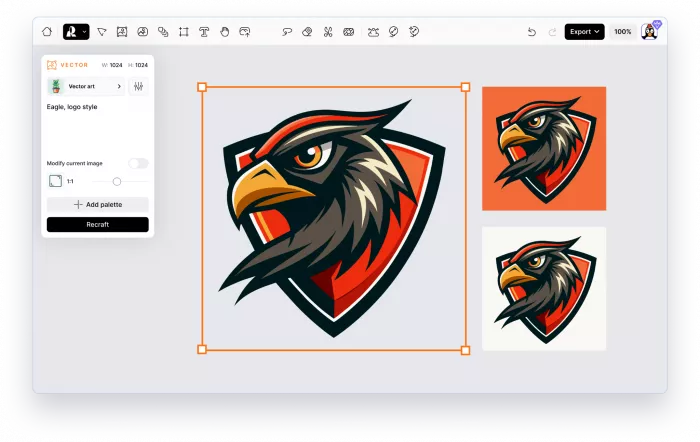
Recraft is a more specialized alternative. Its strongest case is not simply producing beautiful AI artwork, but producing assets that behave like design materials.
That distinction matters for logos, icons, packaging, advertisements, illustrations and brand systems. Recraft supports raster and vector generation, editable mockups, vectorization, background tools, custom color palettes and visual styles. Its V4.1 generation, introduced in 2026, includes dedicated raster and vector models as well as Pro versions intended for higher-resolution professional output.
Where Recraft Stands Out
● Native vector generation makes Recraft better suited to scalable graphics, icons and design assets than platforms centered primarily on raster artwork.
● Color palette controls allow paid users to save custom palettes and apply them directly during generation, useful when work must stay within a defined visual system.
● Mockup creation provides a practical route from generated artwork to product or presentation concepts.
● V4.1 Pro models produce 4MP output, making the platform more relevant for larger assets and print-oriented work.
Advantages and Limitations
| Advantages | Limitations |
| Excellent vector and design-focused workflow | Less focused on AI video than broader creative suites |
| Strong palette and brand controls | Free-plan assets are not licensed for commercial use |
| Useful mockup and background tools | Subscription credits do not roll over |
| Paid users receive commercial ownership rights | Some external models can cost more credits |
Recraft Pricing
| Plan | Monthly price | Main allowance |
| Free | $0 | 30 credits per day |
| Basic | $12 | 1,000 credits per month |
| Pro 2K | $20 | 2,000 credits per month |
| Pro 4K | $40 | 4,000 credits per month |
| Pro 8K | $80 | 8,000 credits per month |
Larger Pro allowances are also available. Annual billing reduces the effective monthly cost by up to 20%. Paid generations remain private and receive commercial usage rights, while free generations are public and owned by Recraft under its current terms.
Best for: Graphic designers, brand teams, illustrators and creators working with vectors.
Rating: 4.5/5
Choose Recraft over Dzine if: Your output ultimately needs to function as a designed asset rather than simply an AI-generated picture.
4. Ideogram: Best for Typography
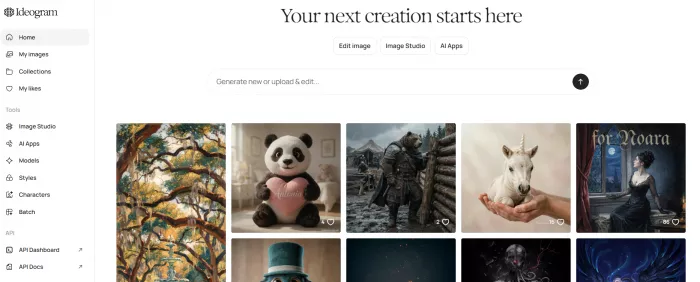
AI image models have become much better at drawing objects, people and environments, but words inside images remain a separate challenge. That is where Ideogram has built its strongest identity.
Ideogram 3.0 focuses on photorealism, prompt fidelity and typography. The platform is especially useful for posters, logos, product graphics, promotional designs and other compositions where the words are part of the visual rather than text added later in a design editor.
Where Ideogram Stands Out
● Typography generation is one of Ideogram's defining features, giving it a clear role for graphics where readable wording is central to the composition.
● Character Reference can maintain a character using a single reference image and works alongside Remix and Magic Fill.
● Canvas supports generation, inpainting through Magic Fill and outpainting through Extend within a larger working area.
● Batch Generation on Pro and Team plans accepts spreadsheet-based prompts, which can be valuable for producing large sets of variations.
Advantages and Limitations
| Advantages | Limitations |
| Particularly strong text rendering | Primarily centered on image creation |
| Useful poster and graphic-design output | Free creations are public |
| Character and style references available | Priority credits expire with the billing cycle |
| Bulk generation available to Pro users | Batch tools require a higher subscription |
Ideogram Pricing
| Plan | Monthly price | Main allowance |
| Free | $0 | 10 slow credits per week |
| Plus | $20 | 1,000 priority credits per month plus unlimited slow credits |
| Pro | $60 | 3,500 priority credits plus batch generation |
| Team | $30/member | 1,500 priority credits per member, minimum two members |
The previous $8 Basic plan is now a legacy plan and is no longer available to new subscribers. Annual pricing reduces Plus to an effective $15 per month, Pro to $42 and Team to $20 per member.
Best for: Posters, advertising graphics, logos and visuals containing prominent text.
Rating: 4.5/5
Choose Ideogram over Dzine if: Getting wording, layout and visual composition into the same generation is more important than having extensive video tools.
5. Midjourney: Best for Visual Style
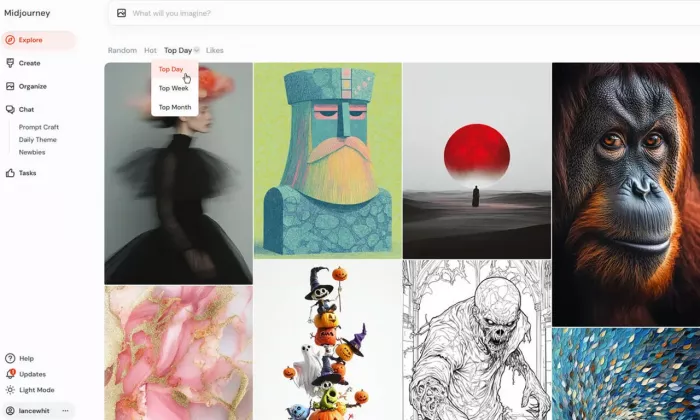
Midjourney remains the specialist choice in this list. While several competitors compete on the number of tools they can place around the generator, Midjourney's appeal is still rooted heavily in the visual output itself.
The current default model is V8.1, which became the default in June 2026. Midjourney says V8.1 renders standard jobs around four to five times faster than earlier versions while improving prompt interpretation and small-detail retention. It also supports native 2K HD generation.
Its web interface has made the platform substantially easier to work with than the years when Discord dominated the Midjourney experience. Users can generate, edit, vary regions, zoom, work with references and create videos without treating the service like a conventional design suite.
Where Midjourney Stands Out
● V8.1 delivers highly polished imagery with strong treatment of composition, detail and visual style.
● Style and personalization controls are particularly useful for creators who want a recognizable aesthetic rather than generic prompt interpretation.
● Relax Mode provides unlimited image generations from the Standard plan upward.
● Video generation is now part of paid subscriptions, with unlimited SD video in Relax Mode available on Pro and Mega.
Advantages and Limitations
| Advantages | Limitations |
| Excellent aesthetic quality | No permanent free plan for the main service |
| Mature style controls and personalization | Less suited to structured graphic-design production |
| Unlimited Relax images from Standard | Private Stealth Mode requires Pro or Mega |
| Image and video creation available | Fast GPU allowances require monitoring |
Midjourney Pricing
| Plan | Monthly price | Fast GPU allowance |
| Basic | $10 | 3.3 hours |
| Standard | $30 | 15 hours plus unlimited Relax images |
| Pro | $60 | 30 hours plus Relax images and SD video |
| Mega | $120 | 60 hours plus Relax images and SD video |
Annual subscriptions cost 20% less. Midjourney's Pro and Mega plans also add Stealth Mode, which is relevant for creators who do not want their work publicly visible through the platform's default community model.
Best for: Artists, creative directors and creators who prioritize distinctive visual output.
Rating: 4.6/5
Choose Midjourney over Dzine if: Your priority is the aesthetic character of the generated image rather than having every editing and production feature under one roof.
6. Adobe Firefly: Best for Adobe Workflows
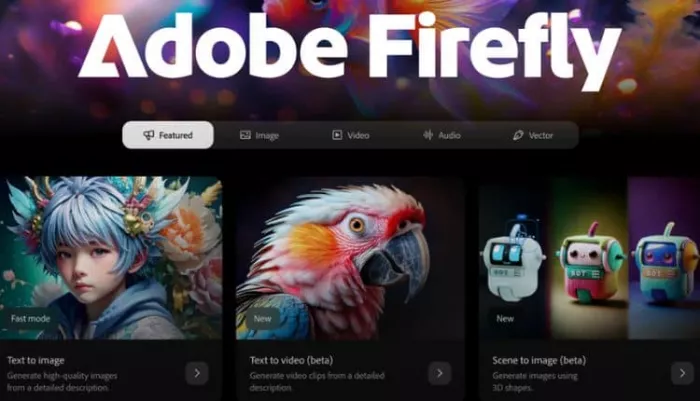
Firefly becomes more compelling when it is treated as part of Adobe rather than an isolated generator. The real advantage is what happens after an AI asset is created.
Firefly connects generative creation with Adobe Express and, on higher plans, Photoshop on web and mobile. Standard image features such as Generative Fill can be used without consuming the same limited premium-generation allowance, while credits cover heavier features including video and certain external AI models.
Adobe has also moved toward a multi-model strategy. Firefly now provides access to models from Adobe and outside providers, reducing the need for users to leave the platform whenever a different model is better suited to a particular job.
Where Firefly Stands Out
● Generative Fill and editing tools fit naturally into image-retouching and compositing workflows rather than operating as standalone novelty features.
● Photoshop integration on Pro and higher tiers can reduce the handoff between generation and professional image editing.
● Video, audio translation and sound-effect generation broaden Firefly beyond static visual production.
● Access to third-party AI models lets users compare different model strengths from within the Adobe environment.
Advantages and Limitations
| Advantages | Limitations |
| Strong integration with established design software | Premium video actions consume credits quickly |
| Useful generative editing workflow | Full value is clearest for Adobe users |
| Handles image, video and audio | Higher-capacity tiers become expensive |
| Multiple external models available | Promotional pricing can make plan comparisons confusing |
Adobe Firefly Pricing
| Plan | Regular monthly price | Generative credits |
| Free | $0 | Limited daily generations |
| Standard | $9.99 | 2,000/month |
| Pro | $19.99 | 4,000/month |
| Pro Plus | $49.99 | 10,000/month |
| Premium | $199.99 | 50,000/month |
Adobe is currently advertising temporary US pricing of $34.97/month for Pro Plus and $139.91/month for Premium for the first year, with the promotion scheduled to end August 26, 2026. Those promotional rates should not be confused with the regular plan prices above.
Best for: Designers and marketing teams already working in Photoshop or Adobe Express.
Rating: 4.4/5
Choose Firefly over Dzine if: AI generation needs to become part of an established professional editing process instead of remaining a separate creative workspace.
7. Freepik AI Suite: Best for Content Production
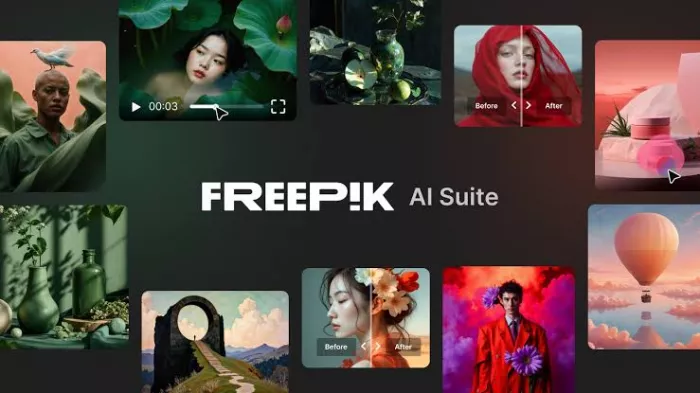
Freepik is the broadest alternative on this list from a content-production perspective. The platform combines AI generation with a huge existing library of stock photos, vectors, videos, PSDs and other creative resources.
Its AI tools now span images, video, audio, editing, lip sync, upscaling, character and style training, mockups and shared Spaces. Freepik also exposes numerous external models rather than forcing creators into one generation engine. That makes it particularly practical for marketing teams that move between social graphics, stock material, generated visuals and short-form video during the same project.
Where Freepik Stands Out
● Multiple image, video and audio models can be accessed from one subscription rather than purchased separately.
● Stock assets and AI creation sit together, allowing an AI-generated element to be combined with existing photos, vectors, templates or PSD resources.
● Premium+ and Pro provide credit-free generation on selected models, which can substantially change the economics for frequent creators.
● Spaces provides a shared canvas where assets and AI workflows can be organized during production.
Advantages and Limitations
| Advantages | Limitations |
| Very broad creative resource library | Credit costs vary substantially between models |
| Covers image, video, audio and design | Interface can feel crowded for image-only users |
| Several third-party models available | Best unlimited benefits begin at Premium+ |
| Strong fit for marketing production | Local pricing and taxes can vary |
Freepik Pricing
| Plan | Monthly price | Positioning |
| Free | $0 | Limited AI and content access |
| Essential | $9 | Entry-level AI creation |
| Premium | $20 | AI tools plus Premium stock content |
| Premium+ | $39 | Higher AI allowance plus unlimited use of selected models |
| Pro | $250 | Large-scale professional AI production |
With annual billing, Freepik currently lists effective monthly rates of approximately $5.75 for Essential, $12 for Premium, $24.50 for Premium+ and $158.33 for Pro. The corresponding annual AI-credit pools shown on its pricing page are 84,000, 216,000, 540,000 and 3.6 million respectively.
Best for: Marketing teams and high-volume creators who use AI alongside stock and conventional design assets.
Rating: 4.5/5
Choose Freepik over Dzine if: Your workflow extends beyond generation into stock content, design resources and frequent multi-format production.
Creative Capabilities Compared
| Platform | Image generation | Editing control | Design workflow | Video capability | Learning curve |
| Leonardo AI | Excellent | Excellent | Very good | Very good | Moderate |
| Krea | Excellent | Excellent | Good | Excellent | Easy |
| Recraft | Excellent | Excellent | Excellent | Limited | Moderate |
| Ideogram | Excellent | Very good | Very good | Limited | Easy |
| Midjourney | Excellent | Very good | Moderate | Good | Moderate |
| Adobe Firefly | Very good | Excellent | Excellent | Excellent | Easy |
| Freepik AI Suite | Very good | Very good | Excellent | Excellent | Moderate |
The distinction is more useful than simply ranking image quality. A designer building an icon system has little reason to choose the same platform as a filmmaker creating AI motion shots, even if both start with text prompts.
Dzine Still Has an Edge
None of these alternatives makes Dzine irrelevant. Its strongest argument in 2026 is consolidation.
Dzine currently bundles numerous image models, video models and creative utilities into one subscription. Its Master plans advertise unlimited access under fair-use rules to a range of image models, alongside character storage, style storage, private generation, lip sync and video enhancement. The current lineup includes models such as Nano Banana Pro, Seedream, Wan, Midjourney, Flux and others.
Its pricing also covers a wide range of usage levels. Beginner costs $8.99 per month for 1,000 credits, Creator costs $24.99 for 6,000 credits, Master costs $59.99 for 9,000 credits plus unlimited access to supported image models, and Master Pro costs $149.99 for 30,000 credits and higher production limits. Annual subscriptions reduce those effective monthly prices.
That breadth makes Dzine sensible for someone who constantly switches models and does not want several separate subscriptions. The case for switching becomes stronger when one particular job dominates your workflow.
A designer producing vectors and branded graphics can make better use of Recraft's specialized controls. Someone generating text-heavy advertisements may get more from Ideogram. Creators focused on art direction have strong reasons to consider Midjourney, while an Adobe-heavy production team gains something different from Firefly.
Picking the Right Alternative
The closest general replacement is Leonardo AI. Its combination of first-party models, external models, personal training, image controls and video makes the transition from Dzine relatively straightforward without stripping away too much creative range.
Krea is the more interesting choice for creators who dislike rigid generation cycles. Its real-time approach changes the working process itself, making it easier to explore a direction before committing to a polished output.
For professional graphic work, Recraft deserves more attention than a conventional image generator because vector generation, palettes, mockups and scalable assets address problems that image quality alone cannot solve. Ideogram occupies another specific lane where typography and generated design need to coexist.
Midjourney remains difficult to ignore if visual character is the priority. Firefly makes the strongest argument when the generated asset will eventually end up inside Photoshop or Express, while Freepik is particularly practical when AI is only one part of a larger content-production workflow.
There is therefore no universal Dzine replacement. The better approach is to identify the part of Dzine you depend on most and choose the platform that goes deeper in that area. For broad creative control, Leonardo is the strongest starting point. For specialized work, the better alternative may look very different, and that is precisely where switching can make the biggest difference.
Comments