Table of Contents
Independent review. Pricing verified against the official pricing page and recent third-party captures, November 2026.
Plenty of resume tools claim to beat the applicant tracking systems that screen applications before a human ever reads them. Jobsuit AI takes a different route than most. Instead of a long form to fill in, it runs the whole thing through a chat window that asks about a career, writes the bullet points, scores the result, and offers to rewrite the weak parts.
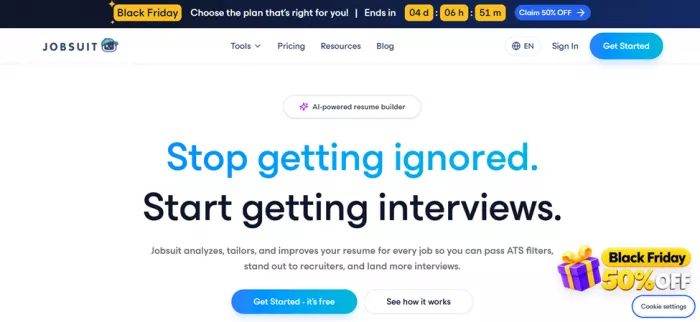
Sitting down with it from the sign-up screen to the final download button shows a tool with one genuinely strong feature and a few decisions that frustrate anyone expecting a free, finished resume. The resume analysis is the standout. It reads less like a keyword checker and more like a reviewer who studied the actual content. The catch arrives at the end, where the finished file stays locked behind a paid plan. This review covers what Jobsuit AI does, how the build process feels in practice, the real cost in US dollars, what independent testers found, and who should use it.
The short verdict: 3.0 / 5 A sharp resume analyzer and a quick, no-friction build, held back by a download locked behind payment and a tailoring feature that misread the job in independent testing. Best for: Job seekers who want section-level resume feedback and will paste the fixes into their own document. Think twice if: A free, downloadable resume or reliable one-click job tailoring is the main goal. |
Starting price $0 | Paid from $11.99/mo | Free download Locked | Templates ~36 | Built on GPT | Sign-up No OTP |
What Jobsuit AI actually is
Jobsuit AI is a web-based resume and cover letter tool run by JOBSUIT AI PTE. LTD., a company registered in Singapore, and built on OpenAI's GPT models. The core idea is narrow and clear: match a resume to each job description so it gets past applicant tracking systems, then help rewrite the parts that let it down. Everything happens in a three-panel editor, with resume fields and an analysis button on the left, an AI chat in the middle, and a live preview on the right.
Resume analysis Scores a resume out of 100 and lists section-level fixes, each with a point value and a one-click apply. | Tailor to a job Reads a job link or pasted description and rewrites bullets to match the keywords it finds. |
Chat builder Asks about roles and achievements, then turns the answers into finished resume sections. | Cover letters Generates a role-specific cover letter from the resume and the target job. |
Templates Around three dozen layouts grouped into Word, Simple, Picture, ATS, and two-column styles. | Application tracker A Jobs Board organizes target roles and tailored documents, though it stays locked on the free tier. |
Hands-on: building a resume from start to paywall
This section walks through the free experience in the order it unfolds, from the first click to the point where the tool asks for money.
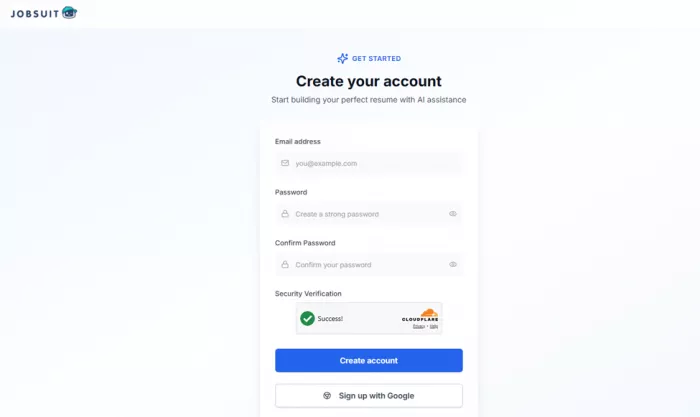
1. Sign-up asks for very little. Creating an account needs only an email address, a password, and a quick Cloudflare check. There is no one-time passcode and no email confirmation step. Testing went straight from the sign-up box into the product, which is faster than most rivals but also means the email on file is never verified.
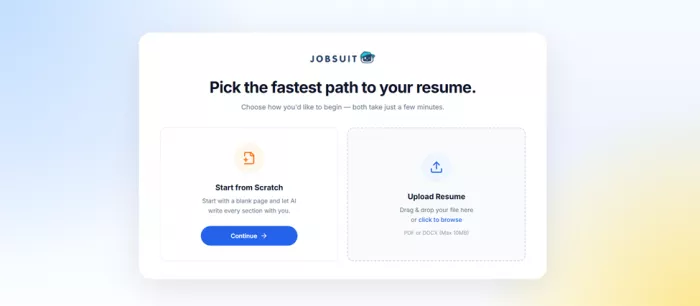
2. Two ways in, and one is not blank. The first choice is Start from Scratch or Upload Resume (PDF or DOCX, up to 10 MB). Worth knowing: Start from Scratch does not open an empty page. It loads a filled sample resume to edit on top of, so the blank-page label is a little loose.
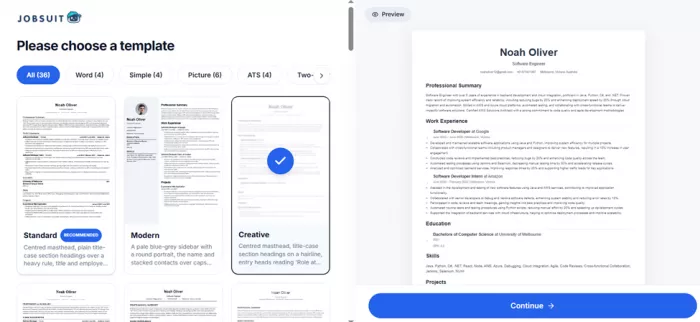
3. Template picker with a live preview. Around 36 layouts sit under Word, Simple, Picture, ATS, and two-column groups, and the preview updates on each click. One caution for US applicants: the Picture group includes photo templates, and US applicant tracking software often rejects resumes with photos.
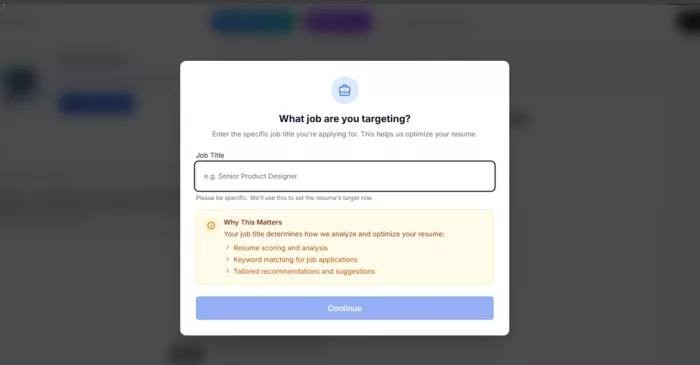
4. Naming the target role. Next comes a prompt for the exact job title, with a note that the title shapes the scoring and keyword matching. Stating that logic up front is a small, trust-building touch.
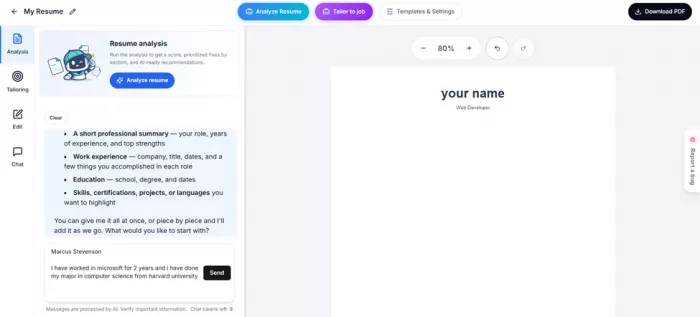
5. Chat builds the resume. A choice of AI-Guided or Simple Guide leads into a chat. Plain-English answers about a job, a degree, and a few skills were turned into a full draft with a professional summary, structured experience, skills, and projects. Changes arrive as a batch to accept or decline, so nothing is rewritten without a green light.
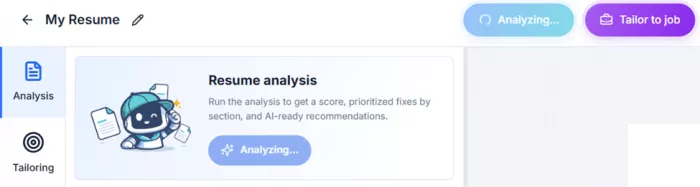
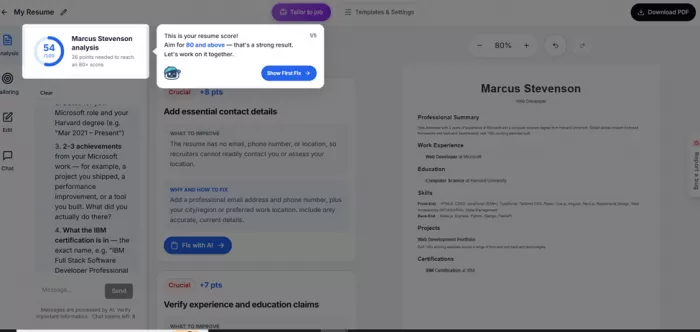
6. Analysis is the strongest part. The analyzer returned a resume score (54 out of 100 on one run) with a target of 80 and above, then listed prioritized fixes worth points each, such as adding contact details or verifying claims. A Fix with AI button applies any one of them in a click. The feedback names what is missing and why, closer to coaching than a keyword checklist.
7. The download wall. Clicking Download offered a PDF and a Word .docx, then blurred the file behind an Upgrade to Download panel. The free plan builds and polishes a complete resume, but getting the file out requires a paid plan.
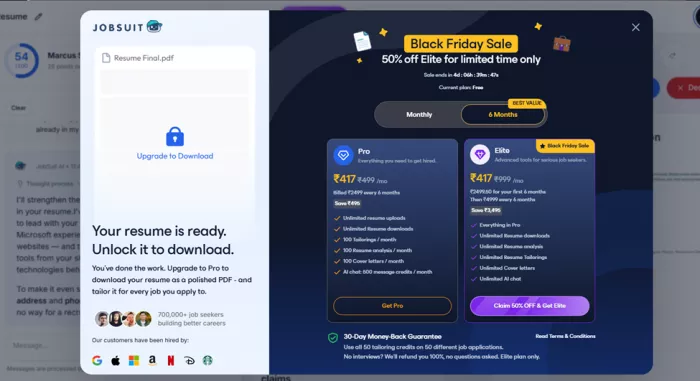
| Worth flagging from testing: an earlier version of the free plan allowed no-cost downloads, which is why some older reviews mention free PDFs. As of late 2026, independent testing and this hands-on run both confirm the export is paywalled. The on-screen "31% more interviews" claim also appears without a cited source, and a repeating 50% off countdown behaves like standing marketing rather than a real deadline. |
Feature ratings from hands-on testing
The table below pairs each core feature with how it performed, drawing on independent testing by the review site ScruTool alongside the tool's documented behavior.
| Feature | Rating | Notes |
| Resume analysis | Strong | Section-level, point-scored fixes with one-click apply |
| Cover letter generator | Good | Role-specific, capped at three per month on free |
| Chat builder | Fair | Fast, but free chat is capped by a token counter |
| Templates and ATS layouts | Fair | Good range, six photo templates risk US ATS rejection |
| Application tracker | Fair | Useful idea, locked on the free tier |
| Tailor to a job link | Weak | Misread the role in testing and scored the resume 0% |
Jobsuit AI pricing in US dollars
Jobsuit prices in dollars and uses regional rates, so local-currency amounts can differ. The figures below are the ones shown on the official pricing page, captured in October and confirmed in November 2026. The headline monthly rates are tied to a 6-month commitment that advertises Save 40%; a plain month-to-month plan costs more, and a 12-month plan advertises Save 60%.
| Plan | Price | What is included |
| Free | $0 | 3 tailorings, 3 analyses, and 3 cover letters per month, limited AI chat and rescoring, download locked behind payment |
| Pro | from $11.99/mo | Unlimited uploads, 100 tailorings, 100 analyses, 100 cover letters per month, 500 AI chat credits, unlimited rescoring and job tracker, unlimited downloads |
| Elite | from $23.99/mo | Everything in Pro, all unlimited: tailorings, analyses, cover letters, and AI chat, plus the interview money-back guarantee |
About the discounts The lowest monthly numbers assume six months billed upfront. A Black Friday promotion running during testing cut Elite to around $11.99/mo for a limited window. | About the refund The interview money-back guarantee applies to Elite and new users only, and requires using 50 tailoring credits on 50 separate jobs first. |
Pricing can change often and varies by region and promotion. Confirm the current figures on the official pricing page before subscribing.
What reviewers from trusted sources say
Jobsuit has no established review base yet on Trustpilot, G2, Product Hunt, or the app stores, so independent user ratings are thin. The most useful signal comes from publications that tested the tool directly. A fair note on one source: ResumeUp is itself a competing product, so its comparison is read with that in mind.
ScruTool 5.0 / 10 Praised the analysis as coaching-grade feedback, but found the job-link tailoring fetched the wrong role and scored a matching resume at zero. | Huntr 63.17 / 100 Ranked it an affordable honorable mention among 40-plus tools tested, while calling the AI workflow slow and the experience a test of patience. |
Weekday Budget pick Rated it a decent budget resume tailor with a usable free plan, noting it does not find or apply to jobs on a user's behalf. | ResumeUp Competitor view Called the clean, ATS-friendly templates a strength, while pointing out the lack of multilingual building and AI mock interviews. |
Independent scorecard
ScruTool rated ten dimensions from zero to ten during hands-on testing. The spread captures the split in this tool well.
| Dimension | Score |
| Resume analysis quality | 8.0 |
| Onboarding and setup | 7.0 |
| Editor and usability | 6.5 |
| ATS and templates | 5.5 |
| AI chat and limits | 5.0 |
| Transparency and claims | 4.5 |
| Value on the free plan | 3.5 |
| Export freedom | 3.0 |
| Job-tailoring accuracy | 2.5 |
| Overall | 5.0 |
Pros and cons
Pros
| Cons
|
Who it suits, and who should skip it
Good fit
| Poor fit
|
Jobsuit AI versus the alternatives
A quick comparison against three widely used resume tools, based on their entry plans and free tiers.
| Tool | Entry paid plan | Free tier | Free download | Best for |
| Jobsuit AI | $11.99/mo (6-month) | 3 tailorings | Locked | Scored resume feedback |
| Teal | $29/mo | Unlimited resumes, limited AI | Yes | Tracking and tailoring together |
| Rezi AI | $29/mo | 1 resume, 3 PDF downloads | 3 free | ATS scoring and keyword fit |
| Kickresume | $8/mo (yearly) | 4 templates, AI writer paid | Yes | A free, downloadable resume |
Final verdict
After a full run through Jobsuit AI, the verdict splits cleanly. The resume analysis earns its keep. Point-scored, section-level feedback that names what a bullet is missing and why is rare at this price, and it genuinely improves a draft. The build flow is quick, and the sign-up has no friction.
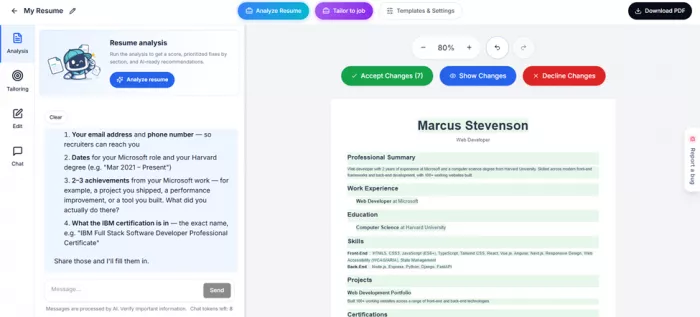
The problems sit around that core. The feature the product is named for, tailoring to a specific job link, pulled the wrong role in independent testing and scored a matching resume at zero. The free plan lets a person build and polish a complete resume, then blurs the file and asks for payment to download it, which turns the free tier into a preview rather than a usable product. For a job seeker who wants a sharp critique and is happy to copy the improved wording into a document they already own, the free run is worth the twenty minutes. For anyone expecting a finished, downloadable resume at no cost, or relying on automatic tailoring to carry the work, those gaps are worth weighing before paying $11.99 or more a month.
Comments