Table of Contents
- What Meshy's print library actually is
- The file formats, decoded
- What is inside the library
- The CC0 license, and the fine print
- Tested step by step: from signup to a finished model
- The print tools bundled alongside
- Where it shines, and where it falls short
- Pricing in US dollars
- Who it fits
- The verdict
Every one of these free 3D print files carries a CC0 badge, and here is the part that is harder to find elsewhere: each model has already been printed and photographed before it goes live, so the thumbnail is a real print rather than a render. A week of downloading files, running them through a slicer, and generating fresh models from a single image gave a clear read on where that promise holds and where it bends. The short version is below, and the full generation workflow is documented step by step further down.
License
CC0
Formats
4
Free credits
100
Starts at
$0
What Meshy's print library actually is
It is a browsable gallery of ready-to-print models, each released under CC0 and downloadable in multiple mesh formats. The library sits alongside Meshy's generator, so a model can be grabbed as-is or created from scratch and sent to the same set of print tools. Three design decisions set it apart from a generic STL dump.
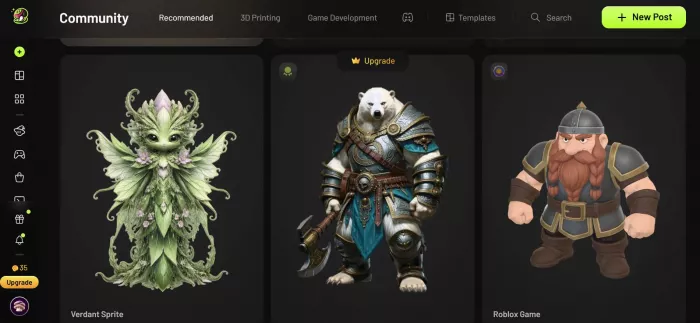
Print-first photos
Every card shows a photo of the finished print. If a maker's print fails, the model does not appear on the page.
Checked geometry
Models are printability-checked for FDM and resin, so the mesh is watertight before it reaches a slicer.
Maker-driven
A Maker Program rewards people for posting a photo of their print, which keeps real-world results flowing back into the library.
The file formats, decoded
Each model downloads in a choice of formats from the panel on its card. Picking the right one matters more than most beginners expect, because a single-colour part and a multi-colour part want different files.
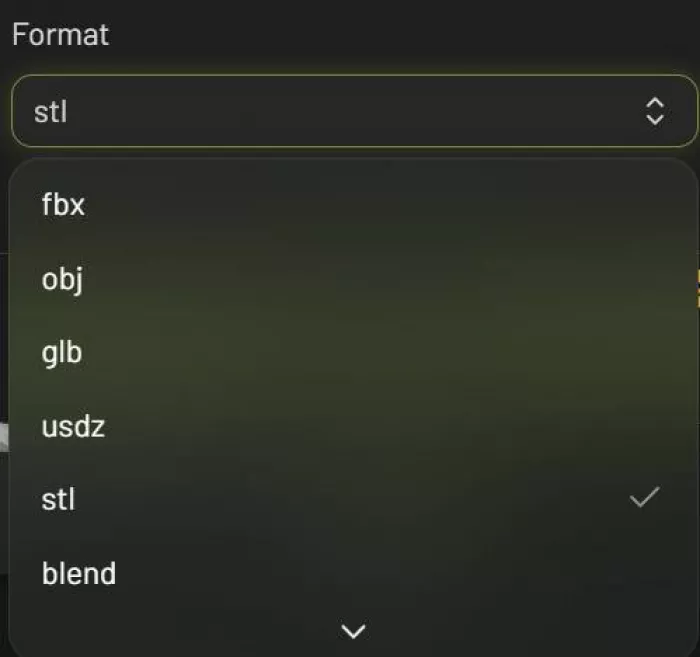
| Format | Best for | What it carries | Reads in |
| STL | Single-colour FDM or resin prints | Geometry only | Every slicer |
| 3MF | Multi-part or multi-colour prints | Watertight mesh plus colour and unit data | Bambu, Orca, Cura, Prusa |
| OBJ | Editing or moving between apps | Geometry plus optional texture coords | Most 3D software |
| GLB | AR, VR, games, quick preview | Mesh, textures and materials in one file | Blender, Unity, Unreal |
In practice, STL is the safe pick for anything that prints in one colour, and 3MF is worth choosing the moment colour or multiple parts enter the picture. The verified STL files tested here sliced cleanly in Bambu Studio, OrcaSlicer, Cura and PrusaSlicer with no repair pass needed.
What is inside the library
The gallery is sorted by Trending, Newest and Top, with a filter box for searching by model name or maker. Categories run across seasonal, decorative and practical prints, so the catalogue leans toward desk pieces, home items and tabletop models rather than engineering parts.

All files Halloween decorChristmas decorFigurines & statuesAnimalsHome decorUseful & functionalTerrain & miniaturesToys & fidgets
The CC0 license, and the fine print
CC0 means the maker has waived their rights. For the library files, that allows downloading, modifying and selling physical prints commercially, with no attribution and no cap on how many copies get printed. One detail is easy to miss: the license depends on where the model comes from, not just that it lives on Meshy.
| Source of the model | License | Credit | Sell prints |
| Library files on the print page | CC0 | None | Yes, unlimited |
| Models you generate on a free plan | CC BY 4.0 | Credit Meshy | Yes, with credit |
| Models you generate on a paid plan | Commercial-safe, private | None | Yes |
CC0 only covers the rights the publisher actually holds. It does not grant any rights to third-party characters, logos or trademarks, so a model that resembles a branded franchise is still a legal risk regardless of the badge.
Tested step by step: from signup to a finished model
To see how the generator feeds the print pipeline, a single reference image of a chibi robot was taken from idea to a rigged, downloadable model. Here is exactly what each screen asked for and what came back.
1. Create an account and claim credits
Signup opens with a single prompt, "one step from your 3D model," and hands new accounts 100 free credits. Google is the fastest route, with email plus a six-digit code as the alternative, and Apple, Facebook, Discord and GitHub also listed. No card is requested to start.
100 free creditsNo card required
2. Browse the free print library
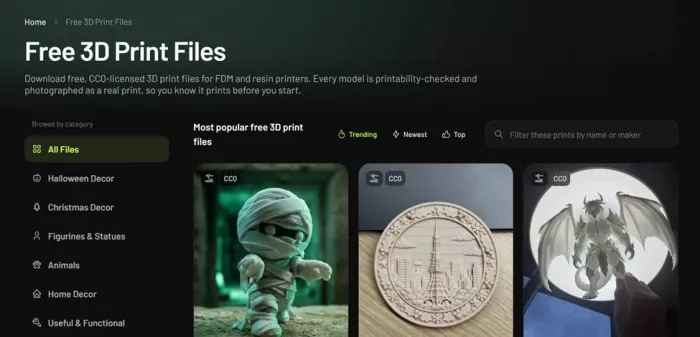
The library page states its promise plainly: CC0 files for FDM and resin printers, every model printability-checked and photographed as a real print. A category rail runs down the left, Trending, Newest and Top sit across the top, and each card wears a CC0 badge over a photo of the actual printed object.
3. Read a real maker's print post
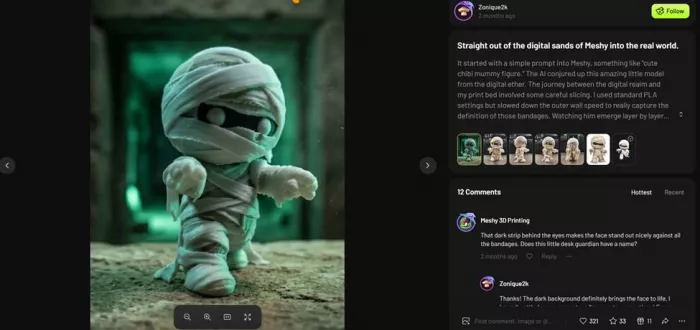
Community posts double as a sanity check. One maker's chibi mummy post walked through the whole journey, from a short prompt into Meshy to the slicer settings used: standard PLA with a slower outer wall speed to hold the detail in the bandages. Comments, likes and replies under it showed other makers reacting to a genuine print, not a concept image.
4. Generate the model from an image (Agent mode)
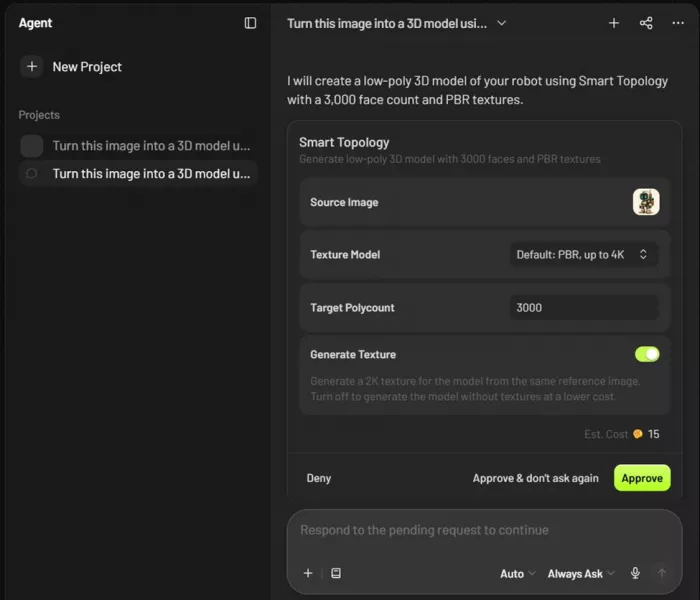
Agent mode took a plain instruction: turn the reference image into a 3D model using Meshy T2.5 Smart Topology, set the face count to 3,000, and generate PBR textures. It replied with a confirmation card laying out the job before spending anything: source image, texture model set to PBR up to 4K, a target polycount field, and a generate-texture toggle. The quoted cost was 15 credits, with Approve, Deny, or approve-and-skip-the-prompt options.
Smart TopologyTarget 3,000 facesPBR texturesEst. 15 credits
5. Review the mesh in the model workspace
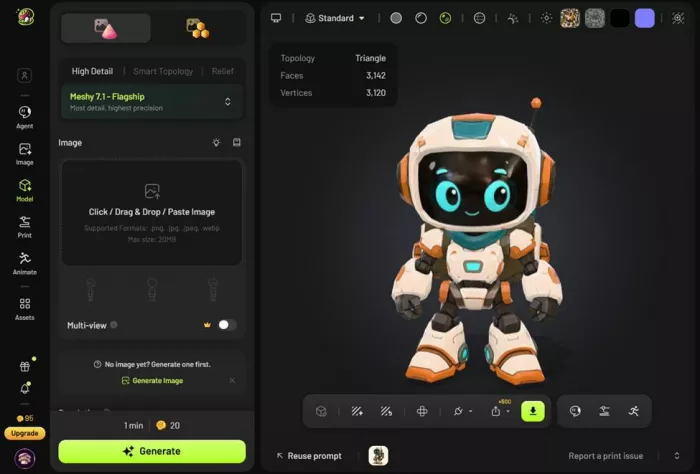
The finished model opened in the model view with three engine tabs, High Detail, Smart Topology and Relief, running on the Meshy 7.1 Flagship model described as highest precision. The readout for the robot came back as triangle topology, 3,142 faces and 3,120 vertices, which lands right on the requested budget. The same panel offers direct image upload, a multi-view toggle, a download button, and a "report a print issue" link that routes problem meshes back to Meshy.
3,142 faces3,120 verticesReport a print issue
6. Rig the model for movement
Rigging starts with a good-versus-bad pose guide: a clear T-pose or A-pose with gaps between the limbs and body works, obstructed or hidden limbs do not. Character type offered Humanoid, Quadruped Dog, and a Smart Rig beta. After picking Humanoid, the tool asked for markers on the chin, shoulders, elbows, wrists, groin, knees and ankles, noting that more precise markers produce better animation.
7. Add motion from the library
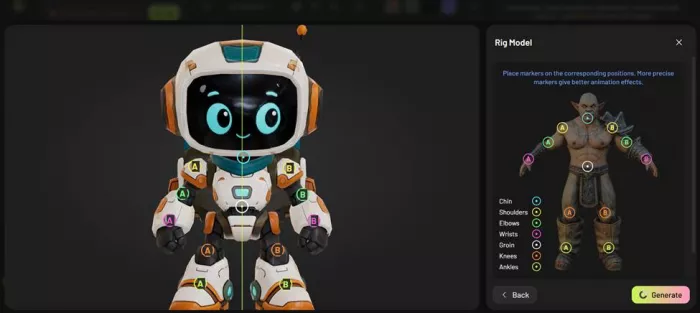
With a rig in place, a motion library opened with Text to Motion and Video to Motion tabs and a shelf of ready animations, including walking, running, a slow walk cycle and combo attacks. Motions stack onto the character so several can be exported together rather than one at a time.
8. Set download options and export
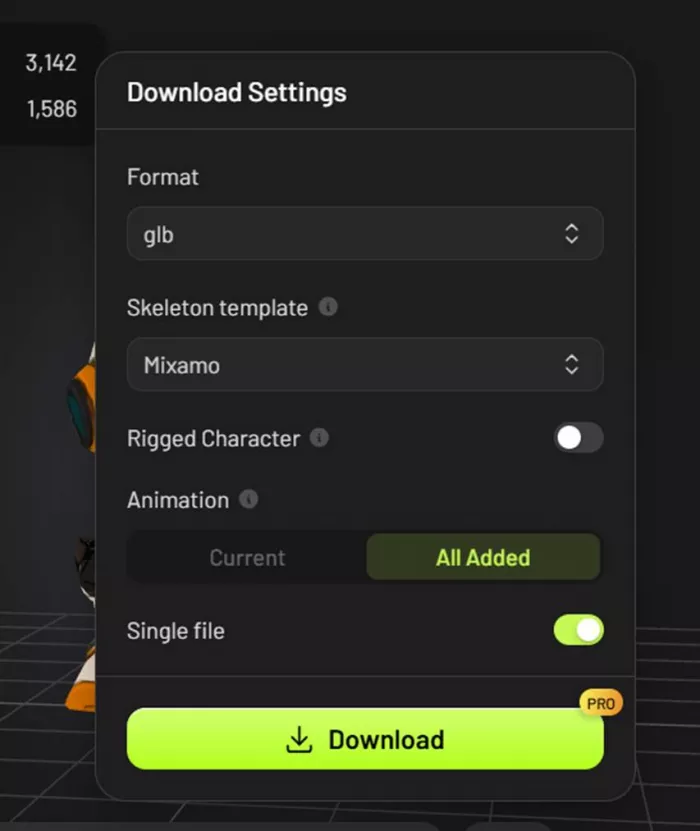
The download panel exposed format (GLB), a skeleton template set to Mixamo, a rigged-character toggle, an animation choice between the current clip and all added clips, and a single-file switch. One honest catch surfaced here: exporting the rigged and animated character carried a Pro badge, so this final step is where the free tier gives way to a paid plan.
GLBMixamo skeletonPro export
For pure printing, the pipeline is shorter. A model is generated or pulled from the library, exported as STL or 3MF, and sliced. The rigging and animation steps above belong to the game and AR side of the workflow, which is useful to know before spending credits chasing features a 3D print will never use.
The print tools bundled alongside
A sidebar of tools sits next to the library, and they remove the detour into Blender that most free libraries leave to the user.
Online 3D viewer
Inspect a mesh in the browser before downloading.
STL repair
Close holes and fix normals on files up to 100 MB.
Model splitter
Cut a model to fit the build plate.
Multicolor printing
Assign colours for a 3MF multi-colour job.
Cost calculator
Estimate filament and cost before a long print.
Maker Program
Post a photo of a finished print and earn rewards.
Where it shines, and where it falls short
Strengths
● ✓ Every library model is shown as a real photo, so what prints is what was promised
● ✓ True CC0 on library files means prints can be sold with zero attribution
● ✓ STL, 3MF, OBJ and GLB come from the same model with one click
● ✓ Repair, splitter and cost tools sit in the browser, no Blender required
● ✓ Verified STL files sliced cleanly in Bambu, Orca, Cura and Prusa
● ✓ 100 starter credits cover several real generations
Trade-offs
● ✗ Rigged and animated model downloads sit on a paid plan, and letting users export those on the free tier would have made the feature a genuinely great addition
● ✗ Credits drain fast once generations run at higher detail
● ✗ Self-generated free-plan models are CC BY 4.0, not CC0, so the rules differ from the library
● ✗ AI meshes still benefit from a quick printability check before a long print
● ✗ Niche or technical parts may not exist yet as the catalogue grows
Pricing in US dollars
| Plan | Price | Credits | Includes | Best for |
| Free | US$0/mo (no credit card) | 100 per month | Text and image to 3D; assets under CC BY 4.0 | Trying it out |
| Pro | US$20/mo,orUS16/mo billed annually | 1,000 per month | Unlocks downloads; private, commercial-safe assets; API access | Solo creators |
| Premium | US$40/mo | 3,000 per month | Unlocks downloads; private, commercial-safe assets; API access | Frequent creators |
| Studio | US$70/mo,plusUS10/mo per seat | 5,500 shared per month | Priority queue; team features | Small studios |
| Ultra | US$100/mo | 8,000 per month | Unlocks downloads; private, commercial-safe assets; API access | Power users and professionals |
| Enterprise | Custom (volume pricing) | Custom volume | SSO and dedicated support; custom retention | Large teams |
Prices read from Meshy's pricing page in November 2026. Credit amounts and tier names change from time to time, so confirm on the pricing page before buying.
Who it fits
Hobby makers
Want printable files for free, tonight.
Print sellers
Need CC0 files they can legally sell.
Beginners
No CAD skills, idea to model fast.
Game & AR
Rigged, textured assets in GLB or FBX.
The verdict
After a week of real prints and fresh generations, Meshy's free 3D print files page earns a place as a first stop rather than a last resort. The print-first photos are the detail that carries the whole thing, because a model that already came off someone's plate is a different bet than a render that has never met a nozzle. The CC0 library is genuinely free to sell prints from, the format choice is wide, and the built-in repair and splitter tools quietly handle the step most free libraries hand back to the user.
The one change that would lift it further is letting those rigged and animated downloads out on the free tier, since today they wait behind a paid plan, and anyone generating at volume will watch the credit counter move. For a maker who wants a printable file today, or a seller who needs clean commercial rights without reading three license pages, the sensible move is to create the free account, spend the 100 starter credits, and judge from the plate. Start with the library, print one verified model, then generate one of your own. The fit tends to become obvious inside an afternoon.
4.4 / 5 Overall
Excellent Value
Beginner Ease of use
Wide Format support
Comments