The 2026 portfolio bar
Three years ago, building a digital portfolio meant locating tools that could produce decent work. In 2026, the problem has inverted: anyone can ship something that looks polished by Sunday afternoon, which is exactly why polished portfolios no longer work. The market has been flooded by people whose only differentiator is that they figured out how to use the same Canva template as everyone else.
ChatGPT has 900 million weekly active users. Canva sits at 265 million monthly. GitHub Copilot is deployed across 90% of the Fortune 100. Hiring reviewers spend 60 to 90 seconds per portfolio, and most of them have seen the same gradient bento-grid template forty-seven times this quarter. They identify unedited GPT prose by paragraph two and Copilot-generated boilerplate by line forty. The candidates landing offers are not the ones with the priciest tools. They are the ones who understand which $20 plan is enough, which $200 plan is theatre, and which Copilot suggestions will quietly torch a code review the moment a recruiter runs static analysis. This analysis covers six tools, one per skill vertical, with the operational data needed to choose well.
The 6 AI Tools That Actually Matter for Building a Portfolio
ChatGPT (OpenAI): the foundational layer for written artifacts

WEEKLY USERS 900M | PAID SUBS 50M+ | ANNUAL FLOOR $240 | BEST FOR Writing |
ChatGPT processes 2.5 billion prompts per day and added 50 million paying subscribers by February 2026 (OpenAI, TechCrunch). For first-portfolio writing (cover letters, project descriptions, README files, case-study narratives) it has become default scaffolding. The risk is that default scaffolding is precisely what reviewers learn to detect.
How ChatGPT actually performs across portfolio writing
OpenAI's own conversation breakdown attributes 49% of usage to Asking, 40% to Doing, and 11% to Expressing, with general research at 36% of categorical use. Most candidates use the same model the same way for the same purposes. The portfolio-relevant skill is no longer how to use ChatGPT. It is how to use it without sounding like everyone else who is using it. GPT-5.5 (released April 23, 2026) handles longer reasoning chains and reduces some of the prose tells that defined earlier versions, but the structural patterns reviewers spot remain.
The five tells that flag unedited GPT writing
Reviewers reading 200 portfolios per quarter identify GPT-authored prose within two paragraphs. The tells are remarkably consistent. Section openers that begin with In today's rapidly evolving landscape. The phrase It is important to note that, deployed an average of three times per page. Three-bullet structures under every subhead, always three, never two or four. Present-perfect verb pile-ups: has revolutionized, has transformed, has redefined, has unlocked. The closing-sentence habit of summarizing the paragraph that just ran. The fix is structural: prompt for a specific named perspective the candidate genuinely understands ("write this as a payments engineer who has shipped fraud detection in production"), regenerate twice for variation, then rewrite end to end.
Pricing and tier selection at the entry level
OpenAI restructured its consumer tiers four times between January and April 2026. The $8 Go plan rolled globally on January 15. A $100 Pro tier launched April 9 between Plus and Pro $200. Advertising arrived on Free and Go in the United States on February 9. The Go tier is the trap: it excludes GPT-5.5, lacks Deep Research, lacks Codex, lacks Sora, and shows ads inside the working interface. Plus at $20 is the realistic floor.
| Plan | Price (USD) | What you actually get | Where it breaks |
|---|---|---|---|
| Free | $0 | GPT-5.3, 10 messages per 5 hours, ads in US | Cap interrupts any sustained task |
| Go | $8 / month | Unlimited GPT-5.2 Instant, 160 msg/3 hrs on GPT-5.3, ads | No GPT-5.5, no Deep Research, no Codex |
| Plus | $20 / month | GPT-5.5, Deep Research (10 runs), Sora 720p | Deep Research cap saturates within a week of heavy use |
| Pro $100 | $100 / month | GPT-5.5 Pro, 5x Plus limits, o1 Pro mode | Justified only for daily research workloads |
| Pro $200 | $200 / month | 20x Plus limits, 1M-token context, 250 Deep Research/mo | Cost beyond a first-portfolio scope |
| Business | $25 / user / month | 2-seat minimum, no training on data, SOC 2 Type 2 | Annual billing locks the rate at $20/user |
Table 1. ChatGPT consumer plans verified against OpenAI's pricing page and CloudZero's April 2026 plan analysis.
ChatGPT Plus versus Claude Pro
For a first-portfolio writer, the realistic comparison is not Plus versus Pro but Plus versus Anthropic's Claude Pro. Both subscriptions are $20 per month and serve overlapping use cases. Recon Analytics tracked ChatGPT's paid AI subscriber share at 55.2% in January 2026 against Claude gaining on enterprise paths, which means a candidate fluent in only one model is increasingly visible to reviewers building multi-model rubrics.
| Dimension | ChatGPT Plus | Claude Pro |
|---|---|---|
| Default prose style | Hedged, three-bullet habit, present-perfect verbs | Tighter narrative flow, fewer hedge phrases |
| Reasoning depth | GPT-5.5 + GPT-5 Thinking | Claude Opus 4.6 + Sonnet 4 |
| Context window | 128K tokens | 200K tokens |
| Native tools | Sora video, Deep Research, Codex | Projects, Artifacts, Computer Use |
| Best portfolio use | Structured first drafts, research | Voice and tone refinement, narrative |
| Pricing | $20 / month | $20 / month |
Table 2. ChatGPT Plus versus Claude Pro on the dimensions that matter for portfolio writing.
| BOTTOM LINE Plus at $20/month is the realistic floor. Skip Go entirely (no GPT-5.5, ads in interface). Treat every output as scaffolding to rewrite, not finished work. Run drafts through Claude Pro for tone and density before final editing. |
Canva: the visual baseline almost everyone uses, and few escape
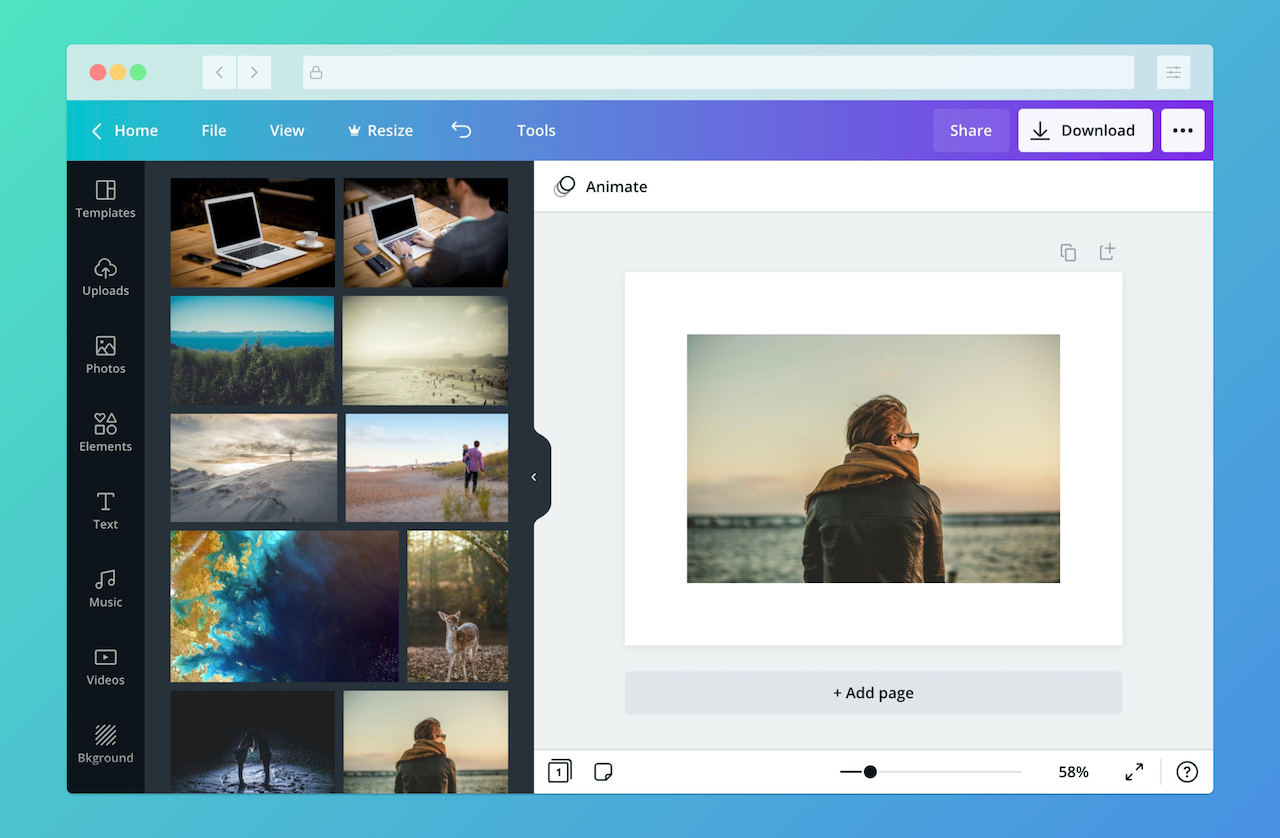
MONTHLY USERS 265M | PAID SUBS 31M | ANNUAL FLOOR $120 | BEST FOR Visuals |
Canva ended 2025 with 265 million monthly active users, 31 million paying subscribers, and approximately $4 billion in annual recurring revenue (TechCrunch, February 2026). Approximately 95% of the Fortune 500 use it. For any visual artifact in a first portfolio, Canva is not a tool the candidate selects. It is the operating environment they are evaluated inside.
How Magic Studio and the template engine actually perform
Canva's Magic Studio bundles four AI features that behave very differently in practice. Magic Write is competent for short-form ad copy and brand taglines, but produces the same rhythm patterns as ChatGPT for any text over 150 words. Magic Design is genuinely useful: feed it a one-line brief and it generates 12 layout variants, of which two or three are usually viable starting points. Magic Resize is the feature that justifies the Pro tier on its own, reformatting one Instagram post into nine platform variants in approximately 8 seconds. Magic Animate is the weakest of the four; the auto-applied motion presets are recognizable as Canva defaults and rarely improve a static design. Canva Code, released late 2024, hit 3 million users in 90 days but is not yet portfolio-quality output for any role above junior.
The defaults to override before reviewers see them
Three template patterns dominate first-portfolio submissions and are recognized on sight: the dark-mode bento grid with rounded corners and a gradient accent, the Apple-keynote-style centered text layout with a single large word and a soft blurred background, and the magazine-spread case study with an oversized number on the left and three columns of body text on the right. The five fonts Canva auto-suggests on a blank canvas (Canva Sans, Glacial Indifference, Anton, Montserrat, Playfair Display) appear together in roughly 70% of candidate portfolios. The default purple-to-pink gradient (#8E2DE2 to #4A00E0) is recognizable across a coffee shop. The fix is mechanical: replace the type stack with two paid fonts the candidate can name and defend, import a custom palette from Coolors or a brand guide, and lock the brand kit before opening any template.
Pricing and tier selection at the entry level
Canva's Pro tier is the operational floor for portfolio work because the Free tier produces visibly Canva-default outputs and lacks reliable background removal. The acquisition of Affinity (Photo, Designer, Publisher) in March 2024 is integrating into Pro through 2026, raising the visual benchmark Canva-only portfolios are evaluated against.
| Plan | Cost (USD, annual) | What unlocks | Constraint that matters |
|---|---|---|---|
| Free | $0 | 250K+ templates, 5 GB, ~50 AI credits/mo | No reliable background removal; outputs read as default |
| Pro | $120 / year (or $15/mo monthly) | 141M assets, Magic Resize, brand kit, 1 TB storage | Annual billing saves ~25% over monthly |
| Teams | From ~$10 / user / month (3-seat min) | Shared brand kit, approval workflows | Per-seat cost scales sharply past 5 collaborators |
| Enterprise | Custom | SSO, SCIM, audit logs, advanced governance | Negotiation reflects asset library and seat volume |
Table 3. Canva tiers verified against Canva's pricing page and SaaSProbe's March 2026 audit.
Canva versus Adobe Express
Adobe Express is the realistic alternative for candidates concerned about commercial-use safety on AI-generated assets, since Adobe Firefly is trained exclusively on licensed content. The trade-off is template volume and community resources, where Canva remains dominant.
| Dimension | Canva | Adobe Express |
|---|---|---|
| Free-tier template volume | 250K+ | 100K+, narrower selection |
| AI commercial-use safety | Mixed; depends on individual asset | Firefly trained on licensed content |
| Differentiation risk | High (templates widely reused) | Medium (lower volume reduces repetition) |
| Realistic best fit | Social, presentations, mock collateral | Brand assets, IP-sensitive client work |
| Annual cost floor | $120 (Pro) | ~$100 (Premium) |
Table 4. Canva versus Adobe Express across the dimensions that drive a first-portfolio choice.
| BOTTOM LINE Pro at $120/year is the operational minimum. Override the default font stack and swap the purple-pink gradient before opening any template. Magic Resize alone justifies the upgrade for any portfolio touching multiple platforms. |
GitHub Copilot: the lowest-friction entry into a code portfolio
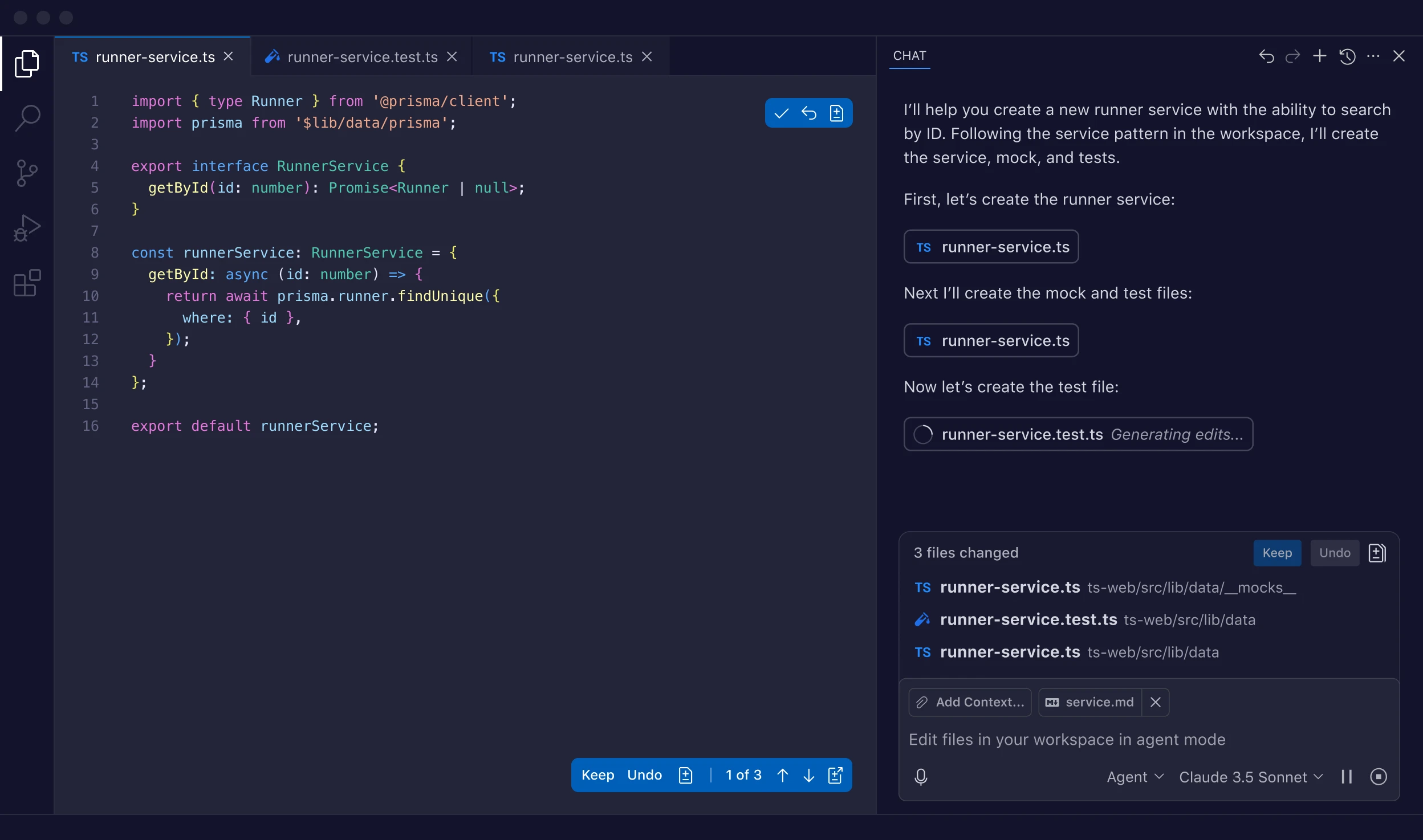
TOTAL USERS 20M+ | PAID SUBS 4.7M | ANNUAL FLOOR $100 | BEST FOR Code |
GitHub Copilot reached approximately 20 million total users by July 2025 and 4.7 million paid subscribers by January 2026 (Microsoft FY2026 disclosure), growing 75% year over year and deployed across 90% of the Fortune 100. For a first portfolio, fluency in Copilot is now an evaluator expectation, and the differentiation lives in how the candidate handles suggestions, not whether they use the tool.
How Copilot actually performs across code categories
Copilot performs strongest on three categories: framework boilerplate (Express route handlers, Next.js page scaffolds, FastAPI endpoint stubs), data transformations (Pandas pivot operations, lodash chaining, SQL window functions), and unit test generation (Jest cases, pytest fixtures, table-driven tests). It performs weakest on three categories that show up constantly in portfolios: novel algorithms (anything that requires designing rather than recalling a pattern), domain-specific business logic (state machines for industries the model has not seen extensively), and security-critical code (authentication flows, cryptographic operations, input sanitization). Acceptance rate sits at 27% to 30%, code retention at 88%, and the headline 55% task-speedup figure comes from GitHub's controlled study of 95 professional developers.
The acceptance-rate trap and security debt
GitHub's analysis found 29.1% of Copilot-generated Python code contains potential security weaknesses requiring review. Java sits at 61% AI-generated code share, the highest across languages. The trap for entry-level candidates is specific: an unreviewed acceptance rate above 50% typically generates portfolio code with hardcoded API keys in environment variable defaults, SQL queries built through string concatenation rather than parameterized statements, regex patterns that fail on edge cases the candidate did not test, and unsafe deserialization (pickle in Python, ObjectInputStream in Java) accepted because Copilot suggested it as the shortest path. Reviewers running Bandit or Semgrep on submitted repos catch all four within a minute. Treat every Copilot suggestion as requiring the same review a junior pull request would receive.
Pricing and tier selection at the entry level
Pro at $10 per month (or $100 per year) is the realistic floor for solo portfolio work. GitHub announced a shift to AI-credit-based usage accounting effective June 1, 2026, which will alter per-month math for heavy users.
| Plan | Price (USD) | Realistic use case | Limitation that triggers upgrade |
|---|---|---|---|
| Copilot Free | $0 | Public repos, light experimentation | Throttled completions slow real work |
| Copilot Pro | $10 / month or $100 / year | Daily personal projects, side hustles | Single-user; no organizational policies |
| Copilot Pro+ | $39 / month | Heavier multi-model use, Claude Sonnet access | Cost-per-output unjustified for hobbyist scope |
| Copilot Business | $19 / user / month | Small startup teams (2-seat floor) | Compliance features shallow vs Enterprise |
| Copilot Enterprise | $39 / user / month | Org-wide rollout, policy controls | Full value requires GitHub Enterprise stack |
Table 5. Copilot pricing per GitHub's plan page, verified April 2026.
GitHub Copilot versus Cursor
Cursor crossed $2 billion in annualized revenue by early 2026 with more than half of the Fortune 500 deployed and over 1 million daily active users. JetBrains' January 2026 AI Pulse survey shows Copilot at 29% workplace usage versus Cursor at 18%. For solo projects under 50,000 lines, the productivity delta is small enough that Copilot's $10 entry point is the rational starting position.
| Dimension | GitHub Copilot | Cursor |
|---|---|---|
| Editor support | VS Code, JetBrains, Vim, NeoVim, Xcode | VS Code fork only |
| Multi-file editing | Limited (per-edit basis) | Composer mode, native multi-file |
| Context handling | Active file plus recent edits | Whole-codebase indexing |
| Workplace usage (Jan 2026) | 29% of developers | 18% of developers |
| Background agents | Limited | Native parallel execution |
| Annual floor | $100 (Pro) | $192 (Pro at $16/mo annual) |
Table 6. Copilot versus Cursor on the dimensions that drive the choice for a first-portfolio coder.
| BOTTOM LINE Pro at $10/month is enough for any solo first portfolio. Use Copilot for framework boilerplate and test generation; review every suggestion as if it came from a junior pull request. Run Bandit or Semgrep before publishing any repo. |
Framer: where the portfolio actually lives
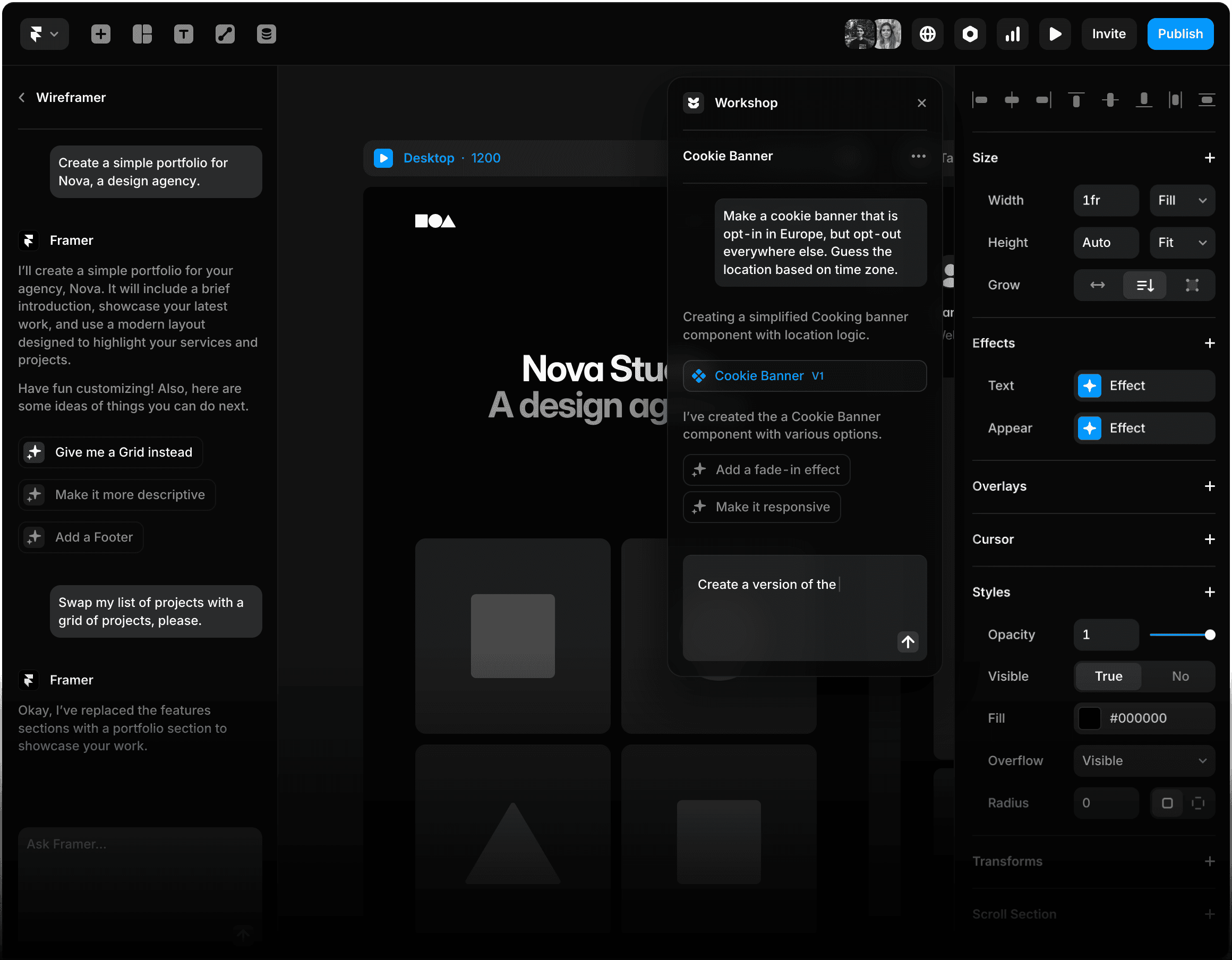
ACTIVE USERS ~4.5M | G2 RATING 4.7 / 5 | ANNUAL FLOOR $360 | BEST FOR Portfolio site |
Framer's positioning shifted three times between 2022 and 2026: prototyping tool through 2022, website builder from 2023, AI-native publication platform by 2026 with Wireframer (layout generation), Workshop (code-component generation), and built-in translation. G2 ratings sit at 4.7 / 5. For a candidate whose primary risk is showing up with a Squarespace template every other applicant also used, Framer is the lowest-friction route to a site that visually distinguishes itself.
How Framer's AI generation actually performs
Framer's AI Wireframer produces a multi-page structure from a natural-language description in 10 to 20 seconds. Tested across landing pages, portfolio sites, and multi-language business sites, the output is consistently solid as a wireframe and consistently weak as a finished product. Layouts converge on three or four predictable patterns. Copy reads as filler. Image selection defaults to Unsplash stock that other Framer users are also pulling from the same indexed library. The practical workflow is to treat AI output as scaffolding the candidate then heavily customizes. AI removes 60% of layout decisions, not 100%.
The four default patterns reviewers recognize on sight
Just as Canva has its bento grid, Framer has its tells. The dark hero with grain texture and a gradient blob behind a centered headline. The auto-marquee logo strip ten logos wide on infinite scroll, almost always above the fold. The bento case-study grid with rounded corners and hover-zoom interactions. The on-scroll fade-in for every section that crosses the viewport. None of these are bad on their own. All four together, on the same site, signal a Framer template the candidate did not customize. The fix involves replacing the default Inter or Geist font stack with one display and one body face the candidate can name (DM Serif Display paired with IBM Plex Sans, for instance), swapping the gradient blob for a custom illustration or photograph, and using motion only where it earns its place rather than on every section.
Pricing and tier selection at the entry level
The Pro tier at $30 per month annual is where Framer stops feeling limited. The Basic plan's single CMS collection forces an upgrade once a portfolio plus a blog plus a case-study collection require three collections.
| Plan | Annual price (USD) | Page / CMS limit | Why the candidate hits this |
|---|---|---|---|
| Free | $0 | Subdomain only (.framer.website) | No personal domain, which most reviewers expect |
| Basic | $120 / year ($10/mo annual) | 30 pages, 1 CMS collection, 10 GB bandwidth | 1 collection forces upgrade once portfolio + blog coexist |
| Pro | $360 / year ($30/mo annual) | 150 pages, 10 CMS collections, 100 GB bandwidth | Sufficient ceiling for almost all entry portfolios |
| Scale | $1,200 / year ($100/mo) | 500+ pages, 2 TB bandwidth, premium CDN | Only relevant once the candidate has paying clients |
| Enterprise | Custom | Unlimited seats, SSO, SOC 2 Type II | Not portfolio-relevant |
Table 7. Framer pricing tiers verified against Framer's pricing page (April 2026) and CostBench's structured audit.
Framer versus Webflow
The decision most candidates face is Framer versus Webflow. Framer is the right tool when motion design, animation craft, and design-tool fluency are part of the evaluative bar. Webflow is the right tool for content-heavy portfolios that need nested CMS collections, granular SEO controls, e-commerce, or clean code export.
| Dimension | Framer | Webflow |
|---|---|---|
| Visual editing model | Figma-like canvas, animations native | CSS-aware grid, granular control |
| AI generation | Wireframer + Workshop, multi-page | Limited; mostly third-party plugins |
| CMS depth | Up to 10 collections on Pro | Nested collections, complex relationships |
| E-commerce | None native | Native (Webflow Ecommerce) |
| Code export | No | Yes, clean HTML/CSS |
| Realistic fit | Portfolios, landing pages, marketing sites | Content sites, e-commerce, SEO-heavy work |
Table 8. Framer versus Webflow across the dimensions that drive the choice for a first-portfolio site.
| BOTTOM LINE Pro at $30/month annual is where Framer stops feeling limited. The Basic plan's single CMS collection breaks any portfolio with both case studies and a blog. Replace the default Inter font and swap the gradient-blob hero, or the site reads as Framer-template. |
Descript: the video and audio entry that quietly raised its prices
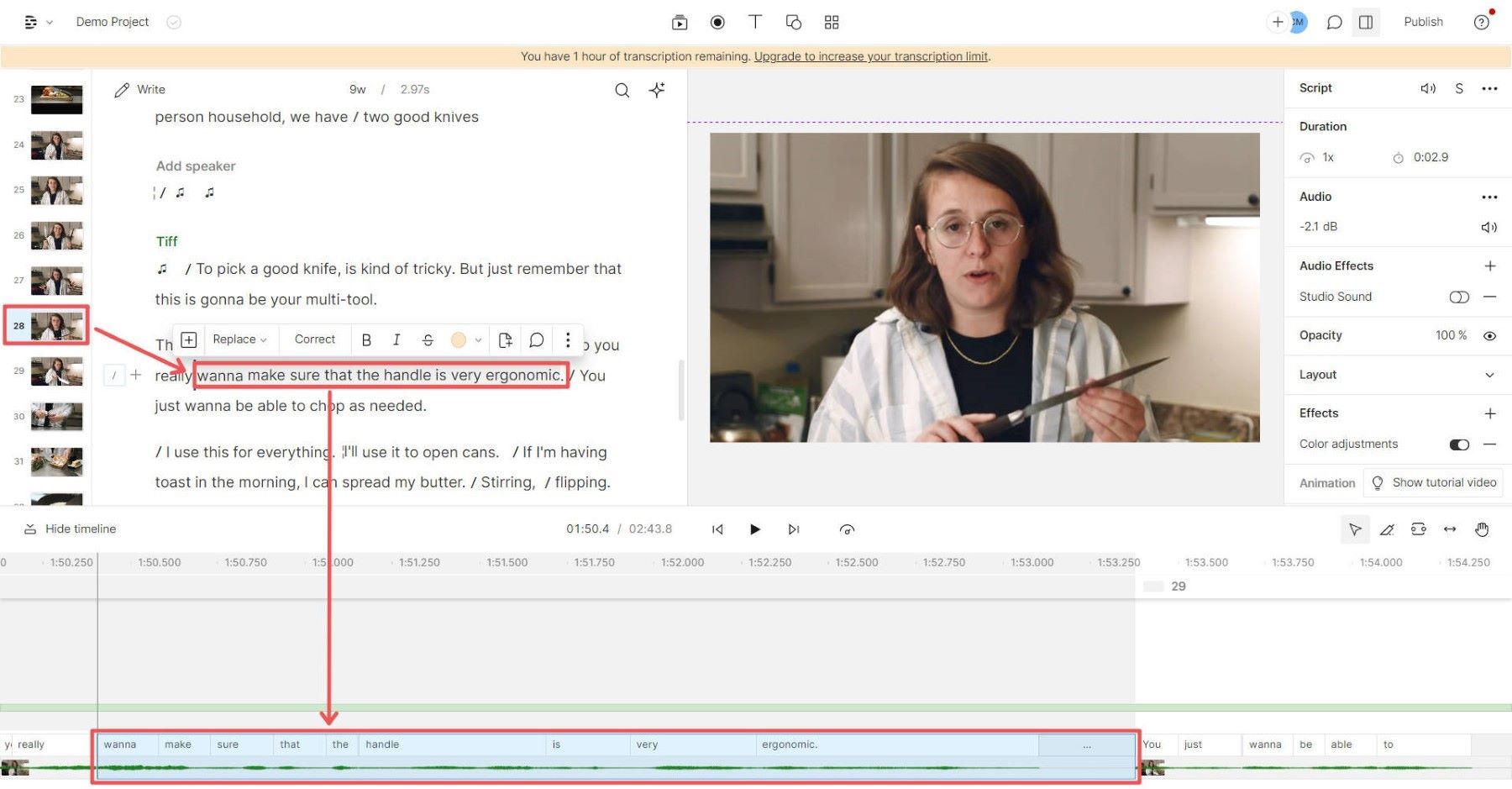
CREATORS 6M+ | G2 RATING 4.6 / 5 | ANNUAL FLOOR $192 | BEST FOR Dialogue |
Descript serves over 6 million creators (company disclosure, 2025) including The New York Times, HubSpot, NPR, and Al Jazeera. Ratings sit at 4.6 / 5 across 852 G2 reviews and 4.7 / 5 across 181 Capterra reviews. For a first portfolio that includes one explainer video, a project walkthrough, or a short-form podcast, the workflow advantage cuts editing time by 50% to 70% on dialogue-heavy content.
How the transcript-based workflow actually performs
The workflow that earns the subscription is specific: record raw to camera (no scripting beyond bullet points), drop the file in Descript, let auto-transcription run for 30 to 60 seconds, then edit the transcript like a Google Doc. Highlight a sentence and delete it; the video cut propagates automatically. Tag filler words ("um," "like," "you know") with one click, and Descript removes every instance from the timeline in a single pass. Run Studio Sound to lift voice frequencies and suppress background noise to a level that competes with podcast-grade recording. Apply Underlord (the in-editor AI co-editor released 2024) to identify long pauses, generate transcript-aware B-roll suggestions, and produce vertical and square cuts from the horizontal master. A 30-minute raw recording becomes a 12-minute polished cut in approximately 45 minutes of editor time.
The pricing trap and non-dialogue failures
Descript replaced transcription hours with media minutes and introduced metered AI credit top-ups in September 2025. Top-ups expire 12 months after purchase. AI credit consumption is uneven: Overdub voice cloning burns credits fastest (roughly 20 credits per minute of generated speech), Studio Sound runs in the middle range, plain transcript editing is cheapest. Beyond pricing, Descript fails on non-dialogue work. Music videos, B-roll-heavy edits, cinematic short-form, color-graded content, and projects requiring serious audio mixing all hit the tool's ceiling fast. Color grading is functional but limited (no scopes, no LUT support, no per-clip color isolation). Audio mixing remains weaker than Audacity or Adobe Audition for granular EQ and compression work.
Pricing and tier selection at the entry level
Hobbyist at $192 per year is sufficient for fewer than four videos per month. Above that, Creator becomes the realistic floor. The loudest complaint thread across G2 and Reddit through early 2026 is billing-related, not feature-related, so monitor credit consumption against the plan's allowance.
| Plan | Annual price (USD) | What you get | Realistic fit |
|---|---|---|---|
| Free | $0 | 60 mins/month, watermarked exports | Trial only; not portfolio-grade |
| Hobbyist | $192 / year ($16/mo annual) | 30 hours media, ~400 AI credits | <4 videos per month |
| Creator | $288 / year ($24/mo annual) | 30 hours, 800 credits, 4K export | Realistic floor for active creators |
| Business | $600 / year ($50/mo annual) | Unlimited media, brand kit, priority support | Team workflows, regular publishing |
| Enterprise | Custom | Governance, SSO, SOC 2 compliance | Not portfolio-relevant |
Table 9. Descript pricing per the official pricing page after the September 2025 restructure, verified March 2026.
Descript versus CapCut and Loom
The realistic alternatives split by use case. CapCut handles short-form vertical content (TikTok, Reels) better than Descript and is free to start. Loom handles async screen recordings better and costs less for that specific use case. Descript wins decisively only on dialogue-heavy long-form work.
| Dimension | Descript | CapCut | Loom |
|---|---|---|---|
| Best fit | Long-form dialogue, podcasts, talking-head | Short-form social, vertical formats | Async screen recordings |
| Editing model | Transcript-based | Timeline plus AI assist | Record-first, light edit |
| G2 / Capterra | 4.6 / 4.7 | 4.5 / not separately listed | 4.7 / 4.7 (518 Capterra) |
| Where it breaks first | AI credit caps, audio mixing | Billing transparency, ByteDance ownership | Heavy editing requirements |
| Annual cost floor | $192 (Hobbyist) | $0 to ~$180 | Contact vendor |
Table 10. Descript versus the two adjacent tools a beginner is most likely to evaluate.
| BOTTOM LINE Hobbyist at $192/year handles up to four videos per month. Stay on dialogue-heavy work; for music, B-roll, or color-graded content, use a different tool. Budget for AI-credit top-ups, which expire 12 months after purchase. |
Notion AI: the documentation backbone reviewers actually read
TOTAL USERS 100M+ | CAPTERRA 4.7 / 5 | ANNUAL FLOOR $120 | BEST FOR Case studies |
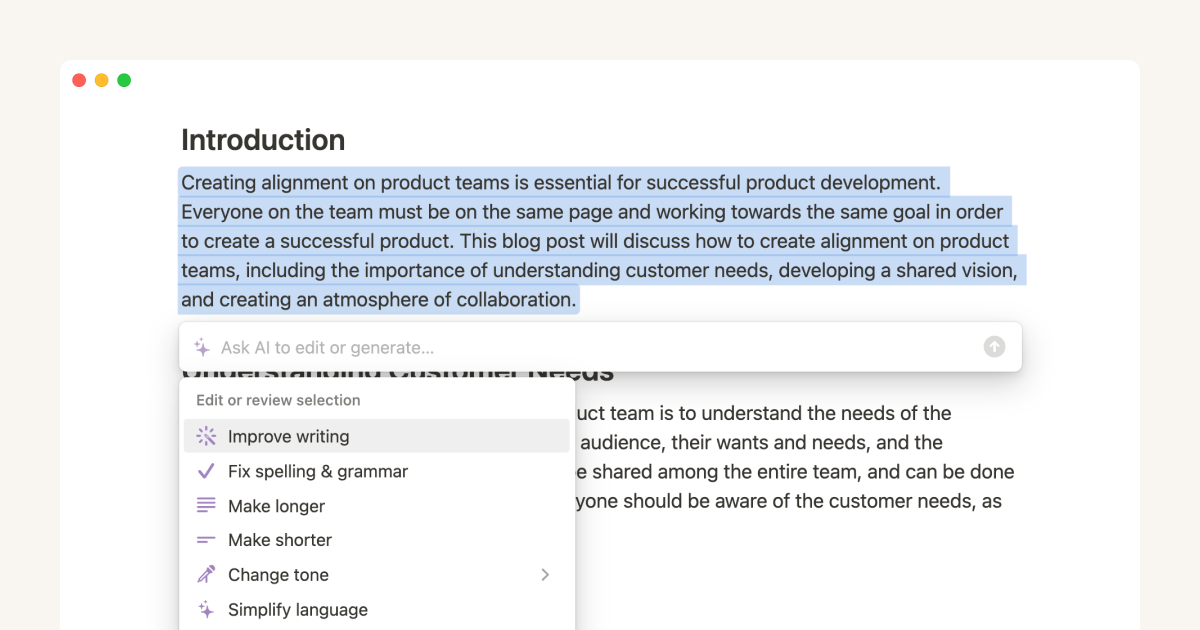
Notion crosses 100 million users globally and carries a 4.7 / 5 Capterra rating across 4,772+ reviews with an 86% G2 ease-of-use score. For a first portfolio, Notion's role is rarely the deliverable itself. It is the substrate around the deliverable: the case-study write-up, the README that explains a code project, the process documentation that turns a Canva file into evidence of structured thinking.
How a Notion portfolio page should actually be structured
The case-study page that consistently performs well in product and design review loops follows a tight structural pattern. A cover image (custom, not the default Notion gradient) and a custom emoji icon. A one-sentence summary in italics directly below the title. A four-property metadata row built as a database: role, timeline, tools, outcome. A Context section running 80 to 120 words. A Problem section that defines a single specific question. A Process section that uses toggle blocks to nest detailed exploration without forcing the reader through it. A Decisions section listing trade-offs explicitly. An Outcome section with at least one quantified result. Reviewers can skim the structure in 20 seconds and dive into toggles only where curious. Anything longer than 800 words on the top level is rarely read.
Where Notion AI lags and breaks at scale
Notion eliminated the standalone $10 AI add-on on May 13, 2025 and folded full AI access into the Business tier at $20 per user per month. Existing AI subscribers were grandfathered at $8 to $10 per user; cancellation closes the legacy door permanently. Notion 3.0 (September 2025) and 3.3 (February 2026) shipped autonomous AI Agents and Custom Agents respectively, but Notion AI remains slower than a direct API call by 3 to 8 seconds per generation, and AI Agent reliability degrades on workflows requiring more than four sequential steps. Performance also degrades visibly beyond approximately 5,000 pages and 10,000 database rows, with load times moving from milliseconds to several seconds. Candidates building a long-running personal knowledge base in the same workspace they use for portfolio publication should split the two.
Pricing and tier selection at the entry level
Plus at $120 per year is sufficient for documentation work without AI features. The Business tier at $240 per year per user is the only path to AI Agents and Ask Notion after the May 2025 add-on removal.
| Plan | Price (USD) | AI access | Realistic fit for first portfolio |
|---|---|---|---|
| Free | $0 | ~20 trial responses; no Agents | Sufficient if AI is not central |
| Plus | $10 / user / month (annual) | None; AI add-on no longer purchasable | Solid for documentation without AI dependence |
| Business | $20 / user / month (annual) | AI Agents, Ask Notion, multi-model access | The realistic AI-included tier |
| Enterprise | Custom | Business plus SCIM, audit logs, SSO | Not portfolio-relevant |
Table 11. Notion pricing per the official pricing page and Notion 3.3 release documentation, February 2026.
Notion versus Obsidian and Coda
The realistic alternatives split by use case. Obsidian wins on local-first knowledge management and privacy but does not produce shareable case studies easily. Coda wins on live data tools and ops dashboards but lacks Notion's reviewer familiarity. For public-facing portfolio documentation, Notion remains the default.
| Dimension | Notion | Obsidian | Coda |
|---|---|---|---|
| Pricing floor | Free / $10 / $20 | Free; $4/mo Sync; $8/mo Publish | Free / $12 / $36 |
| AI integration | Native multi-model (GPT-5, Claude, o3) | Plugin-dependent, third-party | Native AI plus Coda Brain |
| Best for | Public case studies, sharing | Local knowledge graph, privacy | Live tools, ops dashboards |
| Sharing model | Public links, web publishing | Manual export to web | Public docs, Coda Pack |
| Portfolio fit | Highest; default reviewer expectation | Niche; technical audiences | Niche; ops-heavy roles |
Table 12. Notion versus the two adjacent documentation tools a candidate is most likely to evaluate.
| BOTTOM LINE Plus at $120/year is sufficient for documentation; AI features now require Business at $20/seat. Build case studies with the nine-section structure (Cover, Summary, Metadata, Context, Problem, Process, Decisions, Outcome). Keep top-level pages under 800 words. |
Decision matrix and aggregated signal
The six tools above do not substitute for one another. They occupy distinct workflow positions, and the realistic question is which combination produces the strongest portfolio at the lowest annual outlay.
| Skill vertical | Primary tool | Substitutable with | Annual cost floor (USD) | Single condition that determines fit |
|---|---|---|---|---|
| Written work | ChatGPT Plus | Claude Pro, Gemini Advanced | $240 | Whether the candidate edits aggressively after generation |
| Visual / design | Canva Pro | Adobe Express, Figma | $120 | Whether template defaults are visibly overridden |
| Code | GitHub Copilot Pro | Cursor Pro, Claude Code | $100 | Whether suggestions are reviewed or accepted blindly |
| Portfolio website | Framer Pro | Webflow, Wix Studio | $360 | Whether motion and design craft are part of the bar |
| Video / audio | Descript Hobbyist | CapCut Pro, Loom | $192 | Whether the content is dialogue-driven |
| Documentation | Notion Plus | Obsidian, Coda | $120 | Whether AI is required at the personal-portfolio stage |
Table 13. Decision matrix synthesizing the six tools by skill vertical, annual cost floor (entry-tier annual billing), and the operational variable that determines fit. Total six-tool stack on annual billing: approximately $1,132 / year.
Aggregated review-distribution signal
| Tool | G2 (rating / volume) | Capterra (rating / volume) | Loudest complaint pattern | What the distribution reveals |
|---|---|---|---|---|
| ChatGPT | Limited B2B coverage | Limited B2B coverage | Output sameness, GPT-5.5 access gating | Consumer scale dwarfs review surface |
| Canva | 4.7 / 5,810+ | 4.7 / 12,977+ | Trustpilot 2.3, billing complaints | Product satisfaction high; trial-conversion friction real |
| GitHub Copilot | Strong sentiment | Strong sentiment | Acceptance-rate misuse, Python security | Mature product with mature failure modes |
| Framer | 4.7 / smaller volume | Not separately listed | Performance lag on large projects | Niche tool with concentrated power-user base |
| Descript | 4.6 / 852 | 4.7 / 181 | Sept 2025 pricing restructure, AI-credit confusion | Strong product, monetization tension after re-pricing |
| Notion | Strong / 10,000+ | 4.7 / 4,772+ | May 2025 pricing change, performance at scale | Deep adoption, recurring AI-access tension |
Table 14. Aggregated review distribution and complaint patterns sourced from G2, Capterra, and Trustpilot, verified between January and April 2026.
Conclusion
Three findings consolidate the analysis. First, the six-tool stack on annual entry-tier billing costs approximately $1,132 per year, structurally below a single Adobe Creative Cloud subscription over the same period. Second, the highest-leverage spend is rarely the highest-priced plan: ChatGPT Plus over Pro, Copilot Pro over Pro+, Descript Hobbyist over Creator, and Notion Plus over Business each match the realistic ceiling of a first-portfolio workload. Third, none of these tools differentiate the candidate on their own. Differentiation lives in the editing discipline applied to their output, the willingness to override defaults, and the operational discipline of knowing each tool’s specific failure modes.
For learners building an AI portfolio, Timtis fits naturally into this gap because its focus is not simply listing tools, but helping users understand how to apply AI tools through structured lessons, practical projects, and guided learning. A reviewer comparing two portfolios in 2026 is comparing whether the candidate noticed the bento grid, the gradient blob, and the “It is important to note that,” and overrode all three. Allocate budget to entry tiers, allocate time to the editing layer, and treat each tool’s defaults as a starting point rather than an output.
Comments