Table of Contents
- Free AI Generators Compared
- 1. Leonardo AI: Best Overall Free Option
- 2. Recraft: Best for Designers and Vectors
- 3. Ideogram: Best for Text Inside Images
- 4. Adobe Firefly: Best for Editing and Commercial Workflows
- 5. Canva AI: Best for Finished Social and Marketing Designs
- 6. Magnific: Best for Straightforward Daily Generation
- “Free” Means Different Things Here
- Which Free AI Image Generator Should You Pick?
Free AI image generators are easy to find in 2026. A free plan you can actually keep using is much harder to find. Some platforms give you a fresh allowance every day but make your images public. Others produce excellent results but ration free generations so tightly that serious experimentation becomes frustrating. A few place the more important restriction somewhere else entirely: commercial rights, premium models, private creation, editing tools, or export quality.
We compared six of the strongest free options based on what you can genuinely create without paying, how often the allowance resets, which features remain accessible, and exactly where the free experience starts pushing you toward a subscription.
Free limits and pricing below were checked in August 2026. AI pricing changes frequently, so allowances may change with time.
Free AI Generators Compared
| AI image generator | Free allowance | Refresh | Best for | Main free-plan catch |
| Leonardo AI | 150 Fast Tokens | Daily | Best overall balance | Public generations and token-based usage |
| Recraft | 30 credits | Daily | Design and vectors | Free creations lack full ownership/commercial rights |
| Ideogram | 10 slow credits | Weekly | Text inside images | Very limited generation volume |
| Adobe Firefly | Limited generations | Daily | Editing and commercial creative work | Adobe does not publish a fixed free daily number |
| Canva AI | Up to 20 Premium AI uses | Monthly | Social and marketing designs | AI allowance is shared across Canva tools |
| Magnific | Up to 20 images | Daily | Casual everyday generation | Free plan uses only the in-house model and is personal-use focused |
The numbers alone do not tell the entire story. Leonardo's 150 tokens, for example, do not equal 150 images because different actions consume different amounts. Canva's limit is shared with other AI features, while Recraft's biggest restriction is less about quantity and more about what you are allowed to do with the result.
1. Leonardo AI: Best Overall Free Option
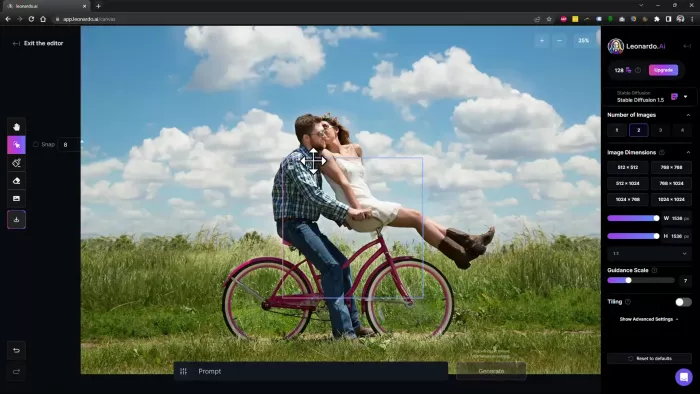
Leonardo AI remains one of the easiest free recommendations because it does not force users into one narrow visual style. It can handle photorealistic scenes, illustrations, concept art, game assets, product visuals, fantasy imagery, and marketing graphics from the same workspace. You also get access to multiple platform and third-party models, which gives it considerably more creative range than a simple text-to-image generator.
What You Get for Free
The free account includes Leonardo's main image-generation environment, presets, basic quality settings, Flow State, selected image guidance, limited Canvas tools, and access to both platform and third-party models. The free plan can also generate video, although image creation remains a much more practical use of a limited token allowance.
Commercial use is permitted on free generations through a non-exclusive, royalty-free licence. The important distinction is ownership: Leonardo retains rights to free-tier creations, while paid subscribers receive stronger ownership rights and private generation.
Leonardo Free Limits
| Free-plan detail | Current position |
| Cost | $0 |
| Allowance | 150 Fast Tokens per day |
| Reset | Daily |
| Generation privacy | Public |
| Quality settings | Basic |
| Personal AI models | Not included |
Leonardo calculates token cost according to the computational intensity of the model or action being used, rather than assigning one token to one image.
Where the Free Limit Bites
The daily reset is generous for casual use, but iteration is what exposes the limit. Testing different models, changing quality settings, creating multiple variations, upscaling, and using other AI operations all draw from the same token system. A creator who accepts the first or second result can stretch the plan much further than someone developing a polished visual through repeated generations.
Privacy can become the bigger issue for professional work. Free creations are public, so unreleased campaign concepts, client visuals, early product ideas, or confidential creative work are poor fits for the free account.
Where Leonardo Performs Best
Leonardo's advantage is range. It is capable enough for realistic images without locking you into realism, and strong enough for illustration without behaving like a specialist drawing tool. This makes it particularly useful if your weekly workload jumps between thumbnails, blog graphics, concepts, social visuals, and experimental artwork.
Best for
Leonardo is the strongest general recommendation for bloggers, marketers, creators, designers, and hobbyists who want to generate regularly without immediately paying for a subscription.
When Paying Makes Sense
The Essential plan currently costs $12 per month and includes 8,500 monthly Fast Tokens, private creations, enhanced quality, unlimited collections, and up to 10 personal AI models. The upgrade becomes worthwhile when privacy or consistency matters more than simply getting additional generations.
At that point, Leonardo AI vs Midjourney becomes a more relevant comparison, particularly for users choosing between flexibility and a more distinctive visual style.
2. Recraft: Best for Designers and Vectors
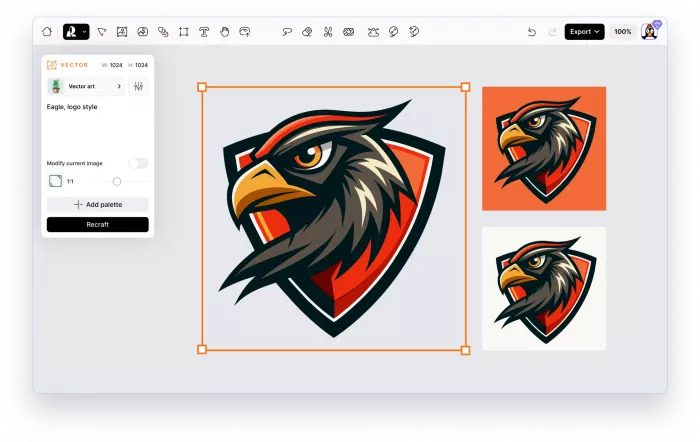
Recraft feels less like an AI art playground and more like a visual production tool. Its strength lies in assets that designers may actually want to continue working with, including illustrations, icons, product visuals, graphics, mockups, and editable vectors. Recraft V4.1 also improves prompt understanding and visual consistency, while its dedicated vector models can produce structured SVG output rather than simply making raster artwork that looks like a vector.
What You Get for Free
Free users can access Recraft's core generation environment and its own image models, including recent Recraft models. The platform also provides tools for image editing, vector generation, background work, and other design-oriented operations, although credits are consumed differently depending on the action and model.
For someone interested in testing visual identities, icons, illustrations, packaging concepts, or graphic assets, this is more useful than having dozens of purely artistic style presets.
Recraft Free Limits
| Free-plan detail | Current position |
| Cost | $0 |
| Allowance | 30 credits per day |
| Reset | Every 24 hours |
| Generation privacy | Public |
| Ownership | Recraft owns free-plan generations |
| Commercial rights | Restricted on free plan |
Recraft explicitly states that free-plan images are publicly visible in its community gallery and are not licensed for normal commercial use. Paid-plan images are private and come with full ownership and commercial rights.
Where the Free Limit Bites
For Recraft, the real wall is licensing rather than generation count. Thirty renewable credits are enough to explore styles and create a reasonable number of concepts, but a free image that turns out perfectly may still be unsuitable for a client campaign, paid advertising, packaging, or another commercial project.
That creates an unusual situation: the free plan is excellent for ideation and evaluation, but professionals may have to subscribe precisely when they generate something good enough to use.
Where Recraft Performs Best
Recraft stands out when the requested image has a design purpose rather than simply needing to look attractive. Vector generation, cleaner graphic composition, editable assets, product-style imagery, and controlled design aesthetics give it an edge for logos, icons, posters, brand graphics, and other structured visuals.
For text-heavy designs, the choice gets less straightforward, especially when comparing Recraft vs Ideogram for logos, posters, and branded graphics.
Best for
Recraft is particularly good for graphic designers, brand designers, illustrators, UI creators, and marketers who want to explore visual concepts before moving them into a professional workflow.
When Paying Makes Sense
Recraft's paid plans currently start at $25 per month. Paying primarily changes the professional viability of the platform by providing private generations, ownership, commercial rights, higher usage, and access to additional advanced capabilities.
3. Ideogram: Best for Text Inside Images
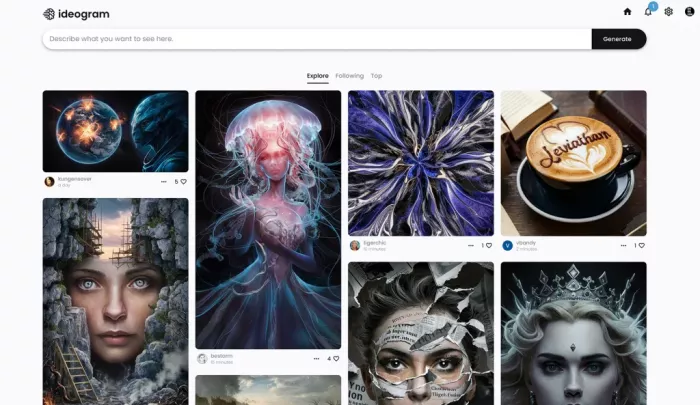
Generating a beautiful poster and then discovering that the headline contains three invented letters used to be one of the easiest ways to spot AI imagery. Ideogram built much of its reputation around solving that problem, and its current models remain particularly useful for posters, ads, signs, packaging concepts, thumbnails, logos, and other visuals where readable words are part of the composition.
Ideogram 4.0 extends that focus with stronger typography, prompt adherence, photorealism, and layout controls, including bounding-box positioning for more deliberate compositions.
What You Get for Free
The free account lets you generate directly from the browser without installing software. You can explore Ideogram's core text-to-image experience and produce commercial-use images, and Ideogram says it does not claim ownership over generated output.
What you do not get is equally important. Priority generation, private images, quality export, batch generation, and several editing workflows sit behind paid access.
Ideogram Free Limits
| Free-plan detail | Current position |
| Cost | $0 |
| Allowance | 10 slow credits per week |
| Priority credits | None |
| Concurrent generations | 1 |
| Private generation | Not included |
| Quality export | Not included |
Credit consumption varies by model and rendering mode. Ideogram 4.0 at 2K, for example, can consume multiple credits for a single image, so the weekly allowance should not be interpreted as ten full-quality generations.
Where the Free Limit Bites
Ideogram's problem is straightforward: volume. A weekly allowance can disappear during one serious design session, particularly when you are trying different layouts or correcting small details in typography.
The slow queue is manageable for occasional use, but the lack of priority credits also affects editing. Ideogram notes that AI editing features such as Image Reference and Editing with AI require priority credits rather than the slow queue.
Where Ideogram Performs Best
Ideogram deserves its place because text is not an afterthought. If the prompt includes a headline, product label, poster title, storefront sign, or short advertising phrase, it often gives you a much better starting point than generators primarily optimized for visual atmosphere.
Best for
It is best suited to marketers, social-media designers, YouTubers, small businesses, and creators producing posters, thumbnails, ads, packaging concepts, or branded graphics containing visible text.
When Paying Makes Sense
Ideogram Plus costs $20 per month, or $15 per month when billed annually. It adds 1,000 monthly priority credits, unlimited slow credits, private generation, unlimited character consistency, quality exports, and a larger generation queue.
4. Adobe Firefly: Best for Editing and Commercial Workflows
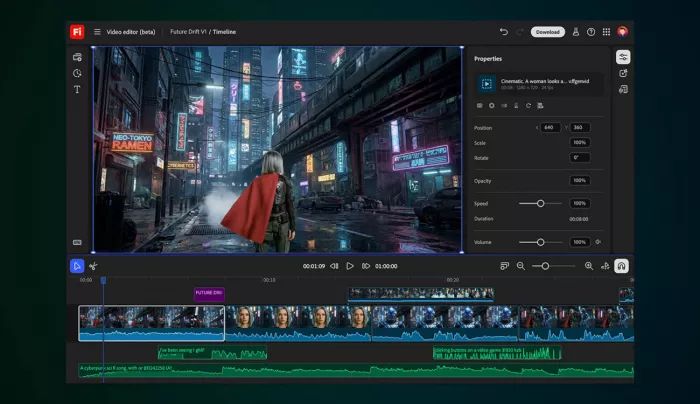
Adobe Firefly has evolved well beyond a standalone text-to-image page. The current platform covers image generation, Generative Fill, mood boards, video, audio, and partner AI models, with connections to Photoshop and other Adobe tools. For people who already think in terms of editing rather than repeatedly regenerating an entire image, that surrounding workflow is one of Firefly's strongest advantages.
What You Get for Free
Firefly Free provides a rotating amount of daily generation access across selected image, video, and audio models. Adobe currently describes the allowance as limited daily generations rather than promising a fixed number, and those limits reset every day.
Free users can also experiment with selected premium capabilities and partner models. Firefly-generated output from non-beta Adobe features can generally be used commercially, and Adobe says its own Firefly models are trained on licensed and public-domain material.
Firefly Free Limits
| Free-plan detail | Current position |
| Cost | $0 |
| Allowance | Limited daily generations |
| Reset | Daily |
| Models | Selected Adobe and partner models |
| Standard AI features | Limited usage |
| Commercial use | Allowed for eligible Firefly outputs |
Adobe says the number of free generations, available features, and included models may change, which is why there is no dependable fixed daily number to plan around.
Where the Free Limit Bites
Firefly's biggest free-plan weakness is predictability. A fixed weekly allowance may be restrictive, but at least you know what you have. Adobe's moving daily limit makes it harder to estimate whether the free tier can support a repeated production workflow.
Model access also matters. Firefly increasingly acts as a gateway to models from several companies, but free users receive a curated subset rather than unlimited access to the entire catalogue.
Where Firefly Performs Best
Firefly is particularly strong when generation is only the beginning. Generative Fill, expansion, object replacement, and its connections with Adobe's editing ecosystem make it easier to correct a nearly-right image rather than discard it and start the prompt again.
Adobe's approach to training its own Firefly models on licensed and public-domain content is another reason businesses may prefer it for commercial-oriented work, although users should evaluate the separate terms associated with partner models.
Best for
Firefly makes the most sense for designers, photographers, marketers, agencies, and existing Adobe users who expect AI generation to feed into a larger editing process.
When Paying Makes Sense
Firefly Standard costs $9.99 per month and includes 2,000 monthly generative credits plus unlimited access to standard image features such as Generative Fill. It becomes attractive once you need predictable volume rather than occasional daily experimentation.
5. Canva AI: Best for Finished Social and Marketing Designs
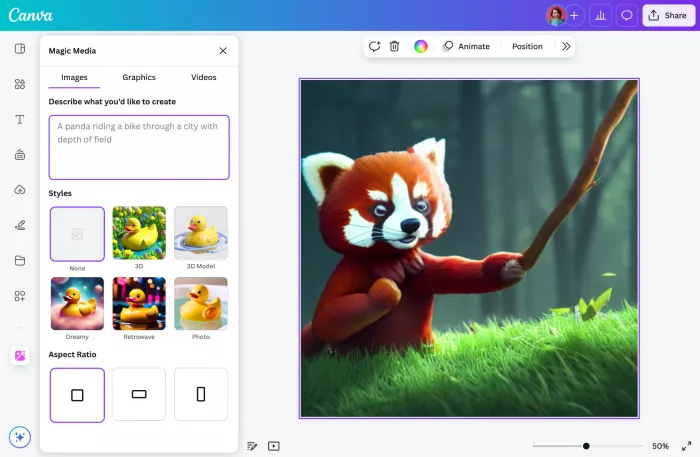
Canva AI is not the obvious choice if your only goal is to compare raw image-model quality. Its appeal appears one step later in the process. You can generate an image and immediately place it into an Instagram post, presentation, ad, flyer, thumbnail, or other design without exporting the visual to a separate editor.
Canva now combines image creation with its broader AI environment and design editor, which is useful when the final deliverable matters more than producing an isolated piece of AI art.
What You Get for Free
Canva Free includes access to its design editor, a large free content library, templates, limited branding features, and a shared allowance for AI creation tools. Image and design generation sit within Canva's Premium AI category, while other features can draw from Standard AI usage.
Generated content can be edited directly with Canva's existing design tools, allowing you to add typography, resize compositions, combine assets, and prepare a finished piece without leaving the platform.
Canva AI Free Limits
| Free-plan detail | Current position |
| Cost | $0 |
| Standard AI allowance | Up to 200 uses |
| Premium AI allowance | Up to 20 uses |
| Reset | Monthly |
| Allowance type | Shared across AI tools |
| Ultra AI access | Not included |
Canva explains that the actual number of uses depends on which tools are used and the complexity of the task. The Standard and Premium numbers describe the maximum if you concentrate usage within one category, not two separate allowances that can always be fully consumed together.
Where the Free Limit Bites
The catch is easy to miss because Canva's allowance is not an image-generation allowance alone. Other AI tasks compete for the same pool. If you use Canva AI for writing, design generation, image creation, editing, or other features during the month, you can reach the limit without producing anywhere near the headline number of images.
It is therefore a much better free tool for occasional finished designs than for an afternoon of rapid image-model experimentation.
Where Canva Performs Best
Canva wins on what happens after the image is generated. A social-media manager can create the visual, place it into a branded layout, add text and supporting elements, and prepare several content formats without building a separate production workflow.
That convenience matters more for routine marketing output than having dozens of advanced model parameters.
Best for
Canva AI is strongest for social-media managers, small businesses, marketers, teachers, bloggers, and non-designers who need completed graphics rather than standalone AI artwork.
When Paying Makes Sense
Canva Pro is currently listed at US$144 per year for one user in the US and provides roughly 10 times the Standard or Premium AI allowance of Canva Free, alongside Canva's wider set of premium design tools. Paying makes sense when AI is being used as part of a regular Canva production workflow rather than as an occasional image generator.
6. Magnific: Best for Straightforward Daily Generation
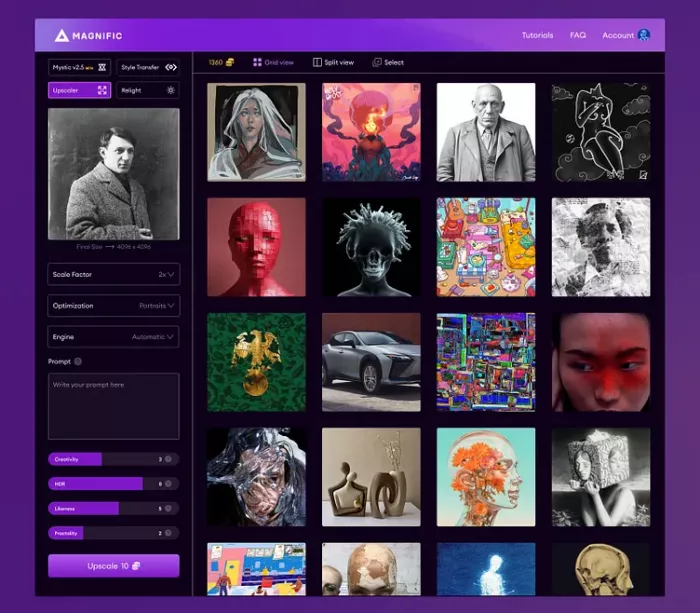
One of the more confusing changes in 2026 is the name. Freepik's creative AI platform is now branded Magnific, while retaining the broader stock library and creative tooling that users previously associated with Freepik. The current platform brings image generation, editing, upscaling, video, audio, stock assets, and workflow tools into one environment.
For free users, however, the experience is much narrower than the full platform suggests. That is exactly why it belongs in an article about where free limits start to matter.
What You Get for Free
The free tier provides access to basic AI tools and lets users generate images with Magnific's in-house model. It also includes access to free stock content and a limited number of daily downloads.
The interface is useful for trying straightforward text-to-image creation without entering a paid credit system. More sophisticated tools, partner models, advanced editing, and the broader AI catalogue are primarily part of the paid experience.
Magnific Free Limits
| Free-plan detail | Current position |
| Cost | $0 |
| AI images | Up to 20 per day |
| Model access | In-house model |
| Stock downloads | 10 per day |
| Extra credits | Not purchasable |
| Usage rights | Personal use with attribution |
The free account does not receive a normal AI credit balance. Instead, image generation is governed by a daily cap.
Where the Free Limit Bites
Magnific's headline daily quantity is respectable, but model choice and usage rights are the bigger restrictions. The paid platform now brings together numerous high-end image models, yet free users do not get that multi-model playground.
The licensing difference is equally significant. Magnific's documentation states that the free plan is limited to personal use with attribution, while paid plans add a commercial AI licence. That sharply reduces its usefulness for someone looking for free assets for client work or monetized campaigns.
Where Magnific Performs Best
The free tier works well for casual ideation and everyday visual experimentation. It also provides a natural path into a much larger creative environment if you eventually want image generation, stock assets, enhancement, video, and other AI tools under one account.
Best for
Magnific is a sensible choice for students, hobbyists, casual creators, and users who want a predictable number of daily image generations for personal projects.
When Paying Makes Sense
The Premium plan currently costs $20 per month, or $14.50 per month with annual billing. It includes 240,000 credits per year, access to the wider image, video, and audio model catalogue, professional editing tools, stock content, upscalers, and a commercial AI licence.
“Free” Means Different Things Here
The biggest mistake when comparing free AI image generators is treating credits as if they were interchangeable.
A daily allowance is generally better for a casual creator who generates a few images every day. A monthly pool suits someone who creates in bursts. A weekly limit can become restrictive surprisingly quickly, while a generous generation allowance may still have little professional value if the resulting images cannot be used commercially.
There are four limits worth checking before choosing any free generator:
● Generation limits matter most for experimentation. Good AI imagery usually takes several attempts, so a plan that technically allows five images may provide only one realistic opportunity to refine an idea.
Limited credits also put more pressure on the prompt itself. A few improvements in AI image prompting can mean fewer failed generations and more usable results from the same allowance.
● Model restrictions affect quality as much as quantity. Twenty generations on a basic model may be less useful than five attempts on a model particularly suited to your use case.
● Privacy becomes important sooner than expected. Public generation is fine for hobby work, but it can become a problem when prompts contain unreleased campaign concepts, client information, or original product ideas.
● Usage rights can outweigh every other feature. A beautiful free image is of limited value to a business if the plan does not provide the licensing or ownership needed for its intended use.
That is why the “most free generations” and the “best free image generator” are not automatically the same thing.
Which Free AI Image Generator Should You Pick?
For most people, Leonardo AI is the best place to start. The daily refresh, model variety, broad visual range, and usable free workflow make it easier to keep experimenting without immediately reaching for a credit card. Its public-generation policy is the main reason professionals may eventually outgrow it.
Recraft is the more interesting choice for designers, particularly if you care about vector output, structured graphics, and design assets. Its free-plan licensing makes it more appropriate for experimentation than final commercial production, but the quality of the design workflow still makes the free account useful.
Choose Ideogram when text is central to the image. The free allowance is considerably tighter, but readable lettering can matter more than raw generation volume when you are producing posters, thumbnails, signage, or advertising concepts.
Adobe Firefly fits professional editing workflows better than pure AI experimentation. The moving free limit is frustrating, but its editing tools and commercially focused Adobe ecosystem give it a clear role that the more art-oriented generators do not fill.
Canva AI is the practical choice when the generated image is only one component of the final asset. If your real objective is an Instagram post, presentation slide, flyer, ad, or thumbnail, being able to generate and finish the design in the same place can save more time than having a technically more sophisticated standalone model.
Finally, Magnific works well for personal experimentation with a predictable daily cap, but its free licensing and limited model selection make the jump between free and paid more significant than it initially appears.
There is no truly unrestricted winner here. In 2026, the better question is not simply “Which AI image generator is free?” It is which restriction you can live with: fewer generations, public images, limited models, shared credits, or restricted commercial use. Once you know that, the best option becomes much easier to identify.
Comments