Most AI flashcard tools win you over in the first ten minutes. Paste a chapter, wait twenty seconds, and a clean stack of cards appears. The harder question, the one that decides whether any of this was worth the effort, shows up four weeks later: how much of that chapter is still in your head?
Run the same biology chapter through the apps that matter most and a clear split appears. Some are generators that stop caring the moment the deck exists. A smaller group is built around what happens next: the slow, scheduled review that turns a card into a memory. This guide covers the four best AI flashcard makers in 2026, ranked by that second question, not by how fast they spit out cards.
Why most AI flashcards never reach long-term memory
Flashcards are not magic. Two findings from memory research decide whether a deck sticks, and most generators ignore both.
The forgetting curve
Ebbinghaus mapped it in 1885. New information decays fast, roughly halving within days unless it is reviewed. A deck studied once and abandoned follows that curve straight down.
Retrieval practice
Pulling an answer from memory strengthens it far more than rereading. Roediger and Butler documented this in 2011, and it has been replicated across hundreds of studies.
The spacing effect
Reviews spread across widening gaps (one day, three days, a week, a month) beat cramming. Combined with retrieval practice, spacing is the strongest evidence-backed study method there is.
In medical education, students using spaced-repetition software have scored roughly 6 to 11 percent higher on standardized exams than peers using traditional methods. The gap is not the cards. It is the schedule behind them.
That is the lens for everything below. A tool earns a top spot when it schedules reviews with a real algorithm (FSRS or SM-2), not when it simply prints cards and walks away.
Quick comparison
| Tool | Best for | Builds cards from | Spaced repetition | Starting price |
|---|---|---|---|---|
| Anki + AI | Long-term retention | Notes via add-on or ChatGPT | FSRS-6, fully adjustable | Free (iOS app $24.99 once) |
| Knowt | Free AI generation | PDFs, notes, lecture video and audio | Built in | Free |
| RemNote | Note-takers | Notes, PDFs, prompts | FSRS and SM-2 built in | Free; Pro from $8/mo |
| Quizlet | Polish, shared decks | Notes, PDFs, photos (Magic Notes) | Learn mode scheduling | Free; Plus $7.99/mo |
The best AI flashcard makers, ranked by what sticks
Anki with an AI add-on
The retention engine everyone else exports to
Best for: long-term, memory-heavy study
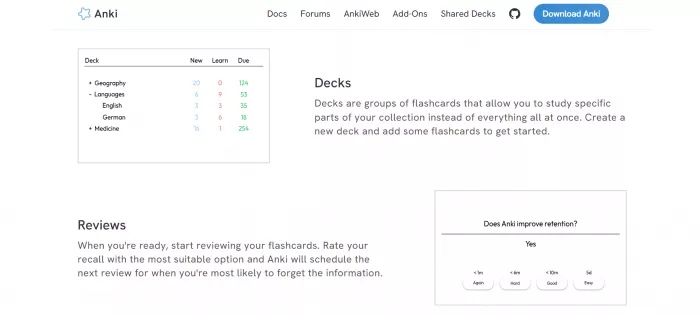
Anki has no AI of its own, and it still belongs at the top. It runs FSRS-6, the most accurate open scheduling algorithm available, and the full app is free on desktop, web, and Android, with a one-time $24.99 charge only on iOS. Card creation is where the AI comes in: a ChatGPT prompt or a community add-on turns typed notes, a PDF, or a slide deck into a formatted deck in minutes, and from there the algorithm decides exactly when each card comes back. Nothing is locked behind a subscription, decks export anywhere, and the shared libraries for medicine, law, and languages run into the thousands. The trade is time, since the first hour is fiddly and the interface has not changed much in years.
Pros
- Strongest free scheduling engine
- FSRS intervals you can see and tune
- Cards you own and export anywhere
- Vast shared deck library
Cons
- Setup takes patience
- Interface looks dated
- AI generation is a bolt-on, not native
Price: Free on desktop, web, Android. iOS app $24.99 one time.
Verdict: For anyone in a memory-heavy field studying across months or years, this is still the engine that keeps the most in your head.
Knowt
The free generator with a real review mode
Best for: free AI generation from PDFs and lectures
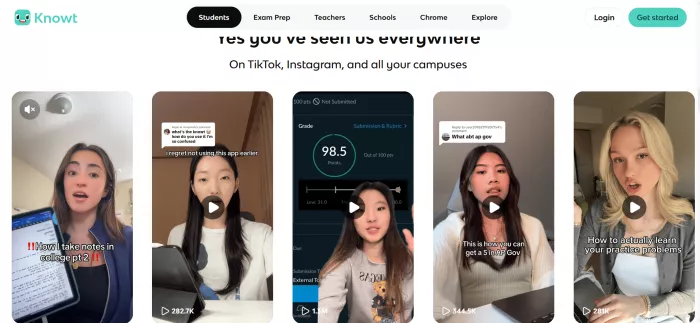
Knowt grew into the default free Quizlet alternative, past 7 million users, by giving away what Quizlet now charges for. Its AI assistant, Kai, builds flashcards and quizzes from PDFs, pasted notes, and uploaded lecture video or audio, and a one-click importer pulls old Quizlet sets across so switching costs nothing. Reviews run on a genuine spaced-repetition mode rather than a token one, and study tracking shows which cards are slipping. If most of your material lives in recordings, tools built around turning lecture recordings into study sets are worth comparing alongside it, since the Timtis team put one through a full week of hands-on testing. The catch is consistency: on dense or highly technical material, the generated cards need a careful pass before they are trustworthy.
Pros
- Generous free tier with real spaced repetition
- Reads PDFs, notes, and lectures
- Imports Quizlet sets in one click
- Study tracking built in
Cons
- AI card quality is uneven on dense material
- Pricing and features shift often
- The app can feel buggy
Price: Free, with an optional paid tier for heavier AI use.
Verdict: The best free starting point in 2026 for AI generation paired with review that actually schedules.
RemNote
Flashcards that live inside your notes
Best for: students who live in their notes
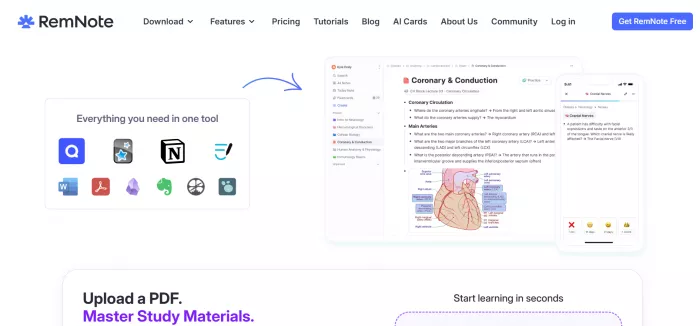
RemNote merges a note-taking workspace with flashcards you create while you write, so every card keeps the paragraph of context it came from. It ships both FSRS and SM-2 with no add-on, which almost nothing else here does, and its AI drafts cards from your notes, a short prompt, or an uploaded document. The free plan is genuinely usable: unlimited notes and cards, synced across devices, plus a monthly pool of AI credits that covers light generation. Because the cards and the source notes sit together, review doubles as a second read of the material, which suits concept-heavy subjects better than bare question-and-answer decks.
Pros
- True FSRS and SM-2 built in, no add-on
- Cards stay tied to their source notes
- Free plan covers most students
- Strong for concept-heavy subjects
Cons
- The all-in-one workspace has a real ramp before it clicks
- Heavy AI use needs a paid plan
Price: Free (unlimited notes and cards, 100 AI credits a month). Pro from about $8 a month; Pro with AI around $18.
Verdict: The pick for note-takers who want writing, cards, and scheduling in one connected place.
Quizlet
The polished option, now mostly behind a paywall
Best for: beginners who want shared decks
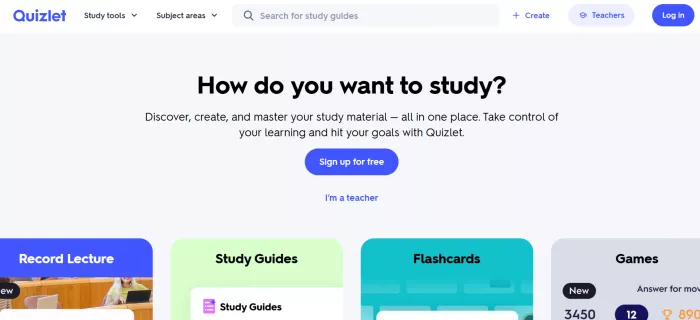
Quizlet is still the most approachable interface in the category and holds the largest library of shared, ready-made decks, which is why it tends to be the first name students try. Its Magic Notes feature turns pasted notes, PDFs, and even photos of handwriting into a set in seconds, and an AI-enhanced Learn mode schedules what you see next. One thing worth knowing before paying: the standalone Q-Chat tutor was retired in 2025, and the AI now lives inside Magic Notes and Learn mode rather than a separate chatbot. The friction is the paywall, since Learn mode, offline study, and Magic Notes all sit behind Plus, the free tier shows ads and caps core features, and public sentiment reflects it, with Trustpilot averaging near 1.4 of 5 across more than 500 reviews.
Pros
- Cleanest interface for beginners
- Huge bank of shared decks
- Magic Notes handles photos and handwriting well
Cons
- Learn mode, offline study, and Magic Notes sit behind Plus
- Free tier shows ads and caps core features
- Weak native scheduling for long-term recall
Price: Free (limited). Plus $7.99 a month or $35.99 a year; Plus Unlimited about $44.99 a year.
Verdict: Worth paying for if a frictionless interface and shared decks matter more than owning the strongest algorithm.
Beyond single-purpose card makers, some students prefer a broader study suite that also drafts essays, summaries, and practice questions from the same upload. One such tool was put through a hands-on test by the Timtis team, with its pricing and limits broken down in full.
Compare on retention
Card-making speed looks the same across every app. What separates them is the scheduling engine underneath, and whether you can carry your deck somewhere stronger later.
| Tool | Scheduling algorithm | Adjustable intervals | Exports to Anki / FSRS | Best study horizon |
|---|---|---|---|---|
| Anki + AI | FSRS-6 | Yes, fully | Native FSRS | Months to years |
| RemNote | FSRS and SM-2 | Yes | Yes, FSRS native | Months to years |
| Knowt | Built-in spaced repetition | Limited | CSV export | Weeks to a term |
| Quizlet | Learn mode scheduling | No | No true FSRS | Days to weeks |
Compare on price
All four start free, but "free" means very different things. Here is what each tier actually gives you before any money changes hands.
| Tool | Free tier | Paid entry | What paying unlocks |
|---|---|---|---|
| Anki + AI | Full app on desktop, web, Android | iOS app $24.99 once | Nothing gated on desktop; the iOS fee is for mobile sync on Apple |
| Knowt | AI generation plus spaced repetition | Optional paid tier | Higher AI generation limits for heavy users |
| RemNote | Unlimited notes and cards, 100 AI credits a month | Pro from about $8/mo ($18/mo with AI) | More AI credits, advanced learning and knowledge tools |
| Quizlet | Limited, ad-supported | Plus $7.99/mo or $35.99/yr | Learn mode, Magic Notes, offline study, ad-free |
How to make AI flashcards that actually stick
1. Generate from your own material, not a topic prompt
Feed the app your lecture notes, slides, or the assigned PDF. Cards built from a vague prompt tend to drift from what your exam actually covers.
2. Delete the junk before you study
AI decks pad themselves with trivia and near-duplicates. Cutting a 60-card set down to the 30 that matter is the highest-value five minutes you will spend.
3. Write one idea per card, as a question
Retrieval practice only fires when you have to produce an answer. Split dense cards, phrase the front as a question, and never let a card quiz two things at once.
4. Commit to a review schedule you'll actually follow
The algorithm sets the timing; showing up is on you. Short daily sessions beat weekly marathons, and the habit matters more than the app. A simple way to lock it in is building a review schedule you'll actually follow.
5. Move anything long-term into an FSRS engine
For a quiz next week, any tool is fine. For material you need in six months, export the deck into Anki or RemNote so FSRS can stretch the intervals as the memory stabilizes.
Final verdict
After weeks of daily reviews across all four, the ranking by what sticks looks nothing like a ranking by card-making speed. The flashiest generators lose their decks to the forgetting curve within a month. The tools that keep material in your head share one trait: a real scheduling algorithm you will keep opening.
So the honest answer depends on the horizon. For a quiz next Friday, Knowt's free generation and review is hard to beat. For anything that has to last a semester or a career, build the cards wherever is easiest, then let Anki or RemNote and FSRS do the slow work. The best AI flashcard maker is not the one with the smartest generator. It is the one whose review queue you actually open tomorrow morning.
Comments